Multimedia Carousel - An Addon for WPBakery Page Builder: A Tec
-
Multimedia Carousel - An Addon for WPBakery Page Builder: A Technical Evaluation and Implementation Guide
The pursuit of dynamic, engaging web content often leads developers down the path of specialized addons for established page builders. Among the myriad options available for WPBakery Page Builder, one solution designed to tackle the common challenge of multimedia presentation is the Multimedia Carousel - Addon for WPBakery Page Builder. As a technical journalist and a senior web developer, my objective here is to cut through the marketing jargon and provide a rigorous, practical assessment of this addon. We'll explore its features, scrutinize its underlying implications for performance and development workflow, and walk through a detailed installation and configuration process. This isn't just about what it does, but how it does it, and whether it earns its place in a professional toolkit.
Initial Impressions: The Promise of Dynamic Media Presentation
At its core, the Multimedia Carousel addon promises to deliver a flexible and feature-rich method for displaying images, videos, and mixed media within WPBakery-powered layouts. The concept of a carousel itself is well-trodden ground in web development; almost every project, at some point, requires a slider or gallery. What differentiates a compelling addon from a mere wrapper for a basic JavaScript library lies in its integration depth, customization granularity, and performance consciousness. Upon first glance, the addon positions itself as a comprehensive solution for interactive media displays. The expectation is that it will abstract away the complexities of JavaScript library integration, responsive design for various media types, and WPBakery’s sometimes idiosyncratic element structure. A truly valuable addon simplifies without oversimplifying, offering powerful controls to the developer while presenting an intuitive interface to the content editor. The initial promise here is significant: an all-in-one solution for dynamic multimedia content that can be deployed rapidly within a familiar WPBakery environment. However, promises must be weighed against practical realities, particularly concerning front-end performance and long-term maintainability.
Deep Dive: Feature Set and Design Philosophy
Any WPBakery addon lives and dies by its feature set and how thoughtfully those features are exposed to the user. The Multimedia Carousel differentiates itself by supporting not just static images, but also various video sources, and the ability to combine these into a single carousel.
Carousel Types and Media Handling:
The addon boasts support for images, YouTube videos, Vimeo videos, and self-hosted MP4 videos. This flexibility is critical for modern web projects.
- Image Carousels: Standard fare, allowing selection from the WordPress Media Library. We expect controls for image sizing, lazy loading, and lightbox integration.
- Video Carousels: Handling external video embeds (YouTube, Vimeo) requires careful implementation to ensure responsiveness and proper API interaction. Self-hosted video, on the other hand, demands robust HTML5 `
- Mixed Media Carousels: This is where the addon truly tries to distinguish itself. Interspersing images and videos within the same carousel introduces challenges related to differing content heights, play/pause controls, and ensuring a smooth user experience across varying media types.
Customization Options:
A critical aspect of any page builder addon is its array of customization options. Developers need control over layout, navigation, and responsiveness.
- Layouts: Expected options include defining the number of items visible, item spacing, and potentially different aspect ratios for various slides.
- Navigation: Arrows, dots, and customizable pagination styles are standard. Autoplay functionality with control over speed and pause-on-hover is also expected.
- Responsiveness: This isn't optional; it's a requirement. The addon must provide clear controls, or intelligent defaults, for how the carousel behaves on different screen sizes, from mobile phones to ultra-wide desktop monitors. This includes not just resizing the carousel itself, but ensuring the embedded media within it also scales correctly.
- Styling: Beyond basic layout, the ability to control colors, typography for captions, and even custom CSS classes for advanced styling hooks into a developer's workflow. The degree to which the addon allows for fine-grained aesthetic control without resorting to `!important` declarations is a testament to its design quality.
Integration with WPBakery:
The seamlessness of integration within the WPBakery interface is paramount. A good addon appears as a native element, with intuitive controls that map directly to the desired output. We look for:
- A dedicated WPBakery element accessible from the "Add Element" panel.
- Logically grouped settings within the element editor, avoiding a confusing sprawl of options.
- Real-time preview or accurate representation within the WPBakery front-end editor (if supported).
The design philosophy, judging by the feature set, leans towards providing an "everything you need" solution for carousels. This is often a double-edged sword; while comprehensive, it risks bringing in more code than a specific project might require, potentially impacting performance.
Real-World Application and Use Cases
Where would a senior web developer genuinely leverage the Multimedia Carousel addon in a professional project?
Consider these scenarios:- Portfolio Displays: Showcasing design mockups, development projects, and video demos for a creative agency or freelance developer. The mixed media capability is particularly useful here for presenting a diverse range of work.
- Product Features & Galleries: For e-commerce sites, this addon could provide dynamic product galleries, demonstrating items from various angles or showing product videos alongside static images.
- Testimonials & Client Showcases: Displaying client logos, written testimonials with accompanying headshots, or even video testimonials from satisfied customers.
- News & Event Highlights: A quick way to cycle through recent news articles, event photos, or promotional videos on a corporate or educational portal.
- Hero Sections with Mixed Media: While not typically a "hero slider" replacement, some designers might opt for a full-width, auto-playing mixed media carousel as a dynamic introductory element on a landing page.
The ability to combine different media types within one carousel significantly broadens its applicability compared to image-only sliders. This is a clear advantage for designers and developers who need to present rich, varied content without resorting to multiple plugins or custom code solutions for each media type.Technical Review: Under the Hood Considerations
As a senior developer, my primary concern with any third-party addon revolves around its technical footprint and potential ramifications for a project's long-term health.
Code Quality and Performance Implications:
Without direct access to the source code, we must infer code quality from typical WPBakery addon patterns and observed behavior.
- JavaScript Libraries: Most carousels rely on established JavaScript libraries like Owl Carousel, Slick, or Swiper. A well-built addon will enqueue these scripts conditionally and efficiently, avoiding redundant loads. Poorly implemented addons might bundle an entire library for a single instance, or worse, load multiple carousel libraries simultaneously if other plugins or the theme also include them, leading to "script bloat" and potential conflicts. We expect minified and concatenated scripts.
- CSS: Similarly, the CSS should be scoped to the addon's elements, minimizing the risk of global style conflicts. Overly aggressive CSS or the use of `!important` flags are red flags, indicating a lack of thought in specificity and integration. The addon should provide enough hooks (classes, data attributes) for developers to override default styles cleanly.
- DOM Manipulation: Carousels inherently manipulate the DOM. How efficiently this is done, especially during initialization and resizing, directly impacts page rendering performance. Excessive reflows and repaints can be detrimental.
- Lazy Loading: For image and video carousels, lazy loading of off-screen slides is crucial for initial page load times. This prevents the browser from downloading all media assets upfront, which can be particularly heavy with numerous high-resolution images or videos.
Browser Compatibility and Responsiveness:
The addon must function correctly and consistently across all modern browsers (Chrome, Firefox, Safari, Edge) and various device types. Responsive breakpoints must be handled intelligently, not just resizing the container, but adapting the number of visible slides and optimizing media for smaller screens. Video embeds, especially, need robust aspect ratio management to prevent letterboxing or cropping issues.
Accessibility (A11y):
Often overlooked, but critical for professional development, is accessibility. A good carousel addon should:
- Include ARIA attributes for screen readers (e.g., `aria-live`, `aria-label` for navigation controls).
- Allow keyboard navigation (Tab to focus, arrow keys to navigate slides, Enter/Space to activate controls).
- Provide sufficient color contrast for controls and text elements.
If the addon falls short in these areas, a developer would need to implement custom solutions, negating some of the "addon" benefit.Compatibility with WPBakery and WordPress:
The addon must maintain compatibility with the latest versions of WPBakery Page Builder and WordPress core. Regular updates are a strong indicator of a maintained, reliable product. Conflicts with themes are also a concern, especially if the theme itself includes similar carousel functionality or custom styles that might clash with the addon's output. These "silent killers" can lead to frustrating debugging sessions.
Installation Guide: Getting Started
Installing the Multimedia Carousel addon for WPBakery Page Builder is a straightforward process, typical of most WordPress plugins. However, a meticulous approach ensures a smooth setup.
Prerequisites:
- WordPress Installation: A functional WordPress installation (preferably the latest stable version).
- WPBakery Page Builder: This addon is entirely dependent on WPBakery Page Builder (formerly Visual Composer) being installed and activated on your WordPress site. Ensure you have a licensed and up-to-date version.
Download and Preparation:
You would typically acquire the addon through a purchase from a marketplace or a provider like gplpal, which often offers a wide range of WordPress themes, plugins, and addons, including Free download WordPress themes. After downloading, you will receive a `.zip` file containing the plugin.
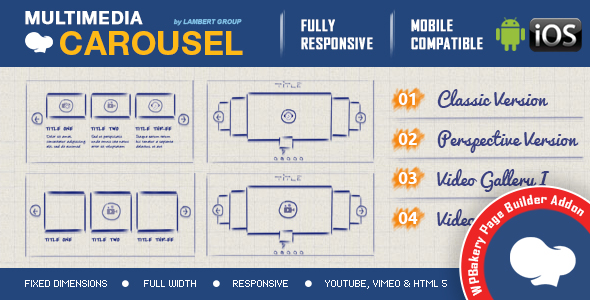
- Obtain the File: Download the "Multimedia Carousel - Addon for WPBakery Page Builder" `.zip` file to your local machine. Do not unzip it.
Installation Steps:
- Log into WordPress Admin: Navigate to your WordPress dashboard.
- Go to Plugins: From the left-hand menu, hover over "Plugins" and click "Add New."
- Upload Plugin: At the top of the "Add Plugins" page, click the "Upload Plugin" button.
- Choose File: Click "Choose File" and select the `.zip` file you downloaded earlier.
- Install Now: Click "Install Now." WordPress will upload and unpack the plugin.
- Activate Plugin: Once the installation is complete, you'll see a success message. Click "Activate Plugin."
With activation complete, the addon's elements should now be available within your WPBakery Page Builder interface.
First Steps in WPBakery:
- Create or Edit a Page/Post: Go to "Pages" or "Posts" and either add a new one or edit an existing one where you want to add the carousel.
- Switch to WPBakery Editor: Ensure you are using the WPBakery Page Builder editor (Back-end Editor or Front-end Editor).
- Add Element: Click the "+" icon to add a new element.
- Locate Carousel Element: In the element selection dialog, search for "Multimedia Carousel" or a similar title corresponding to the addon. Select it.
Basic Configuration Example (Image Carousel):
Let's configure a simple image carousel to illustrate the process:
- Add the Element: Once you've added the "Multimedia Carousel" element, its settings panel will appear.
- Select Carousel Type: Look for an option to choose the carousel content type. Select "Images."
- Add Images: You'll typically find a "Add Images" button. Click it to open the WordPress Media Library. Select the images you want to include in your carousel.
- Configure Basic Settings:
- Items to Show: Define how many images are visible at once (e.g., 3).
- Autoplay: Enable or disable autoplay and set a slide speed (e.g., 3000ms for 3 seconds).
- Navigation: Choose whether to display arrows, dots, or both.
- Responsiveness: Check for options to set different numbers of visible items for mobile and tablet views.
- Save Changes: Click "Save Changes" or "Update" to apply the carousel to your page.
- Preview: View your page to see the carousel in action.
For video carousels, the process is similar, but you would select "Videos" as the content type and then add video URLs (YouTube, Vimeo) or upload self-hosted MP4s as directed by the addon's interface.
Configuration Deep Dive and Advanced Usage
Once the basic installation is complete, understanding the full breadth of configuration options is key to harnessing the addon's power. A truly useful addon provides extensive controls without overwhelming the user.
Detailed Breakdown of Settings Panels:
WPBakery elements typically organize settings into tabs or accordions. For the Multimedia Carousel, expect categories like:
- Content Settings: This is where you define the type of carousel (image, video, mixed) and add your media items. For images, it’s a standard media library picker. For videos, you'll input URLs or select files. Options for adding captions or titles to individual slides should also be present here.
- Carousel Settings: Controls for the core carousel behavior. This includes:
- Items Visible: Number of slides to show simultaneously on desktop, tablet, and mobile breakpoints.
- Looping: Enable or disable infinite looping.
- Autoplay: On/off, autoplay speed, pause on hover.
- Slide Speed: Transition duration between slides.
- Center Mode: If the carousel supports displaying a "focused" center slide with side slides partially visible.
- Mouse Drag/Touch Swipe: Enable or disable user interaction.
- Navigation Settings: Customization for user navigation elements:
- Arrows: Show/hide, arrow icon style, position, color.
- Dots/Pagination: Show/hide, dot style, color, position.
- Lightbox: Integration with a lightbox plugin (if applicable) for opening images/videos in a modal.
- Styling Options: Visual customization beyond layout:
- Item Spacing/Padding: Control the gaps between carousel items.
- Border/Shadow: Basic styling for individual slides.
- Overlay Colors: For video thumbnails or text overlays.
- Typography: Font, size, color for slide titles/captions.
- Responsive Settings: Dedicated overrides for specific breakpoints, if not already integrated into general settings. This is crucial for precise control.
- Extra Class Name: A vital feature for developers, allowing the addition of custom CSS classes to the carousel container. This is the primary method for applying bespoke styling without modifying the plugin's core files.
Practical Examples for Specific Design Goals:
Scenario 1: Full-Width Product Showcase with Videos and Images
Goal: A responsive carousel that spans the full browser width, showcasing product images and short demo videos.
- Embed the Multimedia Carousel element within a WPBakery "Row" element set to "Stretch Row" and "Content Width: Full Width."
- In the carousel settings, select "Mixed Media." Add your product images (high-res, but optimized) and YouTube/Vimeo links for product demos.
- Set "Items Visible" to 1 for desktop, tablet, and mobile for a single, focused slide experience.
- Enable autoplay with a generous speed (e.g., 5000ms), and make sure "Pause on Hover" is active.
- Ensure navigation arrows are prominent and positioned clearly on either side.
- Add a custom class like `product-hero-carousel` in the "Extra Class Name" field for specific styling.
Scenario 2: Testimonial Slider with Customer Headshots
Goal: Displaying 3 customer testimonials side-by-side, with headshots and quotes, responsive across devices.
- Add the Multimedia Carousel. Select "Images" as the content type. Add customer headshots.
- Beneath each image in the carousel item settings, utilize the "Caption" or "Description" field (if available) to input the testimonial text and customer name.
- Set "Items Visible" to 3 for desktop, 2 for tablet, and 1 for mobile.
- Disable autoplay, as users might want to read testimonials at their own pace. Enable dots for manual navigation.
- Use custom CSS (via the `extra-class-name` or your theme's custom CSS panel) to style the testimonial text overlay, ensuring readability and aesthetic integration with your site's typography. This might involve targeting classes like `.carousel-item-caption` or similar, which you’d discover through browser inspection tools.
Leveraging Custom CSS/JS for Advanced Styling:
The "Extra Class Name" field is your gateway to advanced customization.
Example CSS targeting:.my-custom-carousel.vc_multimedia_carousel .slick-prev, .my-custom-carousel.vc_multimedia_carousel .slick-next { background-color: #ff0000; border-radius: 50%; color: #ffffff; } .my-custom-carousel.vc_multimedia_carousel .slick-dots li button:before { color: #0000ff; } .my-custom-carousel.vc_multimedia_carousel .slick-dots li.slick-active button:before { color: #ff00ff; }
Using browser developer tools to inspect the rendered HTML and identify the addon's specific classes for arrows, dots, and containers is crucial for writing targeted and effective custom CSS. Avoid overly generic selectors to prevent unintended global changes. For JavaScript, if the addon exposes any hooks or events, a senior developer might tap into these for custom logging, analytics, or dynamic content loading based on slide changes. However, such advanced JS customization often steps into the territory of maintaining the underlying carousel library directly, which an addon aims to abstract away.The Good, The Bad, and The Realistic
Every tool has its strengths and weaknesses. A professional evaluation requires an honest look at both.
The Good:
- Comprehensive Media Support: The ability to seamlessly integrate images, YouTube, Vimeo, and self-hosted videos within a single carousel element is a significant advantage. This saves developers from patching together multiple solutions or writing custom code for varied media types.
- WPBakery Integration: It appears as a native element, and its settings are typically well-organized within the familiar WPBakery interface, reducing the learning curve for existing WPBakery users.
- Responsiveness Controls: Adequate control over breakpoint-specific settings for items visible, which is crucial for delivering a consistent user experience across devices.
- Ease of Use (for basics): For standard image or video carousels with default styling, the addon simplifies creation considerably compared to manual coding.
The Bad:
- Potential Bloat: As with many feature-rich addons, there's a risk of loading unnecessary JavaScript and CSS for features not being used. This contributes to a larger page weight and longer load times, which is detrimental to SEO and user experience.
- Performance Overhead: While convenient, WPBakery itself can be heavy. Adding another layer of JavaScript-driven elements inevitably introduces more front-end overhead. Scrutiny is required to ensure the addon's performance impact is justified by its utility.
- Learning Curve (for advanced features): While basic usage is simple, mastering the nuances of custom styling, intricate responsive behaviors, and potential interactions with other scripts can still demand a developer's attention.
- Reliance on WPBakery: The addon is entirely dependent on WPBakery. If you ever decide to move away from WPBakery, all instances of this carousel would need to be re-implemented, potentially requiring significant development effort. This tight coupling is a common drawback of page builder specific addons.
The Realistic (A Critical Lens):
Is this addon truly innovative, or is it merely a well-packaged wrapper around an existing JavaScript carousel library (e.g., Slick Carousel, Owl Carousel)? The latter is often the case, and while not inherently negative—good wrappers save time—it means the core functionality is not unique. The innovation lies in the user experience within WPBakery, not typically in the underlying carousel mechanics.
A senior developer should be aware of the performance implications. Every script and stylesheet added contributes to the critical rendering path. While modern browsers are performant, an accumulation of such elements can quickly degrade Lighthouse scores. For high-performance, critical projects, one might question if a hand-coded, optimized solution using a lightweight, tree-shaken carousel library, or even a pure CSS approach for simpler cases, would be preferable. The convenience of the addon must be weighed against its long-term performance cost. For client projects where rapid deployment and content editor autonomy are priorities, these trade-offs are often acceptable, provided the performance hit isn't catastrophic.
Furthermore, potential visual inconsistencies across themes are a real concern. Different themes might apply their own global styling to common HTML elements (like `div`, `img`, `button`), which can unintentionally override or conflict with the addon's intended appearance. Resolving these often requires targeted custom CSS, diminishing the "drag-and-drop" simplicity.
Who Is This For?
The Multimedia Carousel addon is best suited for:
- WordPress Agencies and Freelancers: Who build numerous client sites using WPBakery and need a quick, reliable way to implement dynamic media carousels without custom coding for each project.
- Content Managers: Who require a user-friendly interface to create and manage multimedia content displays without developer intervention after initial setup.
- Small to Medium Businesses: Looking to enhance their website with interactive content and have already invested in WPBakery, prioritizing visual flexibility and speed of deployment over absolute minimal page weight.
It's likely less ideal for highly optimized, performance-critical web applications where every millisecond and kilobyte counts, or for developers who prefer full control over their front-end stack without page builder dependencies.
Conclusion: A Capable, Convenient Solution
The Multimedia Carousel addon for WPBakery Page Builder presents itself as a robust and versatile tool for integrating dynamic multimedia carousels into WordPress sites. Its comprehensive support for various media types – images, YouTube, Vimeo, and self-hosted videos – combined with its deep integration into the WPBakery interface, makes it a compelling option for developers and content managers seeking efficiency. The addon successfully abstracts many of the complexities involved in responsive media handling and carousel functionality, allowing for rapid deployment of engaging content. From a senior web developer's perspective, while the convenience is undeniable, it's crucial to acknowledge the inherent trade-offs. The potential for front-end performance overhead, typical of feature-rich page builder addons, warrants careful consideration and testing. Diligent use of optimization techniques—such as image compression, lazy loading, and judicious application of custom CSS to minimize conflicting styles—becomes essential to mitigate these concerns. The addon's value truly shines in scenarios where speed of development and empowering content editors within a WPBakery environment are primary drivers. For those working within these constraints, it provides a powerful, ready-to-use solution for dynamic content display, capable of elevating the visual appeal and interactivity of a website. It delivers on its promise of making multimedia carousels accessible and manageable within the WPBakery ecosystem, proving itself a valuable addition to the toolkit for many WordPress projects.
Looking for more WordPress tools and resources? Explore the offerings at gplpal, or browse their extensive collection of Free download WordPress themes and plugins.