Categories
Tags
Archives
Frezka Saas: A Candid Technical Review and Deployment Guide for
-
Frezka Saas: A Candid Technical Review and Deployment Guide for White-Label Spa & Salon Management
The market for specialized business management software is saturated, yet the demand for robust, adaptable, and especially white-label solutions remains acutely high. Agencies, developers, and entrepreneurs often face the build-versus-buy dilemma when tasked with delivering comprehensive solutions to clients in the service industry. Enter Frezka Saas, a white-label spa and salon management platform that promises to streamline operations, enhance client engagement, and provide a fully customizable brand experience. My objective here is to cut through the marketing fluff, offering a senior web developer's and technical journalist's perspective on the practicalities, technical underpinnings, and genuine value proposition of Frezka Saas - White Label Spa & Salon Management Software.
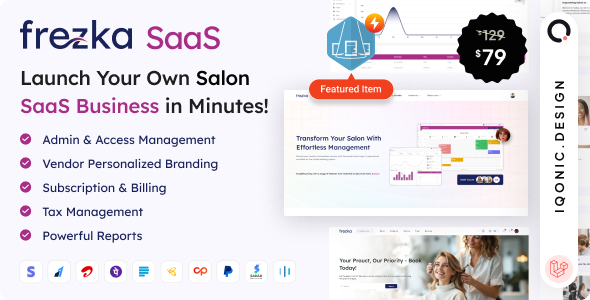
We're looking at a product that aims to solve a significant problem: providing a sophisticated, multi-tenant application without the prohibitive cost and development time of building it from scratch. This review will delve into its architecture, core features, the realities of its white-label capabilities, and crucially, provide a detailed installation and configuration guide. Expect an expert, direct, and slightly critical tone, focusing on what it takes to get this system operational and genuinely beneficial in a real-world scenario.
Architectural Overview and Core Features: The Foundation
From a technical standpoint, Frezka Saas is built on the Laravel PHP framework, a common and generally well-regarded choice for web application development. This immediately tells us a few things: we're dealing with a modern, MVC-based architecture, which usually implies good code organization, a strong community, and a decent ecosystem of packages. The backend typically relies on MySQL for data persistence, standard for most PHP applications. Frontend frameworks vary, but often involve Vue.js or React for dynamic interfaces, or a mix of jQuery and vanilla JavaScript for simpler components, coupled with a CSS framework like Bootstrap or Tailwind CSS.
The "Saas" in Frezka Saas isn't just a marketing term; it denotes a multi-tenant architecture. This is paramount for a white-label solution. Each salon or spa client you onboard exists as a tenant within the same codebase, but with their own segregated data, branding, and access controls. This is achieved through database-level separation (e.g., separate databases or schema, or more commonly, a tenant_id column across all relevant tables) and robust routing to ensure each tenant only accesses their designated resources. Implementing multi-tenancy correctly is complex, demanding careful attention to security, data integrity, and performance. We'll examine how well Frezka handles this crucial aspect.
A comprehensive spa and salon management system must cover several key functional areas. Frezka Saas appears to target these:
- Appointment Scheduling: This is the bread and butter. It needs to be intuitive for clients to book online, flexible for staff to manage availability, handle recurring appointments, block-outs, and integrate with calendars.
- Staff Management: Employee profiles, roles, permissions, schedules, commission tracking, and performance monitoring. Crucially, multi-tenant systems need fine-grained access control for staff within each salon.
- Client Management (CRM): Centralized client database, service history, preferences, communication logs, loyalty programs, and appointment reminders (SMS/email).
- Service Management: Defining services, durations, pricing, staff assignment, and categorization.
- Point of Sale (POS): Handling sales transactions for services and products, accepting various payment methods, applying discounts, and processing refunds.
- Inventory Management: Tracking product stock levels, managing suppliers, purchase orders, and alerts for low stock.
- Reporting & Analytics: Sales reports, staff performance, client retention, inventory reports, and financial summaries. This is vital for business owners.
- Marketing & Promotions: Tools for sending promotional emails, SMS campaigns, loyalty programs, and gift cards.
- Dashboard & System Settings: A centralized admin area for overall system configuration, tenant management, and global settings for the master administrator.
The strength of Frezka Saas lies in its promise to deliver these features under a single, deployable codebase that can then be reskinned and resold. The quality of its implementation determines its utility.
The White Label Promise: Reality Versus Expectation
The term "white label" implies a complete re-branding, allowing you to present the software as your own, without any trace of the original vendor. With Frezka Saas, this means customizing the logo, favicon, color scheme, domain names, email templates, and potentially even the default text and imagery across the client and staff portals. This is not a trivial undertaking for any complex application.
On paper, Frezka should offer:
- Domain Mapping: Each salon client should be able to access their instance via their own custom domain (e.g.,
mysalon.comorbooking.mysalon.com), not just a subdomain of your main Frezka installation (e.g.,mysalon.yourdomain.com). This requires careful server configuration and DNS management. - Deep Branding Customization: Beyond just a logo swap, true white-label often extends to fonts, button styles, general UI components, and the ability to inject custom CSS/JS for granular control.
- Email Template Customization: All automated emails (appointment confirmations, reminders, marketing blasts) should be brandable.
- Removable Branding: Absolutely no "Powered by Frezka" or similar footer links should remain.
The reality often falls short with off-the-shelf solutions. Developers frequently encounter hardcoded strings, styles that resist simple overrides, or limitations in the admin panel's branding options. Expect to potentially dive into the codebase (specifically view files and configuration) to achieve a truly seamless white-label experience. For agencies looking to present a polished, proprietary solution, this level of customizability is non-negotiable.
Usability and User Experience: A Critical Assessment
Even the most feature-rich software fails if it's not usable. As a senior developer, I understand that the UI/UX directly impacts adoption and efficiency. Frezka Saas needs to cater to three distinct user groups:
- The Master Administrator (You/Your Team): Managing multiple tenants, overseeing global settings, user accounts, and system health. This dashboard needs to be powerful, clear, and provide an overview of all client instances.
- Salon/Spa Owners & Managers: Daily operations, staff management, financial oversight, and marketing campaigns. Their interface should prioritize quick access to critical data and workflows.
- Staff Members: Managing their schedules, client appointments, POS transactions, and accessing client histories. Simplicity and speed are key here.
- End Clients: Booking appointments, viewing their history, and managing their profile. This portal must be intuitive, mobile-responsive, and inspire confidence.
My typical observations on such systems often highlight a few common flaws: an overly complex admin panel attempting to cram too many options, inconsistent navigation, or a lack of attention to mobile responsiveness for staff and client interfaces. A great UI for a Saas product balances depth of features with ease of use. It should minimize training time for salon staff and eliminate frustration for clients trying to book. The online booking process, in particular, must be streamlined, offering clear availability, service selection, and confirmation steps.
Technical Deep Dive and Development Considerations
For any developer considering deploying Frezka Saas, a look under the hood is essential. The reliance on Laravel is a good starting point, implying a structured approach. However, the quality of the specific implementation varies greatly.
- Code Quality and Best Practices: While I can't review the actual code without access, typical concerns include adherence to PSR standards, proper use of Eloquent (avoiding N+1 queries), robust validation, and clean, modular code. A well-written Laravel application is maintainable and extensible. A poorly written one, even if functional, becomes a technical debt nightmare.
- Extensibility: Can you easily add new features, integrate with third-party APIs (e.g., payment gateways, SMS providers beyond what's built-in), or customize existing modules without hacking the core? This often means the presence of a well-defined API, clear hooks, or an event-driven architecture. For white-label solutions, customization is often paramount.
- Performance: Multi-tenancy can introduce performance bottlenecks if not handled correctly. Are database queries optimized? Is caching (Redis, Memcached) leveraged? How does the application scale as more tenants are added? Does it support queueing for background tasks (e.g., sending mass emails, generating reports)? These are crucial for a responsive system.
- Security: A Saas platform handles sensitive client data and financial transactions. Robust security measures are non-negotiable. This includes protection against common web vulnerabilities like XSS, CSRF, SQL Injection, secure password hashing, proper session management, and role-based access control. Ensure that tenant data is truly segregated and that an admin from one salon cannot accidentally (or maliciously) view data from another.
- Deployment & CI/CD: A well-structured Laravel app should be straightforward to deploy using standard tools. However, managing updates for a Saas product with multiple live tenants requires a careful CI/CD pipeline to minimize downtime and prevent regressions.
Before committing to Frezka Saas, if possible, inspect the documentation for developer-centric details, contribution guidelines, or extensibility points. This will give you a clearer picture of long-term maintainability.
Installation and Configuration Guide: Getting Frezka Saas Live
Deploying a Laravel-based Saas application like Frezka Saas requires specific server setup and a methodical approach. This guide assumes a Linux-based server (e.g., Ubuntu, CentOS), Apache or Nginx as the web server, and a basic understanding of SSH and command-line operations.
Prerequisites: Laying the Groundwork
Ensure your server meets these requirements. Deviations can lead to unexpected errors.
- Web Server: Apache 2.4+ or Nginx 1.10+.
- PHP: PHP 8.1+ (Laravel 9/10 typically requires 8.1 or higher).
- Required PHP Extensions:
bcmath,ctype,curl,dom,fileinfo,gd,json,mbstring,mysql,openssl,pdo,tokenizer,xml,zip. - Recommended:
intl(for better localization),exif.
- Required PHP Extensions:
- Database: MySQL 5.7+ or MariaDB 10.2+.
- Composer: PHP dependency manager. Install it globally:
curl -sS https://getcomposer.org/installer | php -- --install-dir=/usr/local/bin --filename=composer - Node.js & NPM/Yarn: For frontend asset compilation (if applicable). Install via NodeSource repository:
curl -fsSL https://deb.nodesource.com/setup_lts.x | sudo -E bash -thensudo apt-get install -y nodejs. - Git: For version control, though you'll likely download a ZIP initially.
- Domain Names: You'll need a primary domain for your Saas platform (e.g.,
app.yourdomain.com) and potentially wildcard subdomains or separate domains for each tenant.
Step-by-Step Installation: From Download to Live
Let's assume you've downloaded the Frezka Saas package from gplpal. For this guide, we'll place it in
/var/www/frezka_saas.- Upload and Extract:
- Upload the ZIP archive to your server via SFTP.
- SSH into your server and navigate to your web root (e.g.,
cd /var/www). - Create a directory for your application:
sudo mkdir frezka_saas. - Unzip the package into this directory:
sudo unzip /path/to/frezka-saas.zip -d frezka_saas(adjust path). - Navigate into the application directory:
cd frezka_saas.
- Composer Dependencies:
- Install PHP dependencies:
composer install --no-dev --optimize-autoloader. This might take a few minutes.
- Install PHP dependencies:
- Environment Configuration:
- Copy the example environment file:
cp .env.example .env. - Open
.envin a text editor (e.g.,nano .env). - Key Settings to Modify:
APP_NAME="Frezka Saas"(Your Saas brand name)APP_ENV=production(Crucial for security and performance)APP_KEY=(Generate this withphp artisan key:generatelater)APP_DEBUG=false(MUST be false in production)APP_URL=https://app.yourdomain.com(Your primary Saas domain)DB_CONNECTION=mysqlDB_HOST=127.0.0.1DB_PORT=3306DB_DATABASE=frezka_saas_db(The database you'll create)DB_USERNAME=db_user(Your database user)DB_PASSWORD=your_db_password(Your database password)- Mail Configuration: Set up your SMTP details (
MAIL_MAILER,MAIL_HOST, etc.) for transactional emails. - Tenant Domain: Look for a
TENANT_DOMAIN_PATTERNor similar variable. This is critical for multi-tenancy. It might be something like{tenant}.app.yourdomain.comor a list of allowed domains.
- Copy the example environment file:
- Database Setup:
- Log in to your MySQL server:
mysql -u root -p - Create the database:
CREATE DATABASE frezka_saas_db CHARACTER SET utf8mb4 COLLATE utf8mb4_unicode_ci; - Create a dedicated user and grant privileges:
CREATE USER 'db_user'@'localhost' IDENTIFIED BY 'your_db_password';GRANT ALL PRIVILEGES ON frezka_saas_db.* TO 'db_user'@'localhost';FLUSH PRIVILEGES; - Exit MySQL.
- Log in to your MySQL server:
- Run Migrations and Seeders:
- Back in your application directory:
- Generate the application key:
php artisan key:generate - Run database migrations to create tables:
php artisan migrate --seed(--seedwill populate initial data, including the main admin user, if configured). - If seeding doesn't create an admin, look for a command like
php artisan frezka:create-adminor consult the documentation.
- Storage Linking and Permissions:
- Create a symbolic link for public storage:
php artisan storage:link - Set correct directory permissions:
sudo chown -R www-data:www-data /var/www/frezka_saas(Replacewww-datawith your web server user, e.g.,nginx)sudo find /var/www/frezka_saas -type d -exec chmod 755 {} \;sudo find /var/www/frezka_saas -type f -exec chmod 644 {} \;sudo chmod -R 775 /var/www/frezka_saas/storagesudo chmod -R 775 /var/www/frezka_saas/bootstrap/cache
- Create a symbolic link for public storage:
- Frontend Assets (if needed):
- If the application uses a build step for CSS/JS:
npm installnpm run production(ornpm run builddepending onpackage.json)
- If the application uses a build step for CSS/JS:
- Web Server Configuration (Apache Example):
- Create a new virtual host file:
sudo nano /etc/apache2/sites-available/frezka-saas.conf - Add the following content (adjust domain and path):
<VirtualHost *:80> ServerName app.yourdomain.com ServerAlias *.app.yourdomain.com # For wildcard subdomains if needed DocumentRoot /var/www/frezka_saas/public <Directory /var/www/frezka_saas/public> AllowOverride All Order allow,deny Allow from all Require all granted </Directory> ErrorLog ${APACHE_LOG_DIR}/frezka_saas_error.log CustomLog ${APACHE_LOG_DIR}/frezka_saas_access.log combined </VirtualHost> - Enable the site and rewrite module:
sudo a2ensite frezka-saas.confsudo a2enmod rewrite - Restart Apache:
sudo systemctl restart apache2 - Nginx: Create a server block in
/etc/nginx/sites-available/frezka-saas.confwith a similar structure, pointing the root to/var/www/frezka_saas/publicand ensuringfastcgi_passis correctly configured for PHP-FPM.
- Create a new virtual host file:
- SSL/TLS (Crucial for Production):
- Install Certbot:
sudo snap install --classic certbot - Obtain SSL certificate for your primary domain (and wildcard if using subdomains):
sudo certbot --apache -d app.yourdomain.com -d *.app.yourdomain.com(or--nginx). Follow prompts. - This will automatically configure HTTPS.
- Install Certbot:
- Cron Jobs:
- Laravel applications require a single cron entry to run scheduled tasks (e.g., sending reminders, cleaning up old data).
- Edit cron jobs:
crontab -e - Add the following line:
* * * * * cd /var/www/frezka_saas && php artisan schedule:run >> /dev/null 2>&1
White-Label Setup and Tenant Onboarding
Once the core system is running, the real work of branding and onboarding begins.
- Initial Administrator Login: Access your
APP_URL(e.g.,https://app.yourdomain.com/admin). Log in with the credentials created during seeding or via a specific artisan command. - Global Branding:
- Within the master admin panel, look for "Settings," "Branding," or "Appearance."
- Upload your master logo, favicon, and define default color schemes.
- Configure global email templates.
- Tenant Creation:
- From the master admin dashboard, there should be an option to "Add New Salon" or "Create Tenant."
- During tenant creation, you'll typically define:
- Salon Name, Contact Info
- Subdomain (e.g.,
mysalon, which becomesmysalon.app.yourdomain.com) or Custom Domain (mysalon.com). - Initial Admin User for the Salon.
- If using custom domains, you'll need to instruct your client to point their domain's A record (or CNAME) to your server's IP address and then configure your web server (Apache/Nginx) to handle that domain. This often involves dynamic virtual host configuration or a reverse proxy setup.
- Tenant-Specific Branding: Once a tenant is created, the salon-specific admin can usually log in (e.g.,
https://mysalon.app.yourdomain.com/login) and apply their own branding (logo, colors) which overrides the global settings for their specific instance.
Troubleshooting Common Installation Issues
- 500 Server Error: Check PHP error logs (
/var/log/apache2/error.logor/var/log/nginx/error.log, and Laravel'sstorage/logs/laravel.log). Often due to incorrect permissions or missing PHP extensions. - 404 Not Found: Usually a web server misconfiguration (
DocumentRootnot pointing topublic, or rewrite module not enabled). - Composer Errors: Missing PHP extensions, wrong PHP version, or connectivity issues.
- Database Connection Errors: Check
.envdatabase credentials, ensure MySQL server is running, and firewall allows connections. - White Screen of Death (WSOD): Set
APP_DEBUG=truetemporarily in.env(only in development!) to see the actual error message. Often a PHP fatal error. - Asset Loading Issues: If CSS/JS isn't loading, check `php artisan storage:link` and run
npm run productionif frontend assets are managed via Node.js. Check browser console for errors.
Performance, Security, and Maintenance: Long-Term Operations
Installation is just the beginning. Operating a Saas platform requires ongoing vigilance.
- Performance Optimization:
- Caching: Configure Redis or Memcached for Laravel's cache driver (in
.env). This drastically improves response times. - Database Indexing: Ensure critical columns (foreign keys, search fields) are indexed. Laravel's migrations typically handle this, but review if custom queries are slow.
- Queue Workers: For tasks like sending emails, processing reports, use Laravel Queues (with Redis or database driver) and a supervisor to manage queue workers.
- Server Resources: Monitor CPU, RAM, and disk I/O. Scale up your server as tenant count grows.
- Caching: Configure Redis or Memcached for Laravel's cache driver (in
- Security Best Practices:
- Regular Updates: Keep PHP, MySQL, Composer dependencies, and Laravel itself updated.
- Firewall: Restrict access to only necessary ports (80, 443, 22 for SSH).
- Strong Passwords: Enforce for all users.
- Two-Factor Authentication (2FA): Implement for admin users if not already present.
- Penetration Testing: Periodically test your application for vulnerabilities.
- Backup Strategy:
- Implement automated daily backups of your database and application files.
- Store backups off-site (e.g., S3, Google Cloud Storage).
- Regularly test your restore process.
- Monitoring:
- Use tools like UptimeRobot, New Relic, or Prometheus/Grafana to monitor server health, application performance, and uptime.
- Monitor Laravel logs for errors and unusual activity.
The Business Case and ROI: Who Benefits Most?
Frezka Saas isn't for everyone. Its value proposition is strongest for:
- Web Agencies: Looking to expand their service offerings by providing a white-label Saas solution to their salon/spa clients, generating recurring revenue without building from scratch.
- Individual Developers: With a niche market in mind, capable of deploying and customizing a complex application to serve multiple clients.
- Entrepreneurs: Who want to enter the salon software market with a ready-made, albeit customizable, product.
The ROI comes from significantly reduced development time and cost compared to building a multi-tenant Saas from the ground up. The recurring revenue model (monthly subscriptions from salons) can be highly lucrative. However, factor in the costs of server infrastructure, ongoing maintenance, support, and necessary customizations to make it truly competitive.
Strengths and Weaknesses: A Balanced View
Based on the typical characteristics of such software and the provided context:
Strengths:
- Comprehensive Feature Set: Addresses most core needs of spa and salon management, from booking to POS and reporting.
- White-Label Potential: Offers the foundation for agencies and developers to rebrand and resell, creating a proprietary offering.
- Laravel Foundation: A modern, robust, and well-documented framework simplifies development and maintenance for those familiar with PHP/Laravel.
- Multi-Tenancy: Designed to host multiple client businesses on a single codebase, optimizing resource usage and management.
- Cost-Effective Alternative: Potentially much cheaper than custom development or licensing from larger Saas providers, especially for agencies.
Weaknesses:
- Customization Complexity: Achieving a truly seamless white-label experience may require deep dives into the codebase, particularly for intricate UI/UX modifications beyond basic branding options.
- Deployment Learning Curve: Requires solid server administration, Laravel, and potentially Node.js knowledge. Not for beginners.
- Performance Under Load: While Laravel is performant, a multi-tenant architecture demands careful optimization to ensure scalability and speed as the number of clients grows. This is an unknown without direct performance metrics.
- Support Dependency: If purchasing from a third-party source like gplpal (which also offers Free download WordPress themes), be aware that direct vendor support might be limited, shifting the burden of bug fixes and enhancements to the deployer.
- Initial Setup Burden: The comprehensive installation guide above illustrates that this is not a "one-click install." It demands significant technical effort to get off the ground securely and optimally.
Conclusion: Is Frezka Saas the Right Fit?
Frezka Saas presents a compelling opportunity for technical entities seeking to deploy a sophisticated, white-label spa and salon management solution. Its Laravel foundation and multi-tenant design are strong starting points. However, any potential deployer must approach it with eyes wide open regarding the significant technical effort required for installation, white-label customization, and ongoing maintenance. This is not a plug-and-play system; it demands a competent technical team or individual to harness its full potential.
For those willing and able to invest the technical resources, Frezka Saas can indeed become a powerful tool for generating recurring revenue and offering a valuable service to the spa and salon industry. It's a robust skeleton upon which a successful white-label Saas business can be built, provided you're prepared to bring the necessary development and operational expertise to the table.