Technical Review and Deployment Guide: QR Code Generator BioLin
-
Technical Review and Deployment Guide: QR Code Generator BioLinks vCard SaaS
The pursuit of efficient digital engagement tools is a constant in the modern web landscape. Businesses and individuals alike are always looking for ways to streamline information delivery and enhance their online presence. This drive has fueled the demand for solutions like the QR Code Generator BioLinks vCard SaaS, a platform designed to consolidate various digital touchpoints into easily shareable formats. From a senior web developer's perspective, evaluating such a comprehensive script involves dissecting its architecture, practical utility, and the inevitable operational overhead that comes with deploying and maintaining a full-fledged Software as a Service (SaaS) application.
Understanding the Core Offering
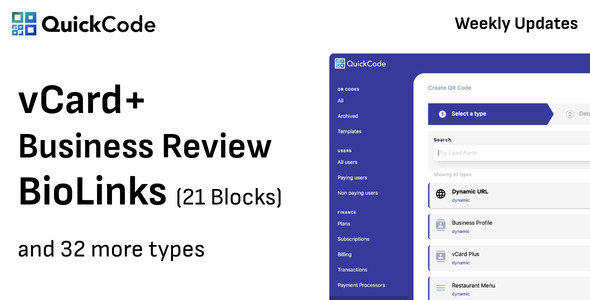
This particular SaaS script bundles three distinct, yet complementary, functionalities: QR Code generation, BioLink creation, and vCard generation. At its heart, it aims to provide a centralized hub for users to create, manage, and track digital assets crucial for marketing and personal branding. The SaaS model implies multi-tenancy, user management, and subscription-based access, positioning it as a potential revenue stream for an administrator.
QR Code Generation: Beyond the Basic Black Square
Modern QR codes are far more than just static links. This system promises to support a wide array of QR code types: URL, Text, Email, Phone, SMS, WiFi, VCard, Event, Location, and even Bitcoin addresses. The critical differentiator here is the support for *dynamic* QR codes. Static codes, once generated, point to a fixed destination. If the target URL changes, the code becomes obsolete. Dynamic codes, however, typically embed a short URL that redirects to the actual target. This allows the destination to be updated post-creation without needing to reprint the QR code. This feature is indispensable for professional use, ensuring longevity and adaptability of marketing materials.
Customization is another key aspect. Users expect to be able to brand their QR codes with custom colors, logos, and perhaps even different data patterns. The script needs to deliver on this to be competitive. Furthermore, tracking capabilities for scans – including location, device type, and time – are crucial for demonstrating the return on investment for any marketing campaign employing these codes. Without granular analytics, the dynamic nature loses much of its strategic value.
BioLinks: The Digital Business Card and Link Aggregator
BioLinks have gained significant traction, especially on social media platforms that restrict a single link in a profile. Think Linktree or similar services. A BioLink essentially provides a customizable landing page with multiple actionable links. For a SaaS offering, this means giving users control over page design (backgrounds, fonts, colors), button styling, and the arrangement of their links (social media profiles, websites, portfolios, contact forms). The script’s value here lies in its ability to offer a branded, consolidated digital presence that users can manage themselves. Robust analytics on link clicks are just as important here as they are for QR codes, providing insights into audience engagement.
vCard Generation: Modernizing Contact Exchange
The digital equivalent of a business card, vCards allow for instantaneous and error-free contact information exchange. When paired with QR codes, a user can simply scan a code to add someone's contact details directly to their phone. This feature, while seemingly simple, adds a layer of professionalism and convenience. The script should allow for comprehensive vCard fields (name, title, company, phone, email, address, social media, website, etc.) and ensure compatibility across various mobile operating systems.
Architectural Underpinnings and Technical Appraisal
While the exact framework isn't explicitly stated for all components, similar SaaS scripts typically leverage a robust PHP framework like Laravel for the backend, coupled with a MySQL database. The frontend often employs a combination of Bootstrap for responsive design, jQuery for dynamic interactions, and potentially a modern JavaScript framework for more complex UI elements. This stack is generally well-understood and provides a solid foundation for development and scalability.
Backend Considerations
A Laravel-based backend offers a mature ecosystem with built-in features for authentication, authorization, routing, and database management (Eloquent ORM). This streamlines development but places a dependency on the administrator to maintain the PHP environment and Composer packages. Database design is paramount for performance, especially with analytics. Efficient indexing and query optimization will be critical as the user base and data volume grow. The SaaS component requires meticulous handling of user subscriptions, payment gateway integrations (e.g., Stripe, PayPal), and robust user role management (admin, premium user, free user).
Security is a non-negotiable aspect. The script must implement best practices to prevent common web vulnerabilities such as SQL injection, Cross-Site Scripting (XSS), Cross-Site Request Forgery (CSRF), and proper session management. For a self-hosted SaaS, the onus is often on the administrator to ensure the server environment is secured, but the application itself should be built with security in mind from the ground up. Overlooking this can lead to catastrophic data breaches and reputational damage.
Frontend Experience
The user interface needs to be intuitive and visually appealing. For a service focused on digital branding, the admin and user dashboards should be clean, responsive, and easy to navigate. Customization options for BioLinks and QR codes must be presented clearly, allowing users to achieve their desired aesthetic without excessive complexity. Performance on the frontend (fast loading times, smooth interactions) directly impacts user retention and satisfaction. Bloated JavaScript or unoptimized images can significantly degrade the user experience.
Strengths and Potential Criticisms
The primary strength of such a bundled solution is its comprehensiveness. Offering QR codes, BioLinks, and vCards under one roof, with a SaaS payment model, presents a compelling package for entrepreneurs looking to launch a digital service quickly. The analytics features, if well-implemented, provide valuable data points for end-users. The potential for white-labeling and brand customization is also a significant selling point for those looking to establish their own brand.
However, no system is without its drawbacks or areas for critical evaluation. A common challenge with "all-in-one" scripts is code quality and maintainability. Often, such solutions can become monolithic, making future updates, custom feature additions, or debugging a complex affair. Performance can also be an issue if the underlying code isn't optimized, particularly for database-heavy operations like analytics tracking. Scalability, while often touted, truly depends on the architecture's efficiency and the administrator's ability to provision and optimize server resources. Furthermore, relying heavily on third-party libraries and APIs means constant vigilance for updates and potential breaking changes. The quality of documentation is another frequent pain point for self-hosted scripts; clear, comprehensive documentation is critical for smooth deployment and ongoing maintenance.
Real-World Application and Target Audience
This script is ideally suited for digital marketing agencies looking to offer value-added services to their clients, individual entrepreneurs aiming to build their own SaaS platform, or businesses seeking an internal tool for managing their digital assets and campaigns. Its multi-user capabilities make it a strong candidate for a B2B offering, where companies can manage multiple BioLink profiles or QR code campaigns for different departments or brands.
Installation Guide: Deploying Your QR Code BioLinks vCard SaaS
Deploying a SaaS application, even a ready-made script, requires careful attention to detail. This guide assumes you have a basic understanding of server administration, SSH, and database management. We’ll cover the essential steps to get your gplpal-sourced script up and running.
Prerequisites
Before you begin, ensure your server environment meets the following requirements:
- Web Server: Apache with `mod_rewrite` enabled or Nginx.
- PHP: Version 7.4 or 8.x (check specific requirements for the script package). Crucial PHP extensions:
php-cli,php-json,php-mysql,php-curl,php-mbstring,php-gd(orphp-imagick),php-xml,php-zip,php-fpm(if using Nginx). - Database: MySQL (5.7+) or MariaDB.
- Composer: PHP dependency manager.
- Node.js & npm/yarn: Potentially required for frontend asset compilation (e.g., Mix/Webpack) if the script uses modern frontend tooling.
- SSH Access: For command-line operations.
- Domain Name: Configured to point to your server's IP address.
Step 1: Download and Upload the Script
- Download: Obtain the script package from your source. It will typically be a `.zip` or `.tar.gz` archive.
- Extract: Extract the contents of the archive to a local directory.
- Upload: Use an FTP client (e.g., FileZilla) or SSH (
scp,rsync) to upload the extracted files to your web server's document root (e.g.,/var/www/html/yourdomain.com/or a subdirectory within your public HTML). Ensure all files and subdirectories are transferred.
Step 2: Database Setup
Access your MySQL server via command line or a tool like phpMyAdmin:
- Create Database:
CREATE DATABASE your_database_name CHARACTER SET utf8mb4 COLLATE utf8mb4_unicode_ci; - Create User:
CREATE USER 'your_db_username'@'localhost' IDENTIFIED BY 'your_strong_password'; - Grant Privileges:
GRANT ALL PRIVILEGES ON your_database_name.* TO 'your_db_username'@'localhost'; - Flush Privileges:
FLUSH PRIVILEGES; - Exit:
EXIT;
Step 3: Server Configuration (Web Server)
This step ensures your web server correctly serves the application and handles routing.
For Apache:
- Navigate to your website's configuration file (e.g.,
/etc/apache2/sites-available/yourdomain.conf) or modify the default virtual host. - Ensure your
DocumentRootpoints to thepublicdirectory of your application (e.g.,/var/www/html/yourdomain.com/public). - Enable `mod_rewrite` if not already enabled:
sudo a2enmod rewrite. - Add a
<Directory>block for yourpublicfolder to allow `.htaccess` overrides:<Directory /var/www/html/yourdomain.com/public> Options +FollowSymLinks AllowOverride All Require all granted </Directory> - Restart Apache:
sudo systemctl restart apache2.
For Nginx:
- Create a new server block configuration file (e.g.,
/etc/nginx/sites-available/yourdomain.conf). - Paste the following configuration, adjusting paths and domain name:
server { listen 80; server_name yourdomain.com www.yourdomain.com; root /var/www/html/yourdomain.com/public; add_header X-Frame-Options "SAMEORIGIN"; add_header X-XSS-Protection "1; mode=block"; add_header X-Content-Type-Options "nosniff"; index index.php index.html index.htm; charset utf-8; location / { try_files $uri $uri/ /index.php?$query_string; } location = /favicon.ico { access_log off; log_not_found off; } location = /robots.txt { access_log off; log_not_found off; } error_page 404 /index.php; location ~ \.php$ { fastcgi_pass unix:/var/run/php/php8.1-fpm.sock; # Adjust PHP version fastcgi_index index.php; fastcgi_param SCRIPT_FILENAME $realpath_root$fastcgi_script_name; include fastcgi_params; } location ~ /\.(?!well-known).* { deny all; } } - Create a symbolic link to enable the site:
sudo ln -s /etc/nginx/sites-available/yourdomain.conf /etc/nginx/sites-enabled/. - Test Nginx configuration:
sudo nginx -t. - Restart Nginx:
sudo systemctl restart nginx.
Step 4: Install PHP Dependencies (Composer)
Navigate to your application's root directory via SSH:
- Install Composer dependencies:
cd /var/www/html/yourdomain.com
composer install --no-dev --optimize-autoloader
If Composer is not installed globally, you might need to run
php composer.phar install. - (Optional) If Node.js/npm are required for frontend assets:
npm install
npm run prod
Or `yarn install` and `yarn prod` if using Yarn.
Step 5: Environment Configuration (.env file)
The application uses an `.env` file for environment-specific variables. This file is typically located in the root directory of your application.
- Copy the example environment file:
cp .env.example .env - Edit the `.env` file using a text editor (e.g.,
nano .envorvi .env):APP_NAME=YourAppNameAPP_ENV=productionAPP_KEY=(Leave blank; it will be generated in the next step.)APP_URL=https://yourdomain.com(Crucial! Use `https` if you have SSL.)DB_CONNECTION=mysqlDB_HOST=127.0.0.1DB_PORT=3306DB_DATABASE=your_database_nameDB_USERNAME=your_db_usernameDB_PASSWORD=your_strong_password- Mail Configuration: Set up your SMTP details (
MAIL_MAILER,MAIL_HOST,MAIL_PORT,MAIL_USERNAME,MAIL_PASSWORD,MAIL_ENCRYPTION,MAIL_FROM_ADDRESS,MAIL_FROM_NAME). - Payment Gateways: Configure credentials for Stripe, PayPal, etc., as provided in the `.env.example` or documentation.
- Admin User Details: Sometimes, an initial admin user can be set here or created via a seeding command.
- Review all other variables and adjust as necessary according to the script's documentation.
- Save the `.env` file.
Step 6: Run Artisan Commands
Laravel's Artisan command-line tool is used for various administrative tasks.
- Generate Application Key:
php artisan key:generateThis populates the
APP_KEYin your `.env` file. - Run Migrations: This creates the necessary database tables.
php artisan migrateIf you encounter issues, you might need
php artisan migrate --forcein a production environment. - Seed Database (if applicable): Some scripts come with default data (e.g., plans, settings, initial admin user).
php artisan db:seedRefer to the script's documentation if specific seeders are mentioned.
- Link Storage Directory: This creates a symbolic link from
public/storagetostorage/app/publicfor publicly accessible files (e.g., user uploads, QR code images).php artisan storage:link - Clear Caches: Optimize application loading.
php artisan config:cache
php artisan route:cache
php artisan view:cache
php artisan optimize
Step 7: Set Directory Permissions
Incorrect permissions are a very common cause of issues. The web server user (e.g., `www-data` on Ubuntu/Debian, `nginx` on CentOS) needs write access to certain directories.
- Set ownership (adjust `www-data` to your web server user):
sudo chown -R www-data:www-data /var/www/html/yourdomain.com - Set permissions for storage and bootstrap/cache:
sudo chmod -R 775 /var/www/html/yourdomain.com/storage
sudo chmod -R 775 /var/www/html/yourdomain.com/bootstrap/cache
Step 8: Configure Cron Jobs
Many SaaS applications rely on scheduled tasks (e.g., for analytics processing, subscription status updates, email notifications). You'll need to set up a Cron job to run Laravel's scheduler.
- Open your crontab for editing:
crontab -e - Add the following line (adjust path and user if necessary):
* * * * * cd /var/www/html/yourdomain.com && php artisan schedule:run >> /dev/null 2>&1This command tells Cron to run the Laravel scheduler every minute, which then executes all defined scheduled tasks within your application.
Step 9: Post-Installation Checks and Initial Setup
- Access Your Application: Open your web browser and navigate to
https://yourdomain.com. You should see the application's homepage or installation wizard. - Log In to Admin Panel: Use the default admin credentials (if provided by the script) or the user you created during the seed process.
- Configure Settings: Go through the admin panel to set up general settings, payment gateways, default subscription plans, email templates, and any other global configurations.
- Test Functionality: Create a test user account, subscribe to a plan, generate a QR code, create a BioLink, and generate a vCard. Verify that all features work as expected, including analytics tracking.
- SSL Certificate: If you haven't already, install an SSL certificate (e.g., Let's Encrypt) to secure your domain. This is critical for any web service handling user data and payments.
Troubleshooting Common Issues
- "Whoops! Something went wrong." / Blank Page: Check your server's PHP error logs (e.g.,
/var/log/apache2/error.logor/var/log/nginx/error.log) and the Laravel application logs (storage/logs/laravel.log). This usually points to permission issues, `.env` misconfigurations, or missing PHP extensions. - 404 Not Found for internal pages: Often a web server rewrite rule issue (Apache
mod_rewritenot enabled or Nginx `try_files` misconfigured). - Composer errors: Ensure you have the correct PHP version and extensions for Composer, and check your internet connection.
- Database connection errors: Double-check the
DB_HOST,DB_PORT,DB_DATABASE,DB_USERNAME, andDB_PASSWORDin your `.env` file.
Maintenance and Security
Once deployed, consistent maintenance is crucial. Regularly update PHP, MySQL, and all server packages. Monitor Laravel's `storage/logs/laravel.log` for any errors. Keep an eye on new releases of the Free download WordPress themes or script, applying updates promptly to benefit from new features, bug fixes, and, critically, security patches. Implement robust backup strategies for both your application files and your database. Use strong, unique passwords, and consider two-factor authentication for admin access. A well-maintained and secured SaaS platform is essential for user trust and long-term viability.