QR Code Generator BioLinks vCard SaaS Unlimited Sites
-
Deep Dive: QR Code Generator BioLinks vCard SaaS – A Technical Review and Deployment Guide
The pervasive nature of quick-response codes, coupled with a growing demand for streamlined digital identities, positions platforms like the QR Code Generator BioLinks vCard SaaS as increasingly relevant. This software package aims to consolidate several critical digital communication tools into a single, deployable SaaS (Software as a Service) solution. From a senior web developer's perspective, approaching this as a potential business venture or a foundational tool for clients, the examination transcends mere feature lists; it delves into architectural robustness, deployment complexity, and long-term viability. This analysis offers a comprehensive technical review and a practical installation guide, dissecting the merits and challenges inherent in adopting such a comprehensive system.
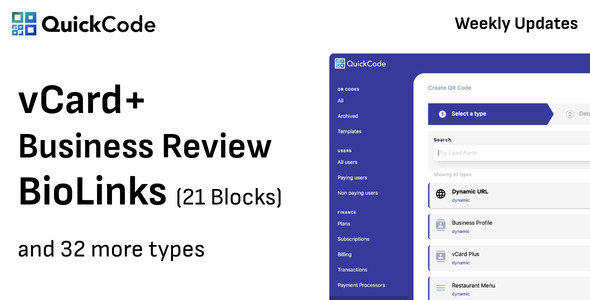
Understanding the Core Value Proposition
At its heart, this SaaS script addresses a multifaceted problem: the fragmentation of online presence and the static nature of traditional information sharing. Businesses and individuals often juggle multiple social media profiles, distinct contact methods, and a need for real-time engagement. A physical business card, while classic, offers limited data and no dynamic updates. QR codes provide a bridge, but their utility is maximized when they're dynamic and link to rich, consolidated information. This system seeks to provide:
- Comprehensive QR Code Generation: Not just basic URL codes, but a wide array of types including Text, Email, Phone, SMS, WiFi access, Geolocation, Event details, Cryptocurrency addresses, PayPal payment links, and critically, vCards. The distinction between static and dynamic QR codes is fundamental here; dynamic codes allow the destination URL or content to be changed post-print, a non-negotiable feature for serious professional use.
- BioLinks: These are essentially micro-landing pages designed to house a user's collection of important links – social media profiles, websites, portfolios, and contact information. Think of it as a personalized digital hub, particularly useful for Instagram bios or other platforms with single-link restrictions. Customization options, including colors, fonts, and background images, are crucial for branding.
- vCard Generation: Digital business cards that can be scanned via QR code. These provide a structured way to share contact information directly into a recipient's phone contacts, complete with name, title, company, phone numbers, email, website, and social links. The professional implications of this are significant, offering a modern alternative to paper cards.
- SaaS Functionality: The platform is designed for multi-tenancy, enabling administrators to manage users, create subscription plans, and integrate payment gateways. This transforms a utility script into a viable online business model, offering recurring revenue streams.
- Analytics: Tracking scans, clicks, and engagement provides invaluable data for users to optimize their digital presence. Understanding when and where interactions occur helps refine strategies.
Architectural Underpinnings and Developer Considerations
While the exact source code isn't open for preliminary inspection without procurement, a SaaS platform of this nature typically relies on a robust, well-established web application framework. Laravel (PHP) is a common choice for its comprehensive features, elegant syntax, and extensive community support, making it ideal for rapid development and maintainability. Given the general market trends for such scripts, it's highly probable we're looking at a LAMP/LEMP stack.
- Backend: Expect PHP, likely Laravel 8 or newer, providing the core API, database interaction (MySQL/MariaDB), user authentication, subscription logic, and administrative functions. The choice of framework profoundly impacts security, scalability, and ease of future modifications. A well-structured Laravel application would leverage Eloquent ORM for database abstraction, Blade templating for server-side rendering, and robust routing.
- Frontend: The user-facing interface, including QR code design tools, BioLink builders, and vCard editors, would likely use a combination of server-rendered Blade templates augmented by modern JavaScript frameworks like Vue.js or React for interactive components. This approach balances performance with dynamic user experiences. A clean, responsive design is paramount given the mobile-centric use case.
- Database: MySQL or MariaDB would store all application data: user profiles, generated QR codes and their associated data, BioLink configurations, vCard details, subscription plans, payment records, and crucially, analytics data (scan timestamps, locations, device types). The database schema needs careful consideration for efficient querying, especially as the number of users and QR scans scales.
- API: Even if not explicitly exposed as a public API, the internal communication between frontend and backend components would operate via RESTful or GraphQL endpoints. This separation allows for cleaner development and potential future integrations.
- Payment Gateways: Integration with major providers like Stripe, PayPal, Razorpay, Paystack, Mollie, and Yookassa is essential for a viable SaaS model. This requires careful handling of webhooks, secure transaction processing, and subscription management logic.
From a scalability standpoint, the system must efficiently generate QR codes on demand, handle numerous BioLink views, and process a potentially high volume of analytics data. Caching mechanisms, optimized database queries, and a robust server environment become critical as the user base grows. Security is non-negotiable; protection against common web vulnerabilities (XSS, CSRF, SQL injection), secure password hashing, and compliance with data protection regulations (e.g., GDPR) must be baked into the architecture.
User Experience and Functional Review: A Critical Lens
User Interface and Workflow
The success of a SaaS application hinges heavily on its UI/UX. An intuitive, uncluttered interface reduces the learning curve and encourages adoption. For a QR code generator and BioLink builder, the process of creating and customizing content should be visual and direct, ideally with live previews. The platform's responsiveness across various devices – desktop, tablet, and mobile – is not merely a preference but a requirement, given that both content creation and QR scanning primarily happen on mobile.
- Creation Process: Users should be guided through creating QR codes, BioLinks, and vCards with clear steps. Dropdowns for QR types, input fields for data, color pickers for customization, and logo/image uploaders need to function flawlessly.
- Customization Depth: While a range of customization is good, too many options can overwhelm. A balance is key. For BioLinks, this includes custom URLs, profile pictures, various link blocks (text, social icons, YouTube videos), and theme options. For QR codes, custom colors, gradients, eye patterns, and embedded logos are expected.
- Dashboard: A clear overview of created items, subscription status, and key analytics figures is vital for user retention. Easy navigation to creation tools and account settings makes for a positive experience.
Feature Specifics and Performance
Beyond the surface, the depth and reliability of each feature matter.
- Dynamic QR Codes: The core differentiator. The ability to modify destination links or content without reprinting the QR code is indispensable. This feature requires robust database management and a reliable redirection mechanism. The performance of these redirections must be near-instantaneous.
- Analytics: Granularity is key. Basic scan counts are insufficient. Users need to see scan locations, timestamps, device types, and referrer information. The reporting interface should be intuitive, perhaps with graphs and export options. Server-side processing of this data needs to be efficient to avoid performance bottlenecks.
- vCard Formats: Ensure compatibility with various contact management systems by adhering to the vCard standard. The generated vCard file should import smoothly into iOS, Android, and desktop contact applications.
- Custom Domains: For BioLinks, the option for users to connect their own custom domains (e.g., links.mybrand.com) elevates the platform significantly, offering enhanced branding opportunities. This feature adds complexity to the server configuration (DNS management, SSL certificates).
Admin Panel and SaaS Management
The administrator's experience managing the platform is as critical as the end-user experience.
- User Management: Ability to view, edit, suspend, or delete user accounts. Password resets and impersonation features (for support) are also valuable.
- Subscription Plans: Flexible creation of multiple tiers with varying feature access (e.g., number of QRs, BioLinks, custom domains, analytics depth). Trial periods, promotions, and upgrade/downgrade paths should be manageable.
- Settings: Comprehensive control over global application settings, including currency, language, branding (logo, favicon), mailer configurations, and payment gateway API keys.
- Monetization: The integration of various payment gateways needs to be seamless and reliable. The admin panel should provide clear transaction logs and revenue reports.
- Support & Maintenance: The availability of comprehensive documentation for both users and administrators is paramount. An internal ticketing system or a clear support channel can greatly enhance the operational aspect.
A common pitfall for scripts like this is inadequate documentation, especially for server setup and configuration. Without clear guides, deployment becomes a frustrating reverse-engineering exercise. Another area for critical examination is the extensibility. Is the codebase structured in a way that allows for custom features or integrations down the line, without requiring invasive core modifications? This is where the choice of framework, like Laravel, often shines with its package ecosystem and architectural patterns.
Installation Guide: Deploying QR Code Generator BioLinks vCard SaaS
Deploying a SaaS application from a pre-built script requires a methodical approach. As a senior web developer, the emphasis is on stability, security, and long-term maintainability. This guide assumes a Linux-based server environment (Ubuntu/CentOS), proficiency with SSH, a command line interface, and basic web server administration.
Prerequisites
Before you begin, ensure your server meets the following requirements:
- Web Server: Apache (with mod_rewrite enabled) or Nginx. Nginx is generally preferred for performance in high-traffic environments.
- PHP: Version 8.0 or higher (check documentation for specific requirements, but always aim for the latest stable, compatible version). Required PHP extensions (common for Laravel apps):
BCMath,Ctype,cURL,DOM,Fileinfo,JSON,Mbstring,OpenSSL,PCRE,PDO,Tokenizer,XML,GD(for image manipulation),Zip. - Database: MySQL 5.7+ or MariaDB 10.2+.
- Composer: PHP dependency manager.
- Node.js & npm/yarn: If the frontend assets require compilation (e.g., using Webpack, Vite, or Laravel Mix).
- SSH Access: For command-line operations.
- Domain Name: Pointed to your server's IP address.
Step-by-Step Installation
1. Upload and Extract Files
Obtain the script package. Using an SFTP client (like FileZilla) or
scp, upload the zipped archive to your desired web root directory (e.g.,/var/www/html/yourdomain.com). Then, SSH into your server and extract it:cd /var/www/html/yourdomain.com unzip your-script-name.zip rm your-script-name.zipEnsure the extracted files are directly in the web root, or adjust your web server configuration's document root to point to the
publicdirectory within the extracted folder (e.g.,/var/www/html/yourdomain.com/public).2. Database Setup
Create a new MySQL database and a dedicated user with full privileges for that database.
mysql -u root -p
CREATE DATABASE your_database_name CHARACTER SET utf8mb4 COLLATE utf8mb4_unicode_ci;
CREATE USER 'your_db_user'@'localhost' IDENTIFIED BY 'your_strong_password';
GRANT ALL PRIVILEGES ON your_database_name.* TO 'your_db_user'@'localhost';
FLUSH PRIVILEGES;
EXIT;
Import the provided SQL file (usually named
database.sqlor similar) into your new database:mysql -u your_db_user -p your_database_name < /path/to/your-script-folder/database.sql3. Environment Configuration (
.envFile)Navigate to your application's root directory. Copy the
.env.examplefile to.envand edit it:cd /var/www/html/yourdomain.com cp .env.example .env nano .envKey parameters to configure:
APP_NAME,APP_ENV(e.g.,production),APP_KEY(generate withphp artisan key:generate)APP_URL: Your domain (e.g.,https://yourdomain.com)- Database credentials:
DB_DATABASE,DB_USERNAME,DB_PASSWORD - Mail settings (
MAIL_MAILER,MAIL_HOST, etc.) for user registrations, password resets. - Payment gateway API keys (Stripe, PayPal, etc.) – these are critical for SaaS operations.
4. Install Composer Dependencies
Install the necessary PHP packages. This can take some time.
cd /var/www/html/yourdomain.com
composer install --no-dev --prefer-dist
If no
APP_KEYwas set in.env, generate it now:php artisan key:generate5. Frontend Assets (if required)
If the script uses Node.js for asset compilation (check for
package.json), you'll need to install Node.js dependencies and compile:cd /var/www/html/yourdomain.com npm install npm run prod # or npm run build, depending on the script's package.json6. Set File Permissions
Laravel applications require specific directory permissions for caching and storage.
cd /var/www/html/yourdomain.com
sudo chown -R www-data:www-data storage bootstrap/cache
sudo chmod -R 775 storage bootstrap/cache
Replace
www-datawith your web server user if it's different (e.g.,nginxfor Nginx on CentOS).7. Web Server Configuration (Nginx Example)
Create a new Nginx server block configuration file (e.g.,
/etc/nginx/sites-available/yourdomain.com):server { listen 80; server_name yourdomain.com www.yourdomain.com; root /var/www/html/yourdomain.com/public; add_header X-Frame-Options "SAMEORIGIN"; add_header X-XSS-Protection "1; mode=block"; add_header X-Content-Type-Options "nosniff"; index index.php index.html index.htm; charset utf-8; location / { try_files $uri $uri/ /index.php?$query_string; } location ~ \.php$ { fastcgi_pass unix:/var/run/php/php8.1-fpm.sock; # Adjust PHP version fastcgi_index index.php; fastcgi_param SCRIPT_FILENAME $realpath_root$fastcgi_script_name; include fastcgi_params; } location ~ /\.(?!well-known).* { deny all; } }Enable the site and test Nginx configuration:
sudo ln -s /etc/nginx/sites-available/yourdomain.com /etc/nginx/sites-enabled/
sudo nginx -t
sudo systemctl reload nginx
For Apache, ensure
mod_rewriteis enabled and your VirtualHost configuration points itsDocumentRootto thepublicdirectory.8. Configure Cron Jobs
Laravel applications often require a cron job to handle scheduled tasks like clearing cache, sending queued emails, processing analytics, or managing subscriptions.
sudo crontab -eAdd the following line (ensure the correct user, e.g.,
www-data, if you're running Apache, or the user Nginx runs under):* * * * * cd /var/www/html/yourdomain.com && php artisan schedule:run >> /dev/null 2>&1This tells Laravel to run its scheduled tasks every minute.
9. Initial Access and Post-Installation Setup
After all steps are complete, navigate to your domain in a web browser. You should see the application's home page or an installer wizard if provided.
- Admin Account: Locate instructions for creating the first admin user, or log in with default credentials (which must be changed immediately).
- General Settings: Configure site title, logo, favicon, default currency, timezone, and any other global preferences from the admin panel.
- Payment Gateways: Input API keys and configure settings for each payment processor you intend to use. This is crucial for enabling subscription sales.
- Email Settings: Test your mail configuration to ensure password resets, registration confirmations, and other notifications function correctly.
Troubleshooting Common Issues
- 500 Server Error: Check PHP error logs (
/var/log/apache2/error.logor/var/log/nginx/error.log) and Laravel's internal logs (storage/logs/laravel.log). Often due to incorrect file permissions or misconfigured.envvariables. - Blank Page / No Styles: Likely a web server configuration issue. Ensure the document root points to the
publicdirectory and rewrite rules are active. If frontend assets weren't compiled (step 5), this could also cause missing styles or scripts. - Routes Not Working (404s): Check web server rewrite rules. Apache needs
.htaccessandmod_rewrite, Nginx needs thetry_filesdirective. - Cron Jobs Not Running: Ensure the cron job is correctly added to the correct user's crontab and that the PHP CLI path is correct. Check Laravel logs for output related to scheduled tasks.
Security Best Practices Post-Installation
- SSL Certificate: Install a free Let's Encrypt SSL certificate (using Certbot) to secure all traffic with HTTPS.
- Strong Passwords: For all admin accounts and database users.
- Firewall: Configure your server's firewall (e.g., UFW) to only allow necessary ports (22 for SSH, 80 for HTTP, 443 for HTTPS).
- Regular Updates: Keep the underlying server OS, PHP, MySQL, and Composer dependencies updated.
- Backup Strategy: Implement regular backups of both the database and application files.
- Monitor Logs: Regularly review web server and application logs for unusual activity.
Monetization Potential and Strategic Positioning
The inherent SaaS design of this product positions it well for monetization. The key is in segmenting features effectively across different subscription tiers.
- Free Tier: Basic static QR code generation, perhaps a single BioLink with limited customization. This acts as a lead magnet.
- Pro Tier: Dynamic QR codes, multiple BioLinks, advanced customization, vCard generation, basic analytics, maybe more QR types.
- Business/Agency Tier: All Pro features, custom domains, advanced analytics with export, team collaboration features, white-labeling options, priority support.
Differentiation is crucial in a competitive market. Focusing on specific niches (e.g., real estate, events, restaurants for menu QR codes) can provide a competitive edge. The platform's ability to provide detailed analytics is a significant selling point, as businesses are increasingly data-driven. The simplicity of setting up digital business cards and consolidating online presence offers tangible value. Furthermore, exploring other digital assets like those found at gplpal could complement such a service, offering a broader suite of tools to a target audience seeking efficient online solutions. For those interested in expanding their digital toolkit, services like Free download WordPress themes and plugins also contribute to a holistic digital presence.
Final Verdict and Recommendation
The QR Code Generator BioLinks vCard SaaS script presents a compelling package for entrepreneurs and developers looking to enter the digital identity and marketing tools space. Its feature set addresses contemporary needs for dynamic information sharing, consolidated online profiles, and professional digital networking. From a technical perspective, its probable Laravel foundation suggests a structured, maintainable, and relatively secure codebase, provided best practices are followed during development and deployment. The installation process, while requiring solid server administration skills, is standard for modern PHP applications. The critical aspects revolve around the quality of the included documentation, the ongoing support, and the actual implementation robustness of features like dynamic QR redirection and payment gateway integrations.
For an experienced web developer or a small agency, deploying and customizing this solution offers a strong foundation for a niche SaaS business. The potential for recurring revenue, coupled with the high demand for efficient digital tools, makes it an attractive proposition. It demands careful configuration and ongoing maintenance, particularly around security, performance tuning, and updates, but the payoff in delivering a valuable service could be substantial. It's not a plug-and-play solution for the novice, but for those with the technical acumen, it represents a well-conceived platform ready for strategic deployment.