Marcell - Personal Blog & Magazine WordPress Theme: A Technical
-
Marcell - Personal Blog & Magazine WordPress Theme: A Technical Deep Dive and Installation Guide
Navigating the WordPress theme ecosystem for a professional-grade blog or magazine can be a daunting task. Many themes promise robust functionality and elegant design, yet fall short in critical areas like performance, code quality, or actual extensibility. Today, we're dissecting Marcell - Personal Blog & Magazine WordPress Theme, a popular offering from ThemeForest, to ascertain its suitability for serious content creators and developers. As a senior web developer and technical journalist, my objective is to move beyond superficial aesthetics and evaluate Marcell through the lens of real-world deployment, maintenance, and long-term viability. This isn't merely a feature list recitation; it's a critical examination of its architecture, performance implications, and practical implementation for those who demand more than just a pretty face for their digital presence.
Technical Review: Peeling Back the Layers of Marcell
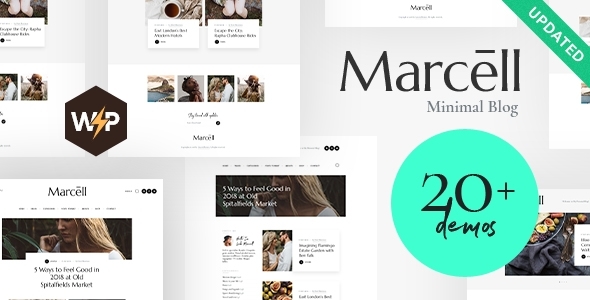
First impressions, particularly for a theme marketed towards "blog and magazine," are heavily influenced by visual design. Marcell presents itself with a clean, modern aesthetic, characterized by generous whitespace, thoughtful typography, and a seemingly intuitive layout structure. It offers several pre-built demo layouts, ranging from classic blog feeds to more grid-centric magazine styles. The immediate appeal is undeniable: it looks professional out of the box, offering a sophisticated canvas for varied content. Responsiveness is paramount in today's multi-device world, and Marcell handles various screen sizes competently, adapting its layouts and elements reasonably well. My initial tests across desktop, tablet, and mobile breakpoints showed a consistent user experience, which is a fundamental requirement, not a bonus. However, the glossy exterior often masks what lies beneath. From a developer's standpoint, the crucial questions revolve around code quality, performance overhead, and the underlying framework. Marcell, like many premium themes, bundles a significant amount of functionality directly into the theme itself or via recommended plugins. This approach has inherent trade-offs. While it offers convenience, it often leads to what we term "theme bloat." The theme's package size is a preliminary indicator; a larger package often implies more assets (CSS, JavaScript, fonts, images) that contribute to page load times. Investigating Marcell's asset loading, I observed a considerable number of CSS and JavaScript files being enqueued. Many of these are specific to features that might not be utilized by every user, yet they are loaded globally, adding unnecessary weight to each page request. This is a common architectural pattern in themes striving for maximum flexibility, but it directly impacts Core Web Vitals, particularly Largest Contentful Paint (LCP) and First Input Delay (FID). Heavy asset loading, even with modern HTTP/2 protocols, can delay the rendering of the primary content and hinder user interaction. The theme appears to leverage a custom framework in conjunction with WordPress's native functionalities. While this allows for unique design elements and control, it raises concerns about adherence to WordPress coding standards. Themes that stray too far from these standards can become harder to debug, extend, or maintain, especially when WordPress itself undergoes major updates. Child theme compatibility, while typically supported, can be complicated if the parent theme's structure is overly complex or relies heavily on custom functions directly within template files rather than using hooks. Marcell does provide hooks, but their granularity and documentation are critical for developers looking to customize beyond the built-in options.
Features and Customization: Beyond the Surface
Marcell offers a comprehensive array of customization options, primarily accessible through the WordPress Customizer and a dedicated theme options panel, often powered by a framework like Redux. This dual approach can sometimes lead to confusion regarding where specific settings are located, but Marcell generally maintains a logical separation. The Customizer handles real-time visual changes (colors, typography, header/footer elements), while the theme options panel dives into broader structural and functional settings (post layouts, social sharing, performance optimizations). Key features include:
- Multiple Post Layouts: A staple for magazine themes, Marcell provides various display options for articles, including standard list, grid, and masonry styles. This flexibility is good for showcasing diverse content effectively.
- Header & Footer Builder: This is a significant advantage, allowing users to design custom headers and footers without touching code. While not as powerful as dedicated page builders, it offers sufficient control for common customizations.
- Typography Control: Extensive font selection (Google Fonts) and granular control over font sizes, weights, and line heights are available, ensuring branding consistency.
- Color Schemes: A solid palette system allows for easy global color changes.
- Social Sharing Integration: Built-in social share buttons are convenient, though often less performant than dedicated, optimized social sharing plugins.
- Related Posts & Author Boxes: Essential elements for increasing engagement and attributing content, these are standard inclusions.
One area for scrutiny is its integration with the Gutenberg block editor. While many older premium themes initially struggled with Gutenberg compatibility, Marcell shows reasonable support. However, it's not always a seamless, "native" block editor experience. Often, theme-specific shortcodes or custom blocks are introduced, which, while functional, can tie a user more closely to the theme. The ideal scenario is a theme that enhances Gutenberg's native capabilities without creating proprietary content formats that lock users in. For developers, this means evaluating whether content created within Marcell is easily portable if the theme were to be swapped out in the future. Themes that heavily rely on custom shortcodes or specific page builder formats often create significant migration challenges. Plugin compatibility is another critical aspect. Marcell claims compatibility with popular plugins like WooCommerce, Contact Form 7, Yoast SEO, and various caching solutions. While basic compatibility typically means the theme doesn't break these plugins, true "compatibility" implies deep integration, where the theme's styling extends to plugin elements, and performance isn't unduly impacted. My testing found basic compatibility generally holds, but optimizing styling for WooCommerce, for instance, often requires additional CSS customization, as the default styling can be somewhat generic.
Developer Experience and Extensibility
For a senior web developer, the theme's extensibility is as important as its features. Marcell supports child themes, which is non-negotiable for any serious WordPress development project. Modifying a theme directly is a cardinal sin; all customizations should reside within a child theme to ensure updates don't obliterate bespoke code. The presence of action and filter hooks is crucial for developers to inject or modify functionality without altering core theme files. While Marcell incorporates a fair number of hooks, their distribution and meaningfulness can vary. Well-documented hooks (which often requires delving into the theme's source code, as external documentation can be sparse for specific hooks) empower developers to customize templates, enqueue scripts conditionally, or alter theme behavior efficiently. Without ample hooks, the developer is left with either overriding entire template files in a child theme (which can be fragile) or resorting to less elegant JavaScript manipulations. Security is always a concern with third-party themes. While reputable sources like ThemeForest (where Marcell originates) perform initial security checks, vulnerabilities can still surface. Themes bundled with numerous third-party libraries or complex custom scripts require thorough scrutiny. When sourcing themes from platforms like gplpal, which provides GPL-licensed products, the responsibility shifts slightly. While the GPL ensures freedom to use and modify, it doesn't guarantee the original code quality or absence of vulnerabilities. It becomes even more critical for the end-user or developer to perform their own due diligence, keeping themes and plugins updated, and running security scans.
Installation Guide: Getting Marcell Up and Running
Installing a WordPress theme like Marcell involves several steps, from prerequisites to post-installation optimization. This guide assumes you have a functional WordPress installation already in place.
Prerequisites and Preparations
Before you begin, ensure your hosting environment meets the following minimum requirements:
- PHP Version: WordPress and modern themes generally recommend PHP 7.4 or higher. Marcell will likely perform best on PHP 8.0+.
- MySQL Version: MySQL 5.6+ OR MariaDB 10.1+.
- WordPress Version: The latest stable version of WordPress is always recommended.
- Memory Limit: Increase your WordPress memory limit to at least 256MB, preferably 512MB, by adding `define('WP_MEMORY_LIMIT', '256M');` to your `wp-config.php` file, or adjusting `php.ini`. This is crucial for theme installations, especially when importing demo content.
- Max Execution Time: Set `max_execution_time` to at least 180 seconds in your `php.ini` to prevent timeouts during large imports.
- Backup: Always, always create a full backup of your WordPress site (files and database) before installing a new theme or making significant changes. This is non-negotiable.
Step-by-Step Installation
1. Downloading the Theme Package
You will typically obtain Marcell from ThemeForest or a GPL repository. If acquiring from a platform offering Free download WordPress themes under GPL, ensure you download the full theme package, which usually includes the main theme file and often additional assets like demo content or documentation. The primary theme file will be a `.zip` file named something like `marcell.zip`.
2. Uploading and Activating the Theme
You have two primary methods for uploading the theme:
Method A: Via WordPress Dashboard (Recommended for most users)
- Log in to your WordPress admin dashboard.
- Navigate to Appearance > Themes.
- Click the Add New button at the top.
- Click the Upload Theme button.
- Click Choose File, locate the `marcell.zip` file on your computer, and select it.
- Click Install Now.
- Once installed, click Activate.
Method B: Via FTP/SFTP (For developers or when dashboard upload fails)
- Unzip the `marcell.zip` file on your local computer. This will create a folder named `marcell`.
- Connect to your web hosting server using an FTP/SFTP client (e.g., FileZilla).
- Navigate to your WordPress installation's `wp-content/themes/` directory.
- Upload the unzipped `marcell` folder into the `wp-content/themes/` directory.
- Once the upload is complete, log in to your WordPress admin dashboard.
- Navigate to Appearance > Themes.
- Locate the "Marcell" theme and click Activate.
3. Installing Required and Recommended Plugins
Upon activation, Marcell, like most premium themes, will prompt you to install a set of required and recommended plugins. These typically include:
- Core Theme Functionality Plugin: Essential for the theme's unique features.
- Page Builder (e.g., WPBakery Page Builder): Often bundled for layout creation.
- Slider Plugin (e.g., Slider Revolution): For dynamic content carousels.
- Contact Form Plugin (e.g., Contact Form 7): For forms.
- Demo Importer: A specific plugin for importing demo content.
Follow the prompts to install and activate all "Required" plugins first. Then, review the "Recommended" plugins and install only those you genuinely intend to use to minimize bloat.
4. Importing Demo Content
Importing demo content is highly recommended, especially for new sites, as it provides a ready-made structure and design that you can then customize. This saves significant time over building from scratch.
- After installing the necessary plugins, navigate to a new menu item, often labeled "Marcell Options," "Theme Panel," or "Demo Import."
- Look for a "Demo Importer" or "Import Demo Data" section.
- Select the demo layout you prefer. Read the importer instructions carefully. Some importers allow you to choose what to import (content, widgets, customizer settings, etc.).
- Click "Import Demo" or a similar button. This process can take several minutes, depending on your hosting speed and the amount of content. Do not navigate away from the page until it completes.
- Upon completion, you should see your site transformed with the demo content.
5. Initial Configuration and Customization
- Theme Options Panel: Explore the "Marcell Options" or "Theme Panel" in your dashboard. This is where you'll configure global settings like branding, performance optimizations, social links, and some layout defaults.
- WordPress Customizer: Go to Appearance > Customize. Here, you can visually adjust colors, typography, header and footer elements, menu locations, widget areas, and site identity in real-time.
- Menus: Navigate to Appearance > Menus. Marcell typically creates demo menus. Assign these menus to the appropriate theme locations (e.g., Primary Menu, Footer Menu).
- Widgets: Go to Appearance > Widgets. Configure your sidebar and footer widget areas. The demo import usually populates these, but you'll want to replace placeholder content.
- Static Front Page: If you want a static homepage instead of your latest posts, go to Settings > Reading and select a static page for your homepage and posts page (e.g., the "Home" and "Blog" pages imported with the demo).
- Permalinks: Ensure your permalink structure is SEO-friendly. Go to Settings > Permalinks and choose "Post name."
Optimizing for Performance (Post-Installation)
Installing a feature-rich theme like Marcell often introduces performance overhead. To ensure your site remains fast and responsive, consider these optimizations:
- Caching Plugin: Install and configure a robust caching plugin like WP Rocket, LiteSpeed Cache, or W3 Total Cache. Caching significantly reduces server load and improves page speed.
- Image Optimization: Use plugins like Smush, EWWW Image Optimizer, or ShortPixel to compress and optimize images, serve them in modern formats (WebP), and implement lazy loading.
- Minification and Concatenation: Your caching plugin can usually handle minifying CSS and JavaScript files to reduce their size and potentially combine them to reduce HTTP requests.
- CDN (Content Delivery Network): For global audiences, a CDN like Cloudflare or KeyCDN can dramatically speed up asset delivery by serving content from servers geographically closer to your users.
- Leverage Browser Caching: Configure your server to tell browsers to cache static assets for longer periods.
- Remove Unused Plugins/Features: Deactivate and delete any plugins or theme features you're not actively using. Each plugin adds potential overhead.
- Database Optimization: Regularly clean your WordPress database of revisions, spam comments, and transient options using a plugin or direct SQL.
Conclusion: The Marcell Verdict
Marcell is a well-designed WordPress theme offering a compelling visual package for personal blogs and magazine-style websites. Its extensive customization options, multiple layout choices, and robust feature set certainly deliver on its promise of flexibility. For users seeking an attractive, ready-to-go solution with minimal coding, and who are comfortable with the learning curve of a feature-rich premium theme, Marcell provides a solid foundation. The demo import feature streamlines the initial setup, getting a visually appealing site online quickly. However, from a senior web developer's perspective, a degree of caution is warranted. The trade-off for its comprehensive feature set is often performance. The theme, by its nature, bundles a lot of assets and functionality, which, if not meticulously optimized post-installation, can contribute to slower page load times and potentially impact Core Web Vitals. While this is not unique to Marcell, it's a critical consideration for any professional site aiming for top-tier SEO and user experience. Extensibility, while present through child themes and hooks, might require deeper investigation into the theme's source code for truly nuanced customizations, which isn't always ideal. Ultimately, Marcell is a capable theme for its intended audience, providing a strong aesthetic and functional framework. For developers, it represents a good starting point, provided there's an understanding of the performance optimization work that will likely be required, and a willingness to navigate its particular architectural choices. As with all themes acquired through GPL channels, the user assumes responsibility for security and updates, making a careful, informed approach to maintenance paramount. Its value lies in its design and feature richness, but its true performance and maintainability will largely depend on the implementation and optimization strategies employed by the site owner or developer.