Categories
Tags
-
#Image & Video FullScreen Background WordPress Plugin: A Developer's Deep Dive & Technical Review Creating an immersive first impression on a website often comes down to visuals. While clean
#minimalist designs have their place
#sometimes you need to hit the user with a full-blast
#edge-to-edge visual statement. This is where full-screen backgrounds come into play. They can set a mood
#showcase a product
#or create a cinematic experience that static layouts simply can't match. The challenge
#however
#has always been implementation. Wrestling with CSS
#ensuring responsiveness
#and fighting theme conflicts can turn a simple design idea into a development nightmare. This is the problem the Image&Video FullScreen Background WordPress Plugin aims to solve. In this technical review and guide
Archives
Lapras Shopify Theme: A Developer's Hands-On Review and Technic
-
Lapras Shopify Theme: A Developer's Hands-On Review and Technical Guide
The Shopify theme marketplace is a sea of infinite choice, where most themes promise everything and often deliver a compromised reality. Store owners are constantly searching for a foundation that balances rich features with clean performance, a difficult tightrope to walk. It’s into this crowded arena that we evaluate the Lapras Responsive Shopify Theme. Positioned as a high-end solution for furniture, electronics, and home decor, Lapras comes loaded with multiple homepage layouts and a suite of features designed to give a premium feel. But promises are easy. The real test is in the setup, the daily management, and the underlying code. This is not a surface-level overview; we're going under the hood to dissect its architecture, performance, and practical usability for both merchants and developers.
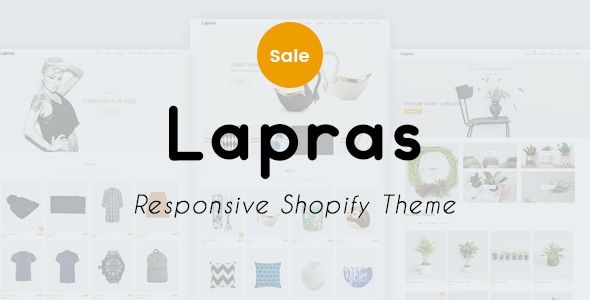
First Impressions: A Clean Grid with A Point of View
Unpacking Lapras, the first thing that stands out across its various demos is a commitment to a structured, grid-based design. This isn't a chaotic, "anything goes" theme. It favors generous whitespace, strong typographic hierarchy, and large image blocks. This approach immediately lends itself to brands that want their product photography to do the talking. The aesthetic feels very much inspired by Scandinavian design principles, even in the more densely packed electronics-focused layouts. It’s clean, organized, and feels intentional.
The theme package includes over 25 homepage layouts. At first glance, this can seem like an incredible value proposition. After digging into them, however, it becomes clear that many are variations on a central theme—swapping a full-width banner for a split banner, or reordering the same core set of sections. This isn't necessarily a negative. It provides a solid creative starting point. The core layouts for furniture, fashion, and electronics are distinct enough to feel tailored. The furniture demo, for example, uses wide, atmospheric shots, while the electronics demo employs tighter grids to showcase a larger number of smaller products. The design doesn't break new ground, but it executes a proven, effective e-commerce layout style with confidence. The color palettes are muted and sophisticated, relying on off-whites, greys, and subtle accent colors, reinforcing its positioning as a theme for premium products.
Feature Deep Dive: Examining the Nuts and Bolts
A theme's value is ultimately determined by its built-in features and how well they are implemented. Lapras bundles an extensive list of functionalities that aim to replace the need for several paid apps. Let's break down the most critical ones.
The Mega Menu System
The mega menu is often the first major interaction a user has with a site's navigation. Lapras offers a highly configurable one directly within the theme customizer. You can create multi-column dropdowns, embed images, and even feature specific products or collections. Setting it up is fairly intuitive; it ties into Shopify's native navigation system. You create your menu structure in the `Navigation` admin panel and then enhance it with theme-specific options. The implementation is solid. The menu is responsive and transitions smoothly to a mobile-friendly hamburger menu without any noticeable layout shifts. For stores with complex catalogs, this is a huge plus, allowing you to guide customers effectively without needing a third-party menu app.
Product Page Variations
Lapras understands that not all products are sold the same way. It includes several product page templates to choose from. There's the standard layout with a product gallery on the left and details on the right, a full-width gallery version that emphasizes visuals, and a variation that uses a "sticky" product details column that stays in view as you scroll through images. The variant selection is clean, using clear buttons or swatches. The inclusion of an accordion-style section for product descriptions, shipping information, and reviews helps keep the page from becoming an overwhelming wall of text. This is a smart UX choice that gives the merchant granular control over how different types of products are presented.
AJAX-Powered Everything
Modern e-commerce is about speed and reducing page reloads. Lapras heavily incorporates AJAX (Asynchronous JavaScript and XML) to create a smoother user experience. Key implementations include:
- AJAX Cart: Adding a product to the cart can be configured to open a slide-out drawer instead of redirecting to the cart page. This keeps the user in the shopping flow. The drawer is well-designed, showing items, subtotals, and a clear call-to-action to checkout.
- AJAX Filters: On collection pages, filtering by size, color, brand, or price updates the product grid instantly without a full page refresh. This is critical for usability. The performance here is good, though it will naturally degrade as the number of products and filter options increases. The setup relies on Shopify's product tagging system, which is standard practice.
- AJAX Search: The predictive search bar shows results as you type, complete with product thumbnails and prices. It's a must-have feature for any serious store, and Lapras's version is fast and accurate.
Lookbook and Portfolio Functionality
For fashion and home decor brands, context is everything. The Lookbook feature is a significant value-add. It allows you to create editorial-style pages with large images where you can "tag" products. When a user hovers over a tagged item in the photo, a pop-up appears with the product name, price, and a link to its page. This is a powerful way to merchandise products in a lifestyle context, moving beyond the simple grid of a collection page. The setup is managed through the theme customizer and is surprisingly straightforward for such a dynamic feature.
Installation and Configuration: A Step-by-Step Guide
Getting Lapras up and running is a multi-step process, but it's manageable even for those with limited technical experience. Here is a practical guide to take you from a zip file to a configured storefront.
Step 1: Acquiring and Uploading the Theme
First, you need the theme's installation package, which will be a `.zip` file. You might acquire this from a marketplace like ThemeForest or a GPL club. The advantage of a source like gplpal is that you get access to premium items under the General Public License, though it's important to understand the terms regarding support and updates. Once you have the file:
- Log in to your Shopify admin dashboard.
- In the left-hand navigation, go to `Online Store` > `Themes`.
- In the "Theme library" section, click the `Add theme` button and select `Upload zip file`.
- Choose the `lapras.zip` file from your computer and click `Upload file`.
- Shopify will process the file. Once it's done, the theme will appear in your library. It's not live yet. I recommend working on it in this unpublished state. Click `Actions` > `Customize` to begin configuration.
Step 2: Basic Theme Settings
Inside the theme customizer, start with the `Theme settings` tab at the bottom left. This is where you'll configure the global styles that affect your entire store.
- Colors: Set your brand's primary and secondary colors. Lapras gives you granular control over text, buttons, backgrounds, and accent colors. Take your time here to establish a consistent palette.
- Typography: Choose your fonts for headings and body text from the extensive Google Fonts library. Pay attention to font sizes for both desktop and mobile to ensure readability.
- Favicon: Upload a small, square version of your logo to represent your site in browser tabs.
- Cart: Here, you can choose the cart type. I recommend the `Drawer` or `Popup` option for a better user experience than the default `Page` redirect.
Step 3: Building the Homepage
This is where you'll spend most of your time. The homepage is constructed using a series of "Sections." You can add, remove, and reorder these to create a unique layout.
- In the customizer, make sure you are on the homepage. The left-hand panel will show a list of sections (e.g., `Slideshow`, `Featured collection`).
- Click on a section to reveal its specific options. For a `Slideshow`, you'll upload images, add heading text, and set call-to-action button links for each slide.
- To add a new section, scroll to the bottom of the section list and click `Add section`. Lapras provides dozens of options, from simple `Image with text` blocks to complex `Product tabs carousels`.
- Pro Tip: Don't go overboard. A common mistake is to use every section available. Choose sections that serve a specific purpose: showcasing best-sellers, telling your brand story, or highlighting a promotion. A cluttered homepage is an ineffective homepage.
Step 4: Configuring Key Features
With the homepage structured, you need to configure the theme's powerful features.
- Mega Menu: Go to `Header` in the sections list. You will find an area to configure the mega menu. It works by targeting specific menu items from your `Navigation` settings. For example, you can specify that when a user hovers over "Shop," it should display a multi-column layout featuring specific collections and a promotional image. You'll need to prepare your main menu in `Online Store > Navigation` first.
- Collection Page Filters: Navigate to a collection page in the customizer preview. A `Collection pages` section will appear. Here, you can enable filtering by tag. To make this work, you must be diligent with your product tagging. For example, to filter by brand, all relevant products must have a tag like `Brand_Nike`. To filter by color, use tags like `Color_Black`. The theme uses the tag prefix (`Brand_`, `Color_`) to group them into filter categories.
- Product Page Templates: Go to `Products` in your Shopify admin and select a product. On the right side, under `Theme template`, you can assign one of the Lapras templates (e.g., `product.sticky-details`). This allows you to use the best layout for each product.
A Developer's Technical Analysis
A theme is more than its visual editor. Its underlying code dictates performance, stability, and extensibility. From a developer's perspective, Lapras is a typical feature-rich premium theme, which comes with both benefits and drawbacks.
Code Structure and Quality
The codebase is what you'd expect from a theme of this complexity. The Liquid code is well-organized into sections and snippets, making it relatively easy to locate the file you need to modify. It uses Shopify's section-based architecture, which is a plus for maintainability. However, the JavaScript is where things get heavy. The theme relies on jQuery, along with a host of smaller plugins for sliders, pop-ups, and other dynamic elements. While this makes for rapid feature development, it also adds to the page weight and can create dependency conflicts if you plan to add your own custom JavaScript. The CSS is compiled from Sass, but you only get the output `theme.css` file, so making deep stylistic changes requires either writing a lot of overriding CSS or a more involved local development setup to recompile the Sass files.
Performance Profile (Core Web Vitals)
Out of the box, a fresh install of Lapras on a development store with demo content registers "average" scores on Google PageSpeed Insights. It's not a performance champion like Shopify's own minimalist Dawn theme, and it's not trying to be. The key metrics are impacted by a few predictable factors:
- Largest Contentful Paint (LCP): This is often a large hero image or slideshow. The theme does a decent job with responsive image loading, but merchants must be vigilant about uploading properly compressed and sized images. An unoptimized 4MB JPEG in the main slideshow will kill your LCP score.
- Cumulative Layout Shift (CLS): I observed minimal CLS on most pages. The theme does a good job of pre-allocating space for images and dynamic content, preventing that annoying "jumping" as the page loads.
- JavaScript Execution Time: This is Lapras's weakest point. The sheer number of features means a significant amount of JS has to be downloaded, parsed, and executed. This can impact First Input Delay (FID) and Interaction to Next Paint (INP), especially on lower-powered mobile devices. You are trading a bit of raw speed for the convenience of having everything built-in.
Optimization will be key. Aggressively compress images, consider deferring below-the-fold JavaScript, and be ruthless about removing any unused sections or features from your pages.
The Merchant vs. Developer Experience
For the Merchant: The experience is empowering. The theme customizer is a playground of options. For a store owner who wants a premium-looking site with features like quick view, lookbooks, and advanced filters without paying for five different apps, Lapras is a strong contender. The learning curve is in understanding how all the options interact, but it doesn't require a single line of code to manage day-to-day.
For the Developer: The experience is a trade-off. If your job is to make minor tweaks and set up the store as designed, the theme is great. The sections are logical and the options are clear. If your job is to heavily customize the theme or integrate complex, bespoke functionality, you might find yourself fighting against its built-in styles and scripts. You'll spend time reverse-engineering the theme's JavaScript to avoid conflicts. It's a less-than-ideal starting point for a ground-up custom project. For projects with unique requirements, developers often seek out various digital assets. While Lapras is for Shopify, many developers also work with other platforms and might look for resources like Free download WordPress themes and plugins from similar GPL-based providers to facilitate their work across different ecosystems.
Final Verdict: A Feature-Rich Foundation with Caveats
Lapras Responsive Shopify Theme is a powerful and visually polished tool. It succeeds in its goal of providing a feature-packed, premium foundation for stores in the fashion, furniture, and high-end goods niches. Its strength lies in the sheer breadth of what's included in the box. The mega menu, AJAX filters, and lookbook functionality are well-executed and can save a merchant hundreds of dollars a year in app subscription fees.
This theme is an excellent choice for a merchant who wants maximum control through a graphical interface and desires a rich, interactive user experience without hiring a developer. It provides a clear path to launching a professional-looking store with features that rival much larger brands.
However, it is not the theme for everyone. Developers looking for a lightweight, unopinionated base to build a highly custom experience upon will find Lapras to be too bloated. Performance purists who demand sub-second load times and perfect PageSpeed scores will need to either spend significant time on optimization or start with a leaner theme. You are making a conscious choice to accept a heavier codebase in exchange for an all-in-one feature set. For the right kind of business, that's not just a reasonable trade-off; it's a smart one.