Categories
Tags
-
#Image & Video FullScreen Background WordPress Plugin: A Developer's Deep Dive & Technical Review Creating an immersive first impression on a website often comes down to visuals. While clean
#minimalist designs have their place
#sometimes you need to hit the user with a full-blast
#edge-to-edge visual statement. This is where full-screen backgrounds come into play. They can set a mood
#showcase a product
#or create a cinematic experience that static layouts simply can't match. The challenge
#however
#has always been implementation. Wrestling with CSS
#ensuring responsiveness
#and fighting theme conflicts can turn a simple design idea into a development nightmare. This is the problem the Image&Video FullScreen Background WordPress Plugin aims to solve. In this technical review and guide
Archives
The Gig WordPress Theme: A Headliner or Just an Opening Act? A
-
The Gig WordPress Theme: A Headliner or Just an Opening Act? A Deep-Dive Review
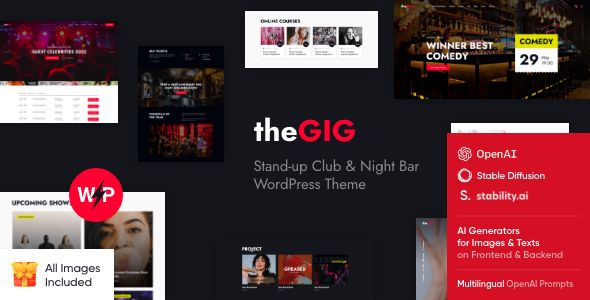
When a client—a comedy club owner with a shoestring budget and sky-high expectations—asks for a new website, the search for the right tool begins. They need more than a generic business template; they need atmosphere, functionality, and a system to manage their ever-changing schedule of events and performers. This is the exact scenario where a hyper-specific theme like The Gig - Stand-up Club & Night Bar WordPress Theme enters the spotlight. It promises a turnkey solution for venues, but as any seasoned developer knows, promises on a sales page often wilt under the harsh lights of a real project. This review isn't a simple feature list. It's a technical breakdown from the trenches, analyzing if The Gig can handle the pressure of a live production environment. We're sourcing our copy from the GPL repository gpldock, which gives us the full, premium theme under the General Public License—a legitimate and cost-effective route, but one that puts the onus of support squarely on our shoulders.
Part 1: The Setup - Installation and First Impressions
Getting a theme from a ZIP file to a fully functional, demo-perfect website is the first crucible. It’s where many themes, particularly complex ones, falter. Here’s how The Gig handled the process.
Unpacking and Installation
The download is a standard ZIP file. Inside, you find the documentation, licensing info, and two crucial theme files:
the-gig.zip(the parent theme) andthe-gig-child.zip(the child theme). Right away, the inclusion of a pre-packaged child theme is a green flag. It shows the authors, ThemeREX, understand and encourage best practices. Modifying a parent theme directly is a cardinal sin in WordPress development; any theme update will wipe your customizations. A child theme is non-negotiable for any serious project.The installation process is standard WordPress procedure:
- Navigate to Appearance > Themes > Add New > Upload Theme in your WordPress dashboard.
- Upload
the-gig.zipfirst, but do not activate it. This installs the parent framework. - Repeat the process, uploading
the-gig-child.zip. - Activate the child theme. This is the theme that will be active for the life of the site.
Upon activation, you're immediately greeted by a setup wizard. This is another sign of a modern, user-focused theme. The wizard streamlines the often-chaotic process of installing a dozen required plugins and importing demo content.
Plugin Dependencies: The Supporting Cast
The Gig, like most feature-rich themes, doesn't work in a vacuum. It relies on a suite of plugins to deliver its functionality. The setup wizard presents a list of required and recommended plugins. The core roster includes:
- ThemeREX Addons: The theme's proprietary functionality plugin. This is a smart move. Placing core features like Custom Post Types into a plugin prevents you from losing all your events and artist data if you ever switch themes.
- Elementor: The page builder of choice. This is a major structural decision and heavily influences the entire user experience.
- The Events Calendar: A popular and robust plugin for managing events. The Gig is built to integrate with and style this plugin specifically.
- Slider Revolution: A powerful, yet notoriously heavy, slider plugin for creating the dynamic hero sections seen in the demo.
- Contact Form 7: The old workhorse for contact forms. Simple, reliable, and gets the job done.
The wizard handles the installation and activation of these plugins seamlessly. I encountered no errors during this phase. It's a clean, automated process that saves a significant amount of time compared to hunting down and installing each plugin manually.
The One-Click Demo Import: The Moment of Truth
This is where many themes fail spectacularly. A "one-click" import can often turn into a multi-hour debugging session involving PHP timeouts, memory limit errors, and failed media imports. The Gig's setup wizard gives you a few options for the import: import the whole demo site, or just specific parts like theme options, widgets, or content.
I opted for the "Whole Demo-Site Content" to test the full process. The importer provides decent feedback, showing its progress as it works through posts, media, and settings. It took about four minutes on a standard cloud hosting environment. The result? Surprisingly successful. The homepage, internal pages, events, and artist profiles were all present and accounted for. The menus were assigned, the widgets were in place, and the sliders were working. The only common issue I saw was that placeholder images were used instead of the licensed stock photos from the demo, which is standard practice and completely expected. The structure was intact.
From a first impression standpoint, The Gig passes the initial setup test with flying colors. The process is polished, the child theme is provided, and the demo import works as advertised. It gets you to a functional, fully-styled starting point with minimal friction.
Part 2: Under the Hood - A Developer's Autopsy
A pretty face is one thing; a solid foundation is another. Now we move past the user-facing setup and dig into the theme's architecture, code structure, and performance profile. This is what separates a theme you can build a business on from one that becomes a maintenance nightmare.
Core Architecture: Elementor and Custom Post Types
The Gig is fundamentally an Elementor theme. This means that page layouts are constructed not with classic WordPress editors or shortcodes, but with Elementor's visual drag-and-drop interface. For developers, this is a double-edged sword.
- The Good: It empowers clients to make visual changes without writing code. The learning curve for content managers is relatively gentle. The ecosystem of third-party Elementor addons is massive.
- The Bad: Elementor can introduce code bloat, leading to performance challenges if not managed carefully. It also creates a degree of "lock-in"; disabling Elementor on an Elementor-built site effectively breaks your page layouts, leaving behind a mess of un-rendered data.
The real power of The Gig, however, lies in its use of Custom Post Types (CPTs). These are managed by the ThemeREX Addons plugin and are perfectly tailored for a venue's needs:
- Events (Shows): The cornerstone of the theme. This CPT comes with custom fields for the date, time, venue details, ticket purchase links, and crucially, a way to relate performers to the event.
- Artists: Essentially, a roster of your performers. Each artist has their own profile with a bio, photo gallery, and social media links.
- Team: For showcasing staff, from the club manager to the bouncers.
- Services: A flexible CPT that could be used for things like "Private Parties" or "Corporate Events".
This CPT structure is logical and well-implemented. It separates content into manageable, database-friendly buckets. You're not just creating generic "posts" for your shows; you're creating structured "event" objects, which is the correct way to build a scalable site.
Theme Options and Customization
Customization is handled through two primary areas: the WordPress Customizer and a dedicated "Theme Options" panel.
The Theme Options panel is comprehensive. Built on a proprietary framework, it offers granular control over colors, typography, header/footer layouts, blog settings, and integrations. The options are logically grouped, and there's a handy search function. You can control global site settings here, which then cascade down through the site. For example, setting the primary brand color here will update it across buttons, links, and various theme elements styled by the theme's CSS.
The WordPress Customizer is still utilized for some features, primarily those that benefit from its live-preview functionality. This hybrid approach is common and works well. The Theme Options panel is for the heavy lifting and global settings, while the Customizer is for finer visual tweaks.
One of the most powerful features is the Header and Footer Builder. The Gig uses a custom builder integrated into the Theme Options that allows you to construct complex headers and footers using a block-based system. You can create multiple layouts, assign them to different pages, and control their appearance on desktop, tablet, and mobile. This provides a level of flexibility that far surpasses the rigid header options of older themes.
Performance Profile: The Elephant in the Room
Let's be direct: a theme with Elementor, Slider Revolution, and a dozen other plugins is not going to be a lightweight speed demon out of the box. After the demo import, with no optimization, a GTmetrix scan reveals a page size of over 3MB and more than 80 HTTP requests for the homepage. The Largest Contentful Paint (LCP) was hovering around 4 seconds.
This is not surprising, nor is it a deal-breaker. It is, however, a reality that must be managed. The culprits are predictable:
- Unoptimized Images: The demo images are large. Running them through an optimizer like ShortPixel or Imagify is the first, most crucial step.
- Heavy JavaScript: Slider Revolution is the primary offender. If you don't need complex, multi-layered animations, replacing it with a simpler hero section built with an Elementor container and a background image will dramatically improve load times.
- CSS & JS Files: The theme and its plugins load a significant number of stylesheets and scripts. Implementing a good caching plugin is not optional; it's mandatory. A tool like WP Rocket or W3 Total Cache can handle page caching, minification, and combination of CSS/JS files, which will drastically reduce the number of HTTP requests.
With proper optimization—image compression, a caching plugin, and a critical eye on heavy elements like the main slider—it's entirely possible to get The Gig's load times into the green. But you have to do the work. The theme provides the structure, not the out-of-the-box performance.
Part 3: In Practice - Building a Real Venue Site
Theory is one thing, but the real test is using the theme for its intended purpose. How easy is it to manage the day-to-day operations of a club's website? I focused on the three most critical tasks: customizing the look, adding an event, and managing the artist roster.
Task 1: Customizing the Homepage
The demo homepage is built entirely in Elementor. Editing it is an intuitive process. The theme provides a set of custom Elementor widgets, prefixed with "TRX" (for ThemeREX). These include things like "Events List," "Artist Roster," and custom-styled buttons and headings.
These custom widgets are where the theme shines. Instead of just giving you generic Elementor elements, it provides purpose-built tools. For example, the "Events List" widget has powerful query options. You can choose to display upcoming shows, past shows, filter by category (e.g., "Open Mic," "Headliner," "Special Event"), and control the layout (list, grid, etc.). This integration between the CPTs and the page builder is seamless and powerful. You can build a highly customized, dynamic homepage without writing a single line of code.
Task 2: Adding a New Event
This is the core workflow for any club manager. In the WordPress dashboard, you navigate to Shows > Add New. This opens an editor that looks like a standard post, but with a crucial "Show Details" metabox below.
Here, you input the structured data:
- Date and Time (using a clean date/time picker)
- Venue Information (if you manage multiple venues)
- Price and a Ticket URL
- A dropdown to link one or more artists from your "Artists" CPT to this specific show.
This relational link is critical. By associating an artist with a show, the theme can automatically display that show on the artist's profile page, and vice-versa. This creates an interconnected site that's easy for users to navigate. Once published, the event automatically appears on the main events calendar page, and in any Elementor widgets you've configured to show upcoming events. The system works exactly as it should—it's robust, intuitive, and designed around the specific needs of a venue.
Task 3: Managing the Artist Roster
The "Artists" CPT works similarly. Creating a new artist profile involves adding their name, a bio (using the standard WordPress editor), a featured image, and filling out custom fields for their social media profiles. The single artist page template is well-designed, presenting this information clearly. It also includes a section that automatically pulls in any "Shows" that this artist is linked to.
This interconnected data structure is the theme's greatest strength. It transforms WordPress from a simple blogging platform into a specialized management application for your venue. The relationship between events and artists is the key, and The Gig executes it perfectly.
The Verdict: Is The Gig a Headliner?
After putting The Gig through its paces, from installation to practical use, it's time to render a verdict. This is not a theme for someone who wants to build a simple blog. It's a specialized, complex piece of software with a clear purpose.
Strengths:
- Excellent Niche Design: The aesthetic—dark, atmospheric, and modern—is perfectly suited for comedy clubs, music venues, and night bars. It sets the right mood out of the box.
- Powerful, Purpose-Built Functionality: The custom post types for shows and artists, and their seamless integration with Elementor, are the standout features. This isn't a generic theme with a dark skin; it's a tool built for the job.
- Polished User Experience: From the setup wizard to the Theme Options panel, the theme is well-organized and user-friendly for site administrators.
- High Value from Bundled Plugins: Getting Elementor, Slider Revolution, and a framework built around The Events Calendar provides significant value.
Weaknesses:
- Performance Requires Work: The out-of-the-box performance is heavy. You must be prepared to implement caching and optimization strategies to achieve good page speed scores.
- Elementor Lock-in: As with any page builder-heavy theme, you are marrying your site's design to Elementor. Migrating away from it in the future would be a complete rebuild.
- Complexity Can Be Overwhelming: For a true WordPress novice, the sheer number of options in the Theme Panel and Elementor could be daunting.
Who Is This Theme For?
1. Web Developers and Agencies: This theme is a fantastic starting point for building a site for a client in the entertainment venue space. It provides a solid, feature-complete foundation that can be customized and delivered in a fraction of the time it would take to build from scratch.
2. Tech-Savvy Venue Owners: If you're a club owner who is comfortable within the WordPress dashboard and understands the basics of managing plugins and content, The Gig will empower you to manage a professional, highly functional website yourself.In the end, The Gig is a true headliner, but one that requires a competent technical crew to make it shine. It delivers on its promise of providing a comprehensive solution for stand-up clubs and night bars. The architectural decisions are sound, the core features are robust, and the design is spot-on. While it carries the performance baggage common to all-in-one themes, these are manageable problems for a developer. For anyone needing to build a website in this niche, The Gig is an exceptional tool that gets the job done with style and power. If you are looking for similar high-quality themes, you can find a vast collection of Free download WordPress themes available under the GPL.