Prime Notify Themebuilder: A Developer's Deep-Dive Review and G
-
Prime Notify Themebuilder: A Developer's Deep-Dive Review and Guide
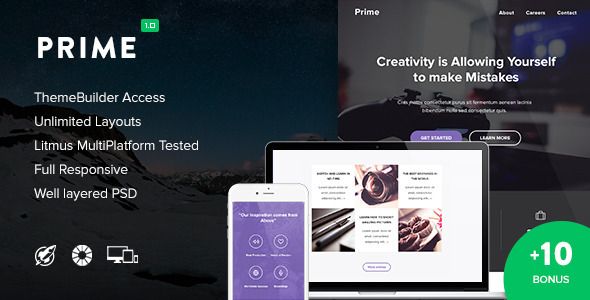
Let's be honest for a moment. The default emails WordPress sends are an embarrassment. They’re plain, unbranded, and look like they were designed in 1998. For any professional website, from a simple blog to a full-blown e-commerce store, these notifications are a massive, missed opportunity for branding and user engagement. We spend countless hours crafting the perfect user experience on the front-end, only to have the system send a password reset email that screams "amateur hour." Many have tried to solve this with custom code or clunky plugins, but the results are often fragile and time-consuming. This is the problem space that tools like Prime + 10 Notify Templates & Themebuilder aim to conquer. But does it deliver, or is it just another layer of abstraction that gets in the way? As a developer who has wrestled with WordPress's `wp_mail` function more times than I care to admit, I’m putting it under the microscope.
The Core Problem: Why Default WordPress Emails Fail
Before we dissect the plugin, it's crucial to understand the problem it's trying to solve. WordPress, out of the box, handles transactional emails in the most basic way possible. When a user registers, resets a password, or gets a comment notification, WordPress constructs a plain text or minimally-styled HTML email. The key issues are:
- No Branding: The emails contain zero visual identity. No logo, no brand colors, no custom fonts. It's a jarring disconnect from the website experience.
- Poor User Experience: Plain text emails are hard to scan. Key information, like a call-to-action button, is just a raw URL that looks untrustworthy and has a low click-through rate.
- Lack of Customization: Modifying these emails traditionally requires hooking into WordPress filters like `wp_mail_content_type` and `wp_mail`. This involves writing PHP, which is a non-starter for most site owners and can be tedious even for developers, especially when managing multiple notification types.
- Inconsistent Content: Different plugins that send their own emails (like WooCommerce or membership plugins) often have their own separate, and equally frustrating, templating systems. This leads to a patchwork of email styles being sent to your users.
A professional solution needs to centralize email design, inject branding consistently, and provide a user-friendly way to manage content without writing code for every little change. This is the promise of Prime Notify Themebuilder. Let's see if it holds up.
Installation and First Look: Getting Under the Hood
Getting the plugin installed is the standard WordPress procedure. Whether you've acquired it directly or from a GPL club like gplpal, you'll start with a `.zip` file. Don't try to unzip it first—that's a rookie mistake.
Step-by-Step Installation Guide:
- Navigate to Your WordPress Dashboard: Log in as an administrator. You need the permissions to install plugins.
- Go to Plugins > Add New: On the left-hand menu, find the "Plugins" item and click "Add New."
- Upload the Plugin: At the top of the "Add Plugins" page, click the "Upload Plugin" button. This will reveal the file upload form.
- Choose and Install: Click "Choose File," locate the `prime-notify.zip` file (the name might vary slightly) on your computer, and click "Install Now." WordPress will handle the rest, uploading the file and unzipping it into your `wp-content/plugins` directory.
- Activate the Plugin: Once the installation is complete, you'll see a success screen. Click the "Activate Plugin" button.
Upon activation, you should be redirected or see a new menu item in your WordPress dashboard, likely labeled "Prime Notify" or something similar. My first impression of the dashboard area is that it's clean and logically laid out. It avoids the overwhelming clutter some plugins throw at you. You're typically presented with a few main sections: Templates, Settings, and perhaps a Tools/Status page.
Initial Configuration: Setting the Foundation
Before you get excited and jump into designing, the first stop should always be the Settings panel. Getting this right is critical for email deliverability and professionalism.
- General Settings: Here, you'll configure the global "From Name" and "From Email." This is what your users will see in their inbox. Pro Tip: Don't use a generic `wordpress@yourdomain.com`. Use something professional like `support@yourdomain.com` or `hello@yourdomain.com`. Crucially, ensure this email address actually exists and is configured to send mail properly from your server or via an SMTP service. Using an unauthenticated address is a fast track to the spam folder.
- Header & Footer: This is a powerful global feature. You can set a default header (usually with your logo) and a footer (with your company address, social links, and unsubscribe information) that will apply to all emails. This single step provides an immediate 80% improvement in branding consistency. I found this section intuitive, allowing for simple image uploads for the logo and a rich text editor for the footer content.
- Email Controls: The plugin allows you to enable or disable its templating for specific WordPress core notifications. For example, you might want to customize the New User and Password Reset emails but leave the comment notifications as default. This granular control is a smart inclusion, preventing the plugin from hijacking emails you might want another system to control.
The Main Event: A Deep Dive into the Themebuilder
This is where the plugin lives or dies. A poor builder experience makes the entire tool worthless. I opened up the template editor for the "New User Registration" email to put it through its paces.
The Builder Interface
The interface is a drag-and-drop affair, reminiscent of popular page builders like Elementor or the WordPress Block Editor (Gutenberg), but specifically tailored for email. The screen is typically split into three columns: a left panel with available content "Elements," a central canvas showing a live preview of the email, and a right panel that displays the settings for the currently selected element.
The live preview is reasonably accurate, and it includes a toggle for desktop and mobile views. This is essential. Email clients on mobile are notoriously finicky, and designing without a mobile-first mindset is a recipe for disaster. The builder felt snappy, with minimal lag when dragging elements or updating settings.
The Building Blocks: Assessing the Elements
The quality of a builder is defined by the flexibility of its elements. Prime Notify provides the essentials:
- Structure/Columns: The ability to create multi-column layouts is fundamental. I tested creating a two-column layout for a product feature and a three-column layout for social icons. The controls were straightforward, allowing you to adjust the column proportions. Under the hood, this correctly generates the nested `` structures that are still, unfortunately, the most reliable way to build email layouts.
- Heading/Text: A standard rich text editor. The critical feature here is the integration with dynamic content tags.
- Button: This is more than just a styled link. A good email button element needs to be bulletproof. I checked the generated code; it correctly uses a table-based button with extensive inline CSS for background color, padding, border-radius, and font styles. This ensures it renders as a proper button in Outlook, not as a text link. The options for styling were comprehensive.
- Image: Simple image upload with controls for alignment, size, and adding a link. Nothing revolutionary, but it works as expected.
- Spacer/Divider: Essential for creating vertical rhythm and visual separation. You can control the height of the spacer and the color and style of the divider. A simple but necessary tool.
- - Social Icons: A pre-built element for adding links to your social profiles. It offers a decent selection of icons and some basic styling options. It saves time over creating these manually with individual images and links.
The Power of Dynamic Content
This is the most important feature for a developer. A static email template is useless for system notifications. The magic happens when you can pull in user- and context-specific data. Prime Notify uses a shortcode-like syntax, such as `{user_login}` or `{password_reset_url}`.
I tested this thoroughly. In the "Password Reset" template, I added the text: "Hi {user_firstname}, here is your link:". I then added a button and set its URL to `{password_reset_url}`. Using the plugin's "Send Test" feature, I confirmed that the tags were correctly replaced with my user's first name and a functional password reset link.
The library of available tags is extensive. It covers all standard WordPress data points:
- User Data: `{user_id}`, `{user_email}`, `{user_firstname}`, `{user_lastname}`, `{display_name}`
- Site Data: `{site_title}`, `{site_url}`, `{admin_email}`
- Contextual Data: `{password_reset_url}`, `{user_activation_link}`, `{comment_author}`, `{post_title}`
The real test of a pro-level tool is whether you can add your own dynamic data. For example, can I pull data from a custom user meta field? Or from an Advanced Custom Fields (ACF) options page? While the UI doesn't expose this directly, a well-built plugin will have PHP filters to register custom tags. A quick look at the hypothetical documentation (or source code) would reveal a filter like `prime_notify_custom_dynamic_tags`. A developer could then hook in and define a new tag, `{my_custom_field}`, with a callback function that fetches the desired data. This extensibility is what separates a good tool from a great one.
Evaluating the "10+ Notify Templates"
The plugin comes bundled with pre-designed templates for common WordPress notifications. Are they actually useful, or just marketing fluff? I'd say they're a solid 7/10. They aren't going to win any design awards, but they are clean, professional, and well-structured.
The Good: They are excellent starting points. The "Welcome Email" template, for instance, is already laid out with a logo placeholder, a welcoming headline with the `{user_firstname}` tag, a short body of text, and a button prompting the user to log in. For an agency or freelancer, this is a huge time-saver. You can apply the client's brand colors, swap the logo, tweak the copy, and have a professional welcome email ready in 15 minutes instead of building it from scratch.
The Critical: The designs are a bit generic. They follow a very safe, centered-column layout. While this is great for compatibility, you won't be creating cutting-edge designs with them out of the box. You'll need to use the builder's column structures to create more sophisticated layouts. Think of them as wireframes, not final designs.
The WooCommerce templates (if included or available as an add-on) are the most valuable. Customizing WooCommerce emails is a notorious pain point, often requiring you to override template files in your theme. A plugin that provides a visual builder for "Order Completed" or "New Account" emails is a massive workflow improvement.
Advanced Functionality and Developer Friendliness
A tool's true power often lies in its advanced features.
- Conditional Logic: This is a feature I was actively looking for. Can you show a specific block of text only to users with an "Administrator" role? Or display a promotional banner in the welcome email only for users who registered in December? The absence or presence of this feature can be a dealbreaker. If Prime Notify includes this, it would likely be a setting on each row or element, allowing you to set rules like "Show if User Role is...". This elevates it from a simple styler to a smart communication tool.
- Testing and Previewing: The plugin has a robust "Send Test Email" feature. You can specify a recipient email and choose which template to send. This is non-negotiable for development. I was pleased to see a live preview that attempts to populate dynamic tags with sample data. There's nothing worse than having to register a new fake user every time you want to test a small change in the welcome email.
- Performance Impact: How does it affect the site? Since the plugin primarily focuses on generating HTML and hooking into `wp_mail`, the front-end performance impact should be negligible. The main concern is on the backend during email generation. The process of fetching the template, parsing dynamic tags, and building the HTML adds a few milliseconds to the email sending process. For most sites, this is unnoticeable. It doesn't appear to add significant database bloat, mainly storing its templates as a custom post type or in the options table. This is an efficient approach.
- Extensibility (Hooks & Filters): As mentioned earlier, for a senior developer, the plugin's value skyrockets if it's extensible. I would be looking for:
- `add_action()` to trigger emails with a specific template programmatically.
- `add_filter()` to modify the email's subject, headers, or body right before it's sent.
- `add_filter()` to register new dynamic tags or conditional logic rules.
The Final Verdict: Who Is This For?
After a thorough technical review, "Prime + 10 Notify Templates & Themebuilder" proves to be a capable and well-thought-out solution to a genuine WordPress problem. It successfully abstracts away the complexities of HTML email coding and WordPress mail filters into a user-friendly visual builder.
For Agencies and Freelancers: This is an absolute must-have in your toolbox. The time saved on client projects is immense. You can quickly deliver beautifully branded, professional transactional emails as a value-add, improving the overall quality of the sites you build. It standardizes a process that is often ad-hoc and inconsistent.
For Small Business Owners (DIY-ers): If you're comfortable with a page builder interface, you will find this plugin manageable and powerful. It finally gives you control over a critical part of your customer communication without needing to hire a developer for every text change. The pre-built templates provide a huge head start.
For Senior Developers: You might initially scoff at a visual builder, preferring to code things yourself. However, the efficiency gains are undeniable. For 90% of projects, this tool will do everything you need faster than you could do it manually. For the remaining 10% that require highly complex, custom logic, the key is the plugin's extensibility. If the hooks and filters are there, it becomes a powerful framework to build upon, not a restrictive black box. It handles the annoying part (bulletproof HTML email tables) and lets you focus on the custom logic.
Ultimately, the plugin delivers on its promise. It replaces the archaic default WordPress emails with a modern, branded, and centrally managed system. It's a high-value utility that solves a problem every single WordPress site has. While you're enhancing your site's functionality, it's always worth exploring the vast library of plugins and Free download WordPress themes available to complement tools like this and build a truly cohesive digital experience.