Luxury Wine Theme Review: A Developer's Pour of a Niche WordPre
-
Luxury Wine Theme Review: A Developer's Pour of a Niche WordPress Contender
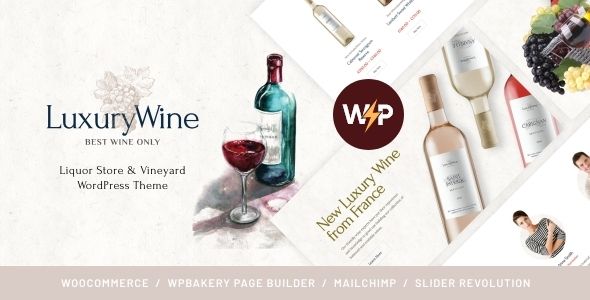
The online liquor and wine market is a crowded, competitive space where branding and user experience are paramount. A generic e-commerce template won't cut it. Customers expect sophistication, a story, and a seamless path to purchase. This is the exact niche that the Luxury Wine - Liquor Store & Vineyard WordPress Theme + Shop aims to fill. It promises an elegant, feature-rich platform for vineyards, distilleries, and high-end liquor stores. But promises on a sales page are one thing; performance under the hood is another. As developers, we need to know if this theme is a finely aged vintage ready for production or just a cheap table wine in a fancy bottle. This is a deep-dive technical review and installation guide, stripping away the marketing gloss to see what we’re really working with.
First Contact: Uncorking the Theme Package
Upon acquiring the theme, the first step is always to inspect the contents of the ZIP file. It's the developer's equivalent of checking the cork. A well-organized package is often the first sign of a well-coded theme. The Luxury Wine package is fairly standard, which is a good thing. Inside, you'll typically find:
- luxury-wine.zip: The core parent theme file. This is what you'll install first.
- luxury-wine-child.zip: The child theme. The fact that a child theme is included is a massive check in the "pro" column. It shows the authors understand and encourage best practices for customization. Never, ever modify the parent theme directly.
- Documentation Folder: Usually contains an HTML file or a link to an online knowledge base. We'll get into the quality of this later.
- Plugins Folder or Licensing Info: This is where you'll find the required and recommended plugins. Critically, this theme, like many on ThemeForest, bundles premium plugins like WPBakery Page Builder and Slider Revolution. This is both a value proposition and a potential long-term headache.
The initial impression is one of competence. The inclusion of a child theme is a fundamental sign of professionalism. The file structure is clean. Now, let's see how it behaves during setup.
The Installation & Setup Gauntlet: From Zero to Demo
Getting a complex theme like this from a fresh WordPress install to a functioning replica of the demo is the first real test. This process can be fraught with peril, from server timeouts to broken layouts. Here’s the play-by-play from a developer's perspective.
Step 1: Theme and Child Theme Installation
This part is standard procedure. Navigate to Appearance > Themes > Add New in your WordPress dashboard. Upload `luxury-wine.zip` first, but do not activate it. Next, upload `luxury-wine-child.zip` and activate that one. By activating the child theme from the start, you ensure that any future customizations you make will be preserved when the parent theme is updated. It's a simple step that saves countless hours of pain down the line.
Step 2: The Plugin Onslaught
Once the child theme is active, you'll almost certainly see a dashboard notification prompting you to install a list of required and recommended plugins. This is where you need to pay close attention. The theme's core functionality is dependent on a "theme core" or "functionality" plugin, which is standard. But then comes the rest.
Luxury Wine relies heavily on:
- WPBakery Page Builder: The workhorse for building the demo pages. It's a powerful but aging page builder. Its shortcode-based architecture can lead to database bloat and content lock-in. If you ever want to switch themes, deactivating WPBakery will leave you with a mess of un-rendered shortcodes.
- Slider Revolution: A powerful, but notoriously heavy, slider plugin. It can create stunning visuals, but it's often overkill and can be a significant drag on page load times if not configured carefully.
- WooCommerce: The e-commerce engine. This is a given for a shop theme.
- Contact Form 7: A basic, reliable contact form plugin.
The installation of these is managed by the TGM Plugin Activation library, which makes the process straightforward. You can bulk-install and activate them. The key issue here is the licensing of the bundled premium plugins. You get to use them, but you typically don't get a dedicated license key. This means you won't receive direct updates from the plugin authors (e.g., WPBakery). Instead, you have to wait for the theme author to release an updated version of the theme that includes the newer plugin files. This can be a security risk if a major vulnerability is found in WPBakery and the theme author is slow to push an update.
Step 3: The One-Click Demo Import
This is the moment of truth. The theme will provide a "Demo Import" option, usually under the Appearance menu or its own dedicated theme options panel. The promise is that with a single click, your site will magically transform into a perfect copy of the live demo.
In reality, this process is highly dependent on your server environment. For a smooth import, ensure your `php.ini` settings are robust. I'd recommend at least:
- `memory_limit = 256M` (or 512M)
- `max_execution_time = 300`
- `max_input_time = 300`
Without these, the importer is likely to time out, leaving you with a partially imported site, which is a nightmare to clean up. The Luxury Wine importer is reasonably well-behaved. It pulls in all the pages, posts, products, widgets, and theme settings. However, it's common for images to be placeholder versions or for sliders to need manual import. You might find the Slider Revolution demo zip file within the theme package and need to import it separately via the Slider Revolution dashboard.
Step 4: The Post-Import Audit
Never trust a one-click import completely. Once it's finished, do a thorough audit:
- Check Menus: Go to Appearance > Menus. Did the importer correctly assign the primary menu? Sometimes you need to manually assign it to the correct theme location.
- Check Homepage: Go to Settings > Reading. Is the "Static Front Page" set to the correct demo homepage?
- Check Permalinks: Go to Settings > Permalinks. Select "Post name" and hit "Save Changes" twice. This flushes the rewrite rules and can fix a lot of 404 errors on newly imported pages.
- Review Sliders: If Slider Revolution was used, open the imported sliders and check that all image paths are correct.
The process with Luxury Wine is more successful than many, but you should still budget at least an hour for this post-import cleanup and verification. The end result is a site that looks remarkably like the demo, which is a solid foundation to start building from.
Under the Hood: A Developer's Critique
A pretty face is nice, but a developer needs to know about the bones. How easy is this theme to customize, maintain, and extend? Let's dissect the core components.
The Theme Options Panel
Luxury Wine uses a custom theme options panel, which is a common approach. It's not integrated into the native WordPress Customizer, which is a slight drawback in my opinion. Using the Customizer provides a more consistent user experience and allows for live previews of changes. A separate options panel feels a bit dated, like a relic from the pre-Customizer era.
That said, the panel itself is comprehensive. You'll find controls for:
- General Settings: Logos, favicons, color schemes, typography.
- Header & Footer: Multiple layouts, sticky header options, widgetized footer columns.
- Shop Settings: Product grid layouts, sidebar configurations, category page options.
- Custom CSS/JS: A dedicated area to add your own code snippets without touching the theme files (though using the child theme's `style.css` is still the superior method).
The options are extensive enough for a non-coder to make significant branding changes. However, some design elements, particularly spacing and specific component styles, are often controlled at the page-builder level, not globally. This can lead to inconsistencies if you're not careful.
WPBakery Integration and Custom Elements
The theme lives and dies by its integration with WPBakery. It comes with a suite of custom "shortcodes" or elements that are specifically designed for the wine/liquor niche. These include things like stylized product grids, testimonial blocks, team member profiles, and "call to action" banners with a luxury aesthetic.
This is both good and bad.
The Good: These pre-styled elements allow you to rapidly build pages that match the theme's design language without writing a line of CSS. They are what make the demo pages possible.
The Bad: Your site is now deeply coupled with WPBakery and this specific theme's custom elements. Migrating to a different builder like Elementor or even the native Gutenberg block editor would require rebuilding every single page from scratch. It creates a significant "lock-in" effect. For long-term projects, this is a major strategic consideration.Code Quality and Extensibility
Digging into the child theme files (`style.css` and `functions.php`) reveals a solid starting point. The code in the parent theme appears to follow general WordPress standards. Template files for WooCommerce, the blog, and core pages are located in predictable places, making them easy to override in the child theme.
For example, if you wanted to change the layout of the single product page, you could copy the `content-single-product.php` file from the parent theme's `/woocommerce/` directory into a `/woocommerce/` directory in your child theme and then safely modify it.
The theme also seems to make decent use of WordPress action and filter hooks. This is crucial for extensibility. Instead of modifying a template file directly, a good developer will look for a hook to inject their changes. A theme that provides plenty of custom hooks is a theme built for professionals. While Luxury Wine isn't as hook-rich as a dedicated framework like Genesis, it provides enough to accomplish most common customizations without hacking the core.
Performance Profile: Will It Drag?
Let's be blunt: a theme with WPBakery and Slider Revolution is not going to be a performance champion out of the box. The demo content, with its large, unoptimized images, is a recipe for slow load times.
A fresh install with the demo content imported will likely score poorly on Google PageSpeed Insights. This isn't necessarily the theme's fault alone, but a consequence of the tools it uses. The primary culprits are:
- HTTP Requests: The theme and its plugins load numerous CSS and JavaScript files.
- DOM Size: Page builders often generate complex HTML with many nested `div` elements, which can slow down page rendering.
- Image Sizes: The demo imports high-resolution images that are not web-optimized.
However, this is a solvable problem. With a proper optimization strategy, you can get this theme running quite fast:
- Image Optimization: The first and most important step. Use a plugin like ShortPixel or Smush to compress all the images in your Media Library. This will yield the biggest performance gains.
- Caching: Install a robust caching plugin. WP Rocket (premium) is a fantastic, user-friendly option. W3 Total Cache (free) is powerful but more complex to configure. Caching will serve static HTML versions of your pages to visitors, dramatically reducing server processing time.
- Asset Minification & Combination: Use your caching plugin or a dedicated tool like Autoptimize to minify and combine CSS and JavaScript files. This reduces the number of HTTP requests the browser has to make. Be sure to test thoroughly after enabling these features, as they can sometimes break theme functionality.
With these three steps, it's entirely possible to get a Luxury Wine-based site loading in under 2-3 seconds, which is a perfectly acceptable target for an e-commerce platform.
The Mobile Experience & SEO Readiness
In 2024, if your e-commerce site isn't flawless on mobile, you're losing money. Luxury Wine claims to be fully responsive, and for the most part, it is. The layouts adapt well to tablet and phone screens. Product grids stack cleanly, and the typography remains legible. The mobile menu is a standard "hamburger" icon that expands into a usable navigation tree.
The main area to scrutinize is the checkout process on mobile. WooCommerce's default checkout is decent, but a good theme will refine it. Test the entire flow on a real device. Can you easily fill out form fields? Are the buttons large enough to tap? Is there anything causing horizontal scrolling? Luxury Wine's implementation is solid, without any major glaring issues.
From an SEO perspective, the theme provides a decent foundation. It uses proper HTML5 semantic tags (`
`, `