Hello Followers Review: A Developer's Deep Dive into Social Pro
-
Hello Followers Review: A Developer's Deep Dive into Social Proof and Performance
There's an undeniable, almost primal, human impulse to follow the crowd. In the digital world, we call this "social proof," and it's a currency that website owners have been trying to mint for over a decade. The logic is simple: if a brand has 100,000 followers, they must be legitimate. This is the promise of plugins like the Hello Followers - Social Counter Plugin for WordPress. It offers to automate the display of your social media clout directly on your website, transforming raw numbers into a tangible asset for building trust. But in an era of API restrictions, performance budgets, and general skepticism towards vanity metrics, does a plugin like this still hold up? I'm going to tear it down from installation to execution, evaluating its features, performance impact, and overall worth from the perspective of a developer who has to build, maintain, and optimize these sites. We'll go beyond the marketing copy and see if it's a valuable tool or just another piece of site-slowing bloat.
The Premise: Does Raw Follower Count Still Matter?
Before we even get to the `wp-content/plugins` directory, let's address the central question. Is displaying a follower count a useful strategy today? The answer is nuanced. On one hand, the digital landscape has matured. Savvy users understand that a high follower count can be bought and doesn't necessarily equate to quality or engagement. A Twitter profile with 50,000 followers but only two likes per post is a transparent red flag.
However, for a new visitor landing on your site for the first time, that initial impression matters. Social counters serve as a psychological shortcut. They signal presence and activity. For a blog, it suggests an active community. For an e-commerce store, it implies a history of satisfied customers. It's a subconscious validator that can lower a visitor's guard just enough to make them engage with your actual content or products. The key is authenticity. If your content is solid and your brand is legitimate, the social counter acts as an amplifier, not the foundation. Hello Followers, therefore, isn't a magic bullet for credibility; it's a tool for showcasing credibility you've already earned. With that established, let's see how well the tool actually works.
Installation and First Impressions
Getting the plugin onto a WordPress installation is standard procedure. You acquire the `.zip` file, navigate to your WordPress dashboard, go to
Plugins > Add New, and click the "Upload Plugin" button. Select the file, install, and activate. So far, so simple.Upon activation, a new menu item, "Hello Followers," appears in the WordPress admin sidebar. Clicking it takes you to the main settings panel. My initial impression of the user interface is that it's functional but not particularly polished. It adopts the standard WordPress admin styling, which is a good thing for consistency, but it lacks some of the modern, React-based interfaces you see in more contemporary plugins. The settings are logically grouped into tabs: General, Networks, Styling, and Shortcodes. This is a sensible layout that prevents overwhelming the user with a single, massive page of options. It feels utilitarian, built for someone who knows what they want to do rather than for a novice who needs their hand held. For a developer, this is perfectly acceptable; I prefer clarity over clutter.
Configuration: The API Gauntlet and Customization Deep Dive
This is where any social counter plugin either shines or fails spectacularly. The core functionality relies on connecting to third-party social media APIs, a process that has become increasingly complex, bureaucratic, and frustrating over the years. This is not entirely the plugin's fault—blame lies with the social networks themselves—but how the plugin guides you through this ordeal is a major factor in its usability.
Connecting Your Networks
The "Networks" tab is the heart of the configuration. It presents a list of supported social networks, each with its own set of fields for API keys, usernames, or channel IDs. Let's walk through the process for a few key players to illustrate the real-world experience.
- Facebook: This is often the most painful. To get a Facebook Page fan count, you need to create an App within the Meta for Developers portal. This requires navigating a labyrinth of menus, agreeing to terms of service, setting up an "App," and generating an App ID and App Secret. You then need to use these credentials to generate a non-expiring Page Access Token. The plugin's documentation needs to be crystal clear here, as a single misstep can leave you with an invalid token. Hello Followers provides fields for the Page ID, App ID, and App Secret, which is the correct approach. It wisely avoids asking for your personal login details.
- X (formerly Twitter): Since the API lockdowns, getting data from X has become a challenge. You need a developer account and must generate a set of API keys and tokens from the project dashboard. The most common and reliable method for getting a follower count is using the "Bearer Token" associated with your App. Be prepared for a potentially lengthy approval process for a developer account if you don't already have one. The plugin asks for the correct credentials, but expect to spend at least 30 minutes in the X Developer Portal.
- YouTube: This requires a Google Cloud Platform project. You have to enable the "YouTube Data API v3," generate an API key, and then find your Channel ID (which is distinct from your channel's custom URL). The plugin requires both the API key and the Channel ID. While the process is multi-stepped, Google's interface is arguably more straightforward than Meta's.
- Instagram: This is often linked to the Facebook process, as you typically need an Instagram Business Account connected to a Facebook Page. The API access is then managed through the same Meta for Developers App used for your Facebook Page. This adds another layer of complexity, and you must ensure your app has the correct permissions (e.g., `instagram_basic`) enabled.
The plugin does its job by providing the correct input fields. However, the quality of its accompanying documentation or in-dashboard guidance is what will make or break the experience for most users. Without links to the specific developer portals and step-by-step instructions, a non-technical user will be completely lost. This setup process is the single biggest hurdle to using any social counter plugin effectively.
Styling and Customization
Once you've wrestled the API keys into submission, making the counter look good is the next step. The "Styling" tab offers a decent, if not exhaustive, set of controls.
You'll typically find several pre-designed "themes" or "skins." These are great for getting started quickly. I found a handful of styles, from flat and minimal to more colorful, gradient-based designs. From there, you can override the specifics:
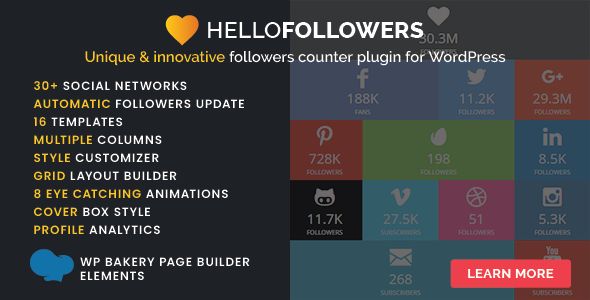
- Layout: The ability to set the number of columns is essential. You can choose to display your counters in a single row, a 2-column grid, a 3-column grid, and so on. This provides flexibility for placement in different areas like sidebars, footers, or full-width sections.
- Colors: The plugin provides color pickers for key elements like the background color, icon color, text color, and number color. It also includes hover effects, allowing you to set a different set of colors when a user moves their mouse over a specific social network's box. This is a solid feature.
- Icons: Most social counter plugins, including this one, seem to leverage a library like Font Awesome for icons. The styling options let you choose between different icon styles (e.g., rounded squares, circles) and adjust their size.
- Custom CSS: For developers, this is the most important feature in any styling panel. Hello Followers includes a dedicated "Custom CSS" text area. This is crucial. It allows you to override any of the default styles without having to edit your theme's `style.css` file. You can target the plugin's specific CSS classes (e.g., `.hf-container`, `.hf-network-facebook`) to achieve a pixel-perfect design that matches your site's branding. This feature alone elevates it beyond a simple "plug-and-play" tool for beginners.
Displaying the Counters: Widgets and Shortcodes
Getting the configured and styled counter to appear on the front end of your site is handled in two primary ways:
1. The Widget: The plugin provides a "Hello Followers" widget that you can drag into any widgetized area of your theme, such as the sidebar or footer. The widget options are fairly basic, usually just a title field (e.g., "Follow Us") and a dropdown to select which specific set of counters to display if you've configured multiple groups. It inherits the global styles you set in the main settings panel.
2. The Shortcode: This is the more powerful and flexible method. The plugin provides a base shortcode, likely something simple like
[hello_followers], which you can place anywhere in your post or page content. The real power comes from shortcode attributes. A well-designed plugin will allow you to override global settings directly within the shortcode. For example:[hello_followers networks="facebook,youtube,linkedin" columns="3" theme="dark"]This kind of granular control is a developer's dream. It means you can have a full-width, light-themed counter on your homepage and a compact, 1-column, dark-themed version in a specific blog post, all without having to create multiple widgets or change global settings. The existence and documentation of these shortcode attributes are a major indicator of the plugin's quality and target audience.
Performance Under the Microscope
This is the part that keeps developers up at night. Any plugin that makes external API calls is a potential performance bottleneck. Every time a page loads, does the plugin ping Facebook, YouTube, and X to get the latest counts? If so, your site's Time to First Byte (TTFB) will be abysmal. Your page load will be held hostage by the slowest-responding social media server.
Thankfully, any competently built social counter plugin uses caching. Hello Followers implements a caching mechanism using the built-in WordPress Transients API. This is the correct approach. It means the plugin fetches the follower counts from the APIs once, then stores them in your WordPress database for a set period. Subsequent page loads will pull the numbers from this local cache, which is lightning-fast, instead of making a new external request.
The crucial setting, found in the "General" tab, is the Cache Time. This determines how long the follower counts are stored before the plugin fetches fresh data. The options might range from 1 hour to 24 hours or more. For 99% of use cases, setting this to 12 or 24 hours is the best practice. Your follower count doesn't change meaningfully enough minute-to-minute to justify the performance hit of a short cache duration. A longer cache time means fewer external HTTP requests and a faster website. This is a non-negotiable feature, and its presence and configurability in Hello Followers are a huge plus.
A Developer's Perspective: Code Quality and Extensibility
While I didn't perform a line-by-line code audit, you can tell a lot about a plugin from its behavior and structure. The plugin appears to follow WordPress standards, properly enqueueing its stylesheets and scripts. A critical aspect for professional use is the availability of hooks (actions and filters).
A developer-friendly plugin would include filters to programmatically alter its output. Imagine wanting to modify the number format, for instance. A filter like
apply_filters('hello_followers_format_number', $number, $network_slug)would allow you to hook in with a custom function in your theme's `functions.php` file to change "12500" to "12.5k" or add custom logic. Similarly, action hooks before and after the widget output would allow for adding custom wrapper divs or tracking scripts. The absence of such hooks can make deep customization a frustrating child-theming exercise of overriding template files.Another key consideration is error handling. What happens when an API token expires or a network is down? A poorly coded plugin might throw a fatal PHP error or display an ugly error message on the front end. A robust plugin will fail gracefully. It should either hide the counter for the failing network or, even better, continue to display the last successfully cached number until a new one can be fetched. This resilience is a hallmark of a professional-grade tool.
The GPL Question and Plugin Sourcing
It's worth noting how you acquire plugins like this. Many premium plugins are sold under a GPL (General Public License), which is the same license WordPress itself uses. This gives you the freedom to use, modify, and redistribute the software. This has given rise to marketplaces like gplpal, which offer premium plugins and themes at a significant discount. They can do this legally because of the GPL license. The trade-off is that you typically don't get direct support from the original developer. For a developer or an agency comfortable with troubleshooting, this is an excellent value proposition. You can build a powerful toolkit with an extensive selection of tools, including access to a huge library where you can Free download WordPress themes and plugins, without the high price tag of individual annual licenses.
Verdict: Is Hello Followers Worth the Effort?
After a thorough review, Hello Followers proves to be a capable and functional tool for a specific purpose. It's not a plugin you install and forget; it requires a significant upfront investment of time to navigate the various developer portals and configure the APIs. This is its biggest weakness, though it's a weakness shared by all of its competitors.
The Good
- Robust Caching: The configurable caching is its most critical feature, preventing the plugin from destroying your site's performance.
- Solid Customization: A good range of styling options, combined with the all-important Custom CSS box, gives you enough control to match the counter to your site design.
- Flexible Display Options: The combination of a simple widget and a powerful, attribute-driven shortcode covers nearly every possible implementation scenario.
The Not-So-Good
- The API Setup Gauntlet: This is a major barrier to entry for non-technical users. The complexity is immense, and the plugin's value is directly tied to the quality of its documentation guiding you through this process.
- Utilitarian UI: The backend interface is functional but lacks the polish of some more modern, premium plugins.
Who Is This For?
This plugin is best suited for web developers, agencies, and technically-savvy site owners who understand the API setup process and value granular control. A beginner blogger might become quickly frustrated unless the plugin is bundled with exceptionally clear, step-by-step documentation. For the professional who needs to add social proof to a client site, it's a solid tool that does exactly what it promises, provided you're prepared for the initial setup.
Ultimately, Hello Followers is a workhorse. It's not flashy, but it's built on a sound technical foundation with proper caching and flexible display options. If you believe social proof is still a valuable asset for your website and you have the technical patience to feed it the API keys it needs, it's a reliable and performant way to get the job done.