Artha Theme Deep Dive: A Developer's Verdict and Installation G
-
Artha Theme Deep Dive: A Developer's Verdict and Installation Guide
Finding a WordPress theme for an interior design or architecture firm that isn't just a generic corporate template with stock photos of sofas is a genuine challenge. The market is saturated with themes that promise "elegance" and "sophistication" but deliver a clunky, bloated experience under the hood. So, when a theme like the Artha Interactive Interior WordPress Theme lands on my desk, my developer instincts kick in with a healthy dose of skepticism. The word "interactive" in a theme name can mean anything from genuinely useful client-facing tools to performance-killing JavaScript animations that serve no real purpose. This review will cut through the marketing copy. We're going to install it, break it down technically, and determine if it's a solid foundation for a professional portfolio or just another pretty face with a messy backend.
First Impressions: The "Interactive" Promise
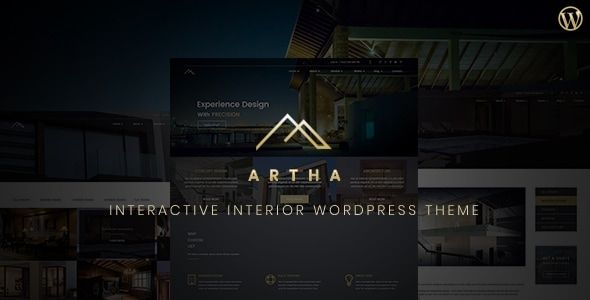
Loading up the Artha demo for the first time, the aesthetic is immediately clear. It leans heavily into a clean, minimalist, and high-end feel. There's an abundance of white space, refined serif typography, and a focus on large, impactful imagery. This is precisely what high-end design studios are looking for; it acts as a quiet, confident frame for their work, rather than overpowering it. The color palette is muted, letting the portfolio images provide the vibrancy.
But what about the "interactive" part? The demo showcases a few key features that justify the name:
- Image Hotspots: This allows you to place clickable markers on an image. For an interior designer, this is a powerful tool. You can tag a specific chair, lamp, or textile in a room photo, linking it to a product page, a supplier's website, or a pop-up with more details. This moves beyond a static gallery into an informational, shoppable experience.
- Before & After Sliders: A classic tool for any transformation-based business. For renovation projects, this is non-negotiable. Artha's implementation appears smooth and well-integrated, a significant step up from wrestling with a third-party plugin that might not match the theme's styling.
- Animated Page Transitions: The demo features subtle, smooth fades and slides between pages. When done right, this can elevate the user experience, making the site feel more like a premium application. The key is "subtle." Overdo it, and the site feels slow and gimmicky. Artha seems to strike a decent balance here, though I'd immediately look for an option to tone them down or disable them for performance reasons.
The initial visual assessment is positive. It looks the part. Now, let's see if the engineering matches the aesthetics. A beautiful theme that’s impossible to set up or tanks your Core Web Vitals score is worthless in a professional context.
The Setup: A Step-by-Step Installation Guide
Here’s how to get Artha from a .zip file to a functioning website. We'll approach this as if setting up a new site for a client.
Prerequisites
Before you begin, ensure your hosting environment is ready. This means a clean WordPress installation (version 5.8 or higher is a safe bet). Your server should be running PHP 7.4 or, preferably, PHP 8.0+. Have your FTP/SFTP credentials or cPanel File Manager access handy in case of a failed upload via the WordPress dashboard, which can happen with larger theme files.
Step 1: Theme Installation
This is standard procedure, but let's cover it for completeness.
- Log into your WordPress dashboard.
- Navigate to Appearance > Themes.
- Click the Add New button at the top, and then Upload Theme.
- Choose the `artha.zip` file you downloaded and click Install Now.
- Once the installation is complete, don't activate it just yet. If the package included a child theme (`artha-child.zip`), repeat the process to install it.
- Now, navigate back to Appearance > Themes and activate the Artha Child Theme. Working with a child theme is non-negotiable for any serious project. It ensures that any custom code or CSS you add won't be overwritten when the parent theme is updated.
Step 2: Required Plugins and Demo Import
Upon activating the theme, you'll almost certainly see a notification at the top of your dashboard prompting you to install required and recommended plugins. This is the theme's core engine.
Expect to see plugins like:
- Elementor: Artha is built on Elementor. The free version will likely be required, with prompts to upgrade to Pro for certain features.
- Artha Core/Elements: This will be a custom-built plugin that contains the theme's essential functionality, like the custom post types (Portfolio, Services) and the custom Elementor widgets (the hotspots, sliders, etc.). This is a common and good practice, as it separates theme functionality from theme presentation.
- Contact Form 7 or WPForms: A standard inclusion for a contact form.
- One Click Demo Import: The utility that, hopefully, seamlessly imports the demo content.
Follow the on-screen prompts to install and activate these plugins. Once they're all active, a new menu item, likely under Appearance > Import Demo Data, will appear. This is the moment of truth.
Click the "Import Demo Data" button. The process can take several minutes as it downloads images, creates pages, sets up menus, and configures widgets. Be patient and do not navigate away from the page.
Step 3: Post-Import Sanity Check
A "one-click" import is rarely a perfect one-shot solution. After it completes, run through this checklist immediately:
- Check the Frontend: Open your homepage in a new tab. Does it look like the demo? Check for broken image placeholders. Sometimes, image downloads fail during the import.
- Update Permalinks: Go to Settings > Permalinks. Don't change anything; just click "Save Changes." This flushes the rewrite rules and can fix a lot of 404 errors on newly imported pages.
- Review Menus: Head to Appearance > Menus. Make sure the primary menu is assigned to the correct theme location. Sometimes this link is broken during import.
- Check Theme Options: Locate the Theme Options panel. It could be in the WordPress Customizer (Appearance > Customize) or its own dedicated dashboard menu. This is where you'll set your logo, global colors, and typography. Upload your own logo immediately to see how it fits the header.
If you've followed these steps, you should have a site that mirrors the demo, ready for your own content. The process is fairly standard for a modern premium theme, but the quality of that demo importer makes a huge difference between a 30-minute setup and a 4-hour troubleshooting session.
Under the Hood: A Technical Breakdown
A theme is more than its looks. Its underlying structure determines its flexibility, performance, and long-term viability. Let's dissect Artha's components from a developer's perspective.
The Elementor Integration
Artha lives and dies by its integration with Elementor. This is both a strength and a potential weakness. The strength is that millions of users are familiar with Elementor's drag-and-drop interface, making it easy for clients to make basic text and image changes. The theme provides a suite of custom-styled widgets that conform to its minimalist aesthetic. These aren't just the default Elementor buttons and headings with new colors; they are purpose-built elements for things like team member showcases, service listings, and, of course, the interactive sliders and image hotspots.
The potential weakness is lock-in. Your page designs are now dependent on both Elementor and the Artha Core plugin. If you ever decide to switch themes, you'll be left with a mess of shortcodes and broken layouts. This is a trade-off with almost any page-builder theme, but it's one to be aware of. The quality of Artha's custom widgets is paramount. If they are well-coded, lightweight, and intuitive, the lock-in is a reasonable price to pay. If they are buggy or convoluted, the theme becomes a liability.
Custom Post Types and Taxonomies
Any decent portfolio theme should use Custom Post Types (CPTs) for its portfolio content. This is a fundamental WordPress best practice. Artha correctly provides a "Portfolio" or "Projects" CPT, separating your projects from your blog posts and pages. This is crucial for organization and for creating custom archive templates (e.g., `your-site.com/projects/`).
I would dig into the CPT's structure. Does it come with custom taxonomies? For an interior design firm, you'd want categories like "Residential," "Commercial," and "Hospitality," as well as tags for styles like "Modern," "Industrial," or "Scandinavian." The ability to filter the main portfolio grid by these taxonomies is a core feature. Artha appears to have this, which is a strong positive signal. It shows the theme author understands the target audience's needs.
Theme Options vs. The Customizer
The control center for the theme's global settings is another critical area. There are two main approaches: a dedicated theme options panel (often built with a framework like Redux or Kirki) or integrating everything into the native WordPress Customizer.
The Customizer is the modern, preferred method. It provides a live preview of your changes, which is far more intuitive. A dedicated options panel can sometimes feel clunky and disconnected from the frontend. Based on current trends, Artha likely uses the Customizer for most of its global settings:
- Logo & Site Identity: Standard.
- Header & Footer Layouts: Options to change header transparency, layout, and footer widget columns.
- Typography: Global font settings for headings (H1, H2, etc.) and body text. Hopefully, it integrates with Google Fonts and allows for custom font uploads.
- Color Palette: Defining a global primary, secondary, and accent color is essential for easy rebranding.
- Blog Layouts: Options for archive and single post layouts (e.g., sidebar right, full-width).
- Portfolio Layouts: Controls for the main portfolio grid (number of columns, hover effects) and the single project page.
The granularity of these options determines how much you can customize the theme without writing a single line of CSS. A good theme provides enough options to be flexible but not so many that the panel becomes a confusing labyrinth.
Performance and SEO Considerations
A beautiful website that takes five seconds to load is a failed project. Performance is not an afterthought; it's a core requirement.
Page Speed: Elementor-based themes can be heavy if not built carefully. The number of JavaScript files and CSS stylesheets loaded by the theme and its companion plugin is the primary thing to watch. The interactive elements, in particular, will add to the JS payload. A solid implementation will only load the script for a slider on pages where a slider is actually present, not globally on every single page. Upon installation, the first thing I would do is run the site through GTmetrix or Google PageSpeed Insights to get a baseline. Out of the box, with demo content, a well-optimized theme should score in the high 80s or 90s. If it's in the 50s, you're in for a long and painful optimization process.
Mobile Responsiveness: This is more than just having the layout stack correctly on a phone. How does the "interactive" hotspot feature work on a small touch screen? Is it easy to tap the small markers? How does the "before & after" slider feel when you're dragging it with a thumb? Is the mobile menu well-designed and easy to navigate? These are the details that separate a great theme from a mediocre one. Artha's clean design lends itself well to mobile, but the specific interactive components need to be tested thoroughly on real devices.
SEO Structure: A good theme provides a solid SEO foundation. This means using heading tags correctly (a single H1 per page, followed by a logical H2/H3 structure), using semantic HTML5 tags (`
`, ` `, `