Spike Office SaaS: A Developer's Deep Dive into the All-in-One
-
Spike Office SaaS: A Developer's Deep Dive into the All-in-One Business OS
The hunt for the perfect, self-hosted business management suite feels like a developer's snipe hunt. We're constantly cobbling together disparate systems: one for payroll, another for project management, a third for CRM, and a fourth for invoicing, all held together with Zapier automations and sheer willpower. This fragmented approach is not just inefficient; it's a maintenance nightmare. So, when a product claims to solve all of this in a single, multi-tenant package, my professional skepticism kicks in. I’m talking about the ambitiously named Spike Office SaaS - Multi Tenant Complete Payroll & Office Management System. It promises a turnkey solution for running not just your own business, but for launching a Software-as-a-Service platform that offers these tools to others. This isn't a review of marketing claims; this is a hands-on, under-the-hood technical breakdown. We're going to install it, scrutinize its architecture, and determine if it's a solid foundation for a business or a house of cards.
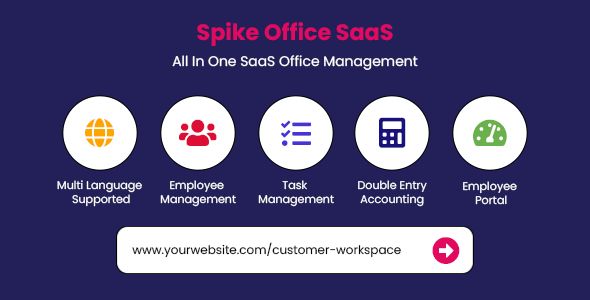
What Exactly Is Spike Office SaaS? Unpacking the "All-in-One" Promise
At its core, Spike Office is a Laravel-based application designed to be a comprehensive business operating system. The "SaaS" and "Multi-Tenant" aspects are its key differentiators. Unlike a single-use script, it's built from the ground up to allow a "super admin" (that's you, the owner) to manage multiple, isolated company accounts ("tenants"). Each tenant gets its own sandboxed environment to manage its internal operations, while you collect subscription fees. It's an attractive business model, but its success hinges entirely on the quality and integration of the underlying modules.
Let's break down the primary feature set it boasts:
- Multi-Tenancy & SaaS Management: The main draw. You can create different subscription plans (e.g., Basic, Pro, Enterprise), manage tenants, and process payments through integrated gateways like Stripe and PayPal.
- Human Resource Management (HRM): This is a substantial component covering employee management, departments, designations, attendance tracking (with IP restrictions), leave management, and holiday calendars.
- Payroll Management: Arguably the most complex module. It handles setting up salary structures, allowances, deductions, generating payslips, and managing salary payments. This is where the devil is always in the details, especially regarding regional compliance.
- Customer Relationship Management (CRM): A built-in CRM for managing leads, clients, and contact details. It’s designed to provide a single source of truth for customer data.
- Project & Task Management: A system for creating projects, assigning them to staff, creating tasks within those projects, and tracking progress. Features like Kanban boards and time tracking are included.
- Accounting & Finance: This module covers invoicing, expense tracking, managing bank accounts, and generating basic financial reports. It's meant to replace standalone tools like FreshBooks for small businesses.
- Inventory Management: A surprising but welcome addition for businesses dealing with physical products. It includes managing items, suppliers, purchase orders, and stock levels.
The target audience is twofold. First, it’s for the developer or digital agency with the technical chops to host and manage the application, looking to offer a white-labeled business suite to their clients. Second, it's for a medium-sized business that wants a single, self-hosted, centralized system to run its own operations and is willing to invest the technical resources to maintain it.
Part 1: The Installation Gauntlet - A Guide for Professionals
This is not your typical one-click WordPress install. Getting a complex Laravel application like Spike Office running requires direct server access and comfort with the command line. A shared hosting plan from a budget provider is not going to cut it. You need a proper VPS (like DigitalOcean, Linode, Vultr) or a dedicated server.
Pre-Flight Checklist: Your Server Requirements
Before you even upload a single file, ensure your server environment meets these specifications. Failure to do so will lead to a world of pain and cryptic 500 errors.
- Operating System: A standard Linux distribution (Ubuntu 22.04 LTS is my go-to).
- Web Server: Nginx or Apache with
mod_rewriteenabled. I prefer Nginx for its performance, but Apache is perfectly fine. - PHP Version: PHP 8.1 or higher. Don't try to run this on an older version.
- PHP Extensions: You'll need a specific set. Run
php -mto check. The non-negotiables are: BCMath, Ctype, cURL, DOM, Fileinfo, GD, Intl, JSON, Mbstring, OpenSSL, PDO, Tokenizer, XML, and Zip. - Database: MySQL 5.7+ or MariaDB 10.2+.
- SSH Access: You absolutely need shell access to run Composer and Artisan commands.
Step-by-Step Installation Process
Once your server is ready, let's get our hands dirty. Follow these steps meticulously.
- Create the Database:
Log into your database server and create a new database and a user for it. Grant all privileges to that user on the new database. Keep the database name, username, and password handy.
CREATE DATABASE spike_office; CREATE USER 'spike_user'@'localhost' IDENTIFIED BY 'YourStrongPasswordHere'; GRANT ALL PRIVILEGES ON spike_office.* TO 'spike_user'@'localhost'; FLUSH PRIVILEGES; - Upload Files and Set Permissions:
Unzip the product package you downloaded. Inside, you'll find a folder (likely named
main_filesor similar) containing the application's source code. Upload the contents of this folder to your server's web root (e.g.,/var/www/html/spike). After uploading, you must set the correct permissions. This is where many installations fail. The web server needs to be able to write to certain directories.# Navigate to your project root cd /var/www/html/spike # Set correct ownership (replace www-data with your server's user/group) chown -R www-data:www-data . # Set writable permissions for storage and cache directories chmod -R 775 storage bootstrap/cache - Configure the Environment (.env) File:
The
.envfile is the heart of the application's configuration. It tells the application how to connect to the database, how to send emails, and more. Locate the.env.examplefile in your project root, and duplicate it as.env.cp .env.example .envNow, open
.envin a text editor and update the following critical values:APP_NAME="Spike Office" APP_ENV=production APP_DEBUG=false APP_URL=https://yourdomain.com DB_CONNECTION=mysql DB_HOST=127.0.0.1 DB_PORT=3306 DB_DATABASE=spike_office DB_USERNAME=spike_user DB_PASSWORD=YourStrongPasswordHere MAIL_MAILER=smtp MAIL_HOST=your_smtp_host.com MAIL_PORT=587 MAIL_USERNAME=your_smtp_username MAIL_PASSWORD=your_smtp_password MAIL_ENCRYPTION=tls MAIL_FROM_ADDRESS="noreply@yourdomain.com" MAIL_FROM_NAME="${APP_NAME}"Security Note: Set
APP_DEBUG=falsein a production environment. Leaving it astrueexposes sensitive configuration data when errors occur. - Install Dependencies and Run Migrations:
Now, from your project root via SSH, you need to install the PHP dependencies using Composer and prepare the database.
# Install PHP dependencies (may take a few minutes)
composer install --no-dev --optimize-autoloader

# Generate an application key
php artisan key:generate

# Run the database migrations and seeders
php artisan migrate:fresh --seed
The
migrate:fresh --seedcommand will create all the necessary tables in your database and populate them with initial data (like the super admin account). - Final Touches: Storage Link and Cron Job:
Laravel uses a symbolic link to make files in the
storage/app/publicdirectory accessible from the web. Create this link with Artisan:php artisan storage:linkFinally, and this is not optional, you must set up a cron job. This handles all the automated background tasks like sending recurring invoices, notifications, and subscription checks. Edit your server's crontab (
crontab -e) and add the following line, adjusting the path to your project:* * * * * cd /var/www/html/spike && php artisan schedule:run >> /dev/null 2>&1This command runs every minute, checks if any tasks are scheduled, and executes them.
If you've made it this far, congratulations. You should now be able to access your instance at the
APP_URLyou defined. The default super admin login credentials are provided in the documentation.Part 2: A Developer's Critique - Code, Customization, and Scalability
With the system running, let's pop the hood. Spike Office is built on Laravel and Vue.js. This is an excellent choice. Laravel provides a robust, secure, and well-structured backend, while Vue.js offers a reactive and modern frontend experience. This stack immediately signals that the developers are following modern PHP practices.
Codebase and Architecture
The code structure follows the standard Laravel MVC (Model-View-Controller) pattern. This is a huge win for any developer looking to customize or extend the application. Finding your way around is intuitive if you have any Laravel experience. Models are in
app/Models, controllers inapp/Http/Controllers, and so on. The code itself is generally clean and readable, though documentation in the form of code comments is a bit sparse in places. You'll often have to read the code to understand the full context of a method, rather than relying on docblocks.The multi-tenancy implementation is a "single database, scoped queries" approach. A
tenant_idcolumn is present on almost every table, and global query scopes are used to automatically filter data for the currently logged-in tenant. This is a common and pragmatic pattern for SaaS applications.
Pros: Easier to manage, backup, and migrate a single database.
Cons: A single poorly written query that forgets to scope bytenant_idcould potentially leak data between tenants. It also means that as your platform grows, the database tables can become massive, potentially leading to performance bottlenecks that a separated-database approach wouldn't face.Customization and White-Labeling
As the SaaS owner, your first task is to rebrand the platform. Spike Office makes this relatively straightforward through its super admin panel. You can upload your own logo, change the application name, and tweak primary colors without touching any code. This is well-executed.
Deeper customization, like adding a new field to the employee form or modifying a payroll calculation, will require rolling up your sleeves and diving into the code. Because it's Laravel, the process is logical. You would:
- Create a new migration to add the column to the database table.
- Update the relevant Eloquent Model to make the new field fillable.
- Modify the Blade or Vue template to add the new form input.
- Adjust the Controller method to handle the validation and saving of the new data.
It’s a standard development workflow, but it highlights that this is a platform for developers, not a drag-and-drop builder. The lack of a robust plugin or hook system means most customizations involve direct modification of the core application files, which can make updating the application a chore. You'll need to be diligent with version control (use Git!) to manage your custom changes and merge them with future updates from the developer.
Scalability and Performance
Out of the box, the performance is snappy for a handful of tenants. But how does it scale to hundreds or thousands? The single-database architecture is the primary bottleneck. Heavy indexing on the
tenant_idcolumns is critical. As your user base grows, you must transition from the default file-based cache and session drivers. Moving to a dedicated cache server like Redis is essential. You should configure your.envfile to use Redis for yourCACHE_DRIVER,SESSION_DRIVER, andQUEUE_CONNECTION. Offloading background jobs (like sending emails and generating reports) to a queue worker is non-negotiable for maintaining a responsive user interface under load.Part 3: The End-User Experience - A Tenant's Perspective
Let's switch hats and become a small business owner signing up for the service. The onboarding process is clean. A new tenant signs up, chooses a plan, and is immediately dropped into their own fresh dashboard. The UI is clean, modern, and generally intuitive, clearly inspired by popular SaaS products.
The Dashboard: It provides a good "at-a-glance" overview: pending tasks, project statuses, attendance summaries, and recent income/expense charts. It feels professional and is a strong first impression for a new user.
The Payroll Module: This is the system's most ambitious and potentially perilous feature. You can define salary components (basic, housing allowance, etc.), and deductions (taxes, loans). The workflow for running payroll involves a few steps to select the month, employees, and confirm generation. It produces clean-looking payslips in PDF format. However, the system is inherently generic. Tax laws, social security contributions, and labor regulations vary wildly between countries and even states. A business owner in Germany cannot use the same payroll calculation as one in Japan. This means that for any real-world use, a developer will need to customize the payroll logic extensively. The script provides a framework, not a legally compliant, out-of-the-box solution. This is a critical distinction.
HRM & Project Management: These modules are more universally applicable and quite robust. The employee directory is well-organized. The leave request/approval workflow is simple and effective. The project management tool, with its tasks, milestones, and Kanban board, is more than adequate for most small to medium-sized teams. It might not replace a specialized tool like Jira for a software development team, but for a marketing agency or a consulting firm, it's perfectly capable. The integration is the key—you can assign a project to a client from your CRM and assign tasks to an employee from your HRM, all in one place.
The Verdict: Strengths, Weaknesses, and Final Judgment
Spike Office SaaS is a deeply impressive piece of software, but its value proposition is directly tied to the technical skill of its owner. It is not a fire-and-forget solution.
Strengths:
- Incredible Scope: The sheer breadth of integrated features in one package is its biggest strength. It provides a genuinely cohesive experience that you can't get from duct-taping multiple services together.
- Solid Technical Foundation: Building on Laravel and Vue.js was the right call. It makes the application modern, relatively secure, and extensible for developers who know the stack.
- Viable SaaS Business Model: The multi-tenancy is well-implemented, providing a clear path for a developer to launch a niche SaaS business with recurring revenue. Getting updates to scripts like this can be a challenge, but services like gplpal often provide access to updated versions under GPL, which is a consideration for long-term maintenance.
Weaknesses:
- Installation & Maintenance Complexity: This is a professional tool requiring professional system administration skills. It is not for beginners.
- The "Master of None" Problem: While the modules are good, they don't have the depth of dedicated, market-leading SaaS products. Its CRM won't beat Salesforce, and its accounting won't replace QuickBooks Online for complex needs. Its value is in the 80% solution that is fully integrated.
- Localization Barrier: The payroll and accounting modules are the biggest hurdle. They provide a generic template that requires significant custom development to be legally compliant in almost any specific region. This cannot be overstated.
Who Should Buy Spike Office SaaS?
This is an ideal purchase for a freelance developer or a small digital agency looking to create a new revenue stream. If you can manage a Linux server and write PHP, you can take this platform, customize the payroll for a specific niche or region (e.g., "Payroll & HR for Canadian Digital Agencies"), and build a very real business on top of it. It’s also a solid choice for an established medium-sized company that has in-house technical talent and wants to consolidate its various software subscriptions into one self-hosted, controllable platform.
Who Should Avoid It?
If you're a non-technical business owner, stay away. The setup and ongoing maintenance will be overwhelming. You are better off paying for established, fully-managed SaaS products. Similarly, large enterprises with deeply complex and rigid compliance requirements will find the customization effort required to be too high compared to enterprise-grade solutions.
Ultimately, Spike Office SaaS delivers on its promise of being a complete, multi-tenant system. It's a powerful and flexible toolkit, but one that requires a skilled craftsman to wield effectively. It provides the chassis and engine of a SaaS business, but you, the developer, are responsible for tuning it, painting it, and ensuring it's road-legal in your part of the world. It's a high-effort, high-reward proposition. For those not ready to build their own SaaS but are exploring powerful self-hosted options, browsing a library of tools like those found with Free download WordPress themes and scripts can provide a good overview of what's possible in the world of web applications.