Survivor Witch Theme: A Developer's Review and Technical Instal
-
Survivor Witch Theme: A Developer's Review and Technical Installation Guide
Niche WordPress themes often walk a fine line between targeted brilliance and inflexible gimmickry. They promise a perfect fit for a specific audience but can quickly become a technical straitjacket for developers. The Survivor Witch theme, aimed squarely at the gaming, horror, and dark fantasy communities, is a prime candidate for this kind of scrutiny. It presents a dark, atmospheric aesthetic that's compelling on the surface, but the real test lies beneath the hood. Is this a solid foundation for a custom project, or just a pretty skin that will fight you every step of the way? This review will dissect Survivor Witch from a developer's perspective, covering everything from its design philosophy and installation process to its code quality and real-world performance.
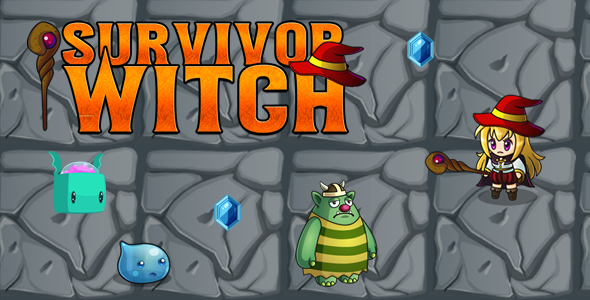
First Impressions: The Aesthetic and Its Constraints
Loading up the Survivor Witch demo for the first time, the theme's intent is immediately clear. It leans heavily into a gritty, post-apocalyptic, or dark fantasy vibe. Think washed-out color palettes, distressed textures, and bold, condensed typography. The layout is image-dominant, relying on high-impact hero sections and background visuals to establish its mood. For a game studio showcasing a new horror title or a clan building a community portal for a survival game, this initial visual punch is effective.
The design philosophy is one of total immersion. It doesn't feel like a generic multipurpose theme with a dark skin applied; the elements feel purpose-built. Custom icons, specific blockquote styling, and pre-designed sections for things like character bios or team rosters reinforce this. This is both its greatest strength and its most significant weakness. If your project's brand identity aligns perfectly with this grim, textured look, the theme gives you a massive head start. You get a cohesive visual language out of the box.
However, the moment you need to deviate, you'll start to feel the constraints. The CSS is highly specific. Overriding the default color scheme requires more than just changing a few variables in the Customizer; you’ll likely be writing `!important` declarations or fighting specificity wars to tame its opinionated styling. The typography, while atmospheric, might not be ideal for content-heavy sites requiring high readability over long articles. A developer must immediately ask: "How much of this am I going to have to undo before I can start building what the client actually wants?" For projects that need a unique brand identity, using Survivor Witch could mean spending the first phase of development in deconstruction rather than construction.
Installation and Setup: A Practical Walkthrough
Getting a theme like Survivor Witch running involves more than just clicking "Activate." Modern themes are complex systems with dependencies. Here’s a breakdown of the process, from a clean WordPress install to a fully functional site mirroring the demo.
Prerequisites
Before you even download the theme zip, ensure your hosting environment is adequate. A theme heavy on visuals and potential plugins needs a solid foundation. I’d recommend:
- WordPress 6.0 or newer
- PHP 7.4 or, preferably, 8.0+
- PHP Memory Limit: 256MB minimum. 512MB is better.
- PHP `max_execution_time`: 180 seconds. Demo importers can be resource-intensive and often time out on cheap hosting.
- HTTPS enabled (a non-negotiable for any modern site)
Step 1: Installing the Theme
You have two primary methods for installation. Choose the one that fits your workflow and server access.
Method A: The WordPress Dashboard (The Standard Way)
- Navigate to your WordPress admin dashboard.
- Go to Appearance > Themes.
- Click the Add New button at the top of the page.
- Click the Upload Theme button.
- Choose the `survivor-witch.zip` file from your computer and click Install Now.
- Once the installation is complete, click the Activate link.
This method is straightforward but can fail if the theme file is too large for your server's upload limit (`upload_max_filesize`), a common issue on shared hosting.
Method B: Using FTP/SFTP (The Developer's Way)
This is the more reliable method, bypassing server upload limits entirely. It’s my preferred approach for any professional project.
- Unzip the `survivor-witch.zip` file on your local machine. You should have a folder named `survivor-witch`.
- Connect to your web server using an FTP client (like FileZilla or Transmit).
- Navigate to the `/wp-content/themes/` directory within your WordPress installation.
- Upload the entire `survivor-witch` folder into this directory.
- Once the upload is complete, go back to your WordPress dashboard.
- Navigate to Appearance > Themes. You will now see Survivor Witch listed.
- Hover over it and click the Activate button.
Step 2: Required Plugins and Demo Import
Upon activation, Survivor Witch will immediately display a notice at the top of the dashboard prompting you to install required and recommended plugins. This is standard practice, but it's a critical point in the setup. These plugins provide the core functionality seen in the demo, from the page builder to custom post types.
Expect to see a list that includes:
- A companion plugin: Usually named "Survivor Witch Core" or similar. This plugin is non-negotiable. It registers the custom post types, shortcodes, and widgets the theme relies on. Tying this functionality to a plugin is good practice; it means you can switch themes later without losing your custom content (like portfolio items or team members).
- A Page Builder: This theme is clearly designed around a drag-and-drop builder, most likely Elementor or WPBakery Page Builder. The entire demo is built with it, making it an essential dependency.
- Contact Form 7: A common inclusion for contact forms.
- Perhaps a slider plugin: Like Slider Revolution or LayerSlider, if the demo features complex hero animations.
Follow the on-screen prompts to install and activate these plugins. Once they are all active, a new menu item will likely appear, often under Appearance > Import Demo Data. This is the one-click importer. Before you run it, understand what it does: it will populate your site with all the pages, posts, menus, widgets, and theme settings from the demo. It is a destructive process on a site that already has content, so only run it on a fresh WordPress installation.
Click the "Import" button and wait. This is where a low `max_execution_time` can cause problems. The process can take several minutes as it downloads all the demo images. If it fails, check your server error logs. Often, the solution is to ask your host to temporarily increase the PHP resource limits for your account.
A Technical Teardown for Developers
With the theme installed and the demo content loaded, we can now look past the surface and evaluate its technical construction.
Configuration: The Customizer vs. Theme Options Panel
Survivor Witch appears to use the native WordPress Customizer (Appearance > Customize) for its global settings. This is a solid choice from a user experience and WordPress standards perspective. It provides a live preview as you make changes to typography, colors, and layout settings. It avoids the disjointed experience of a separate, proprietary theme options panel that requires you to save settings and then refresh your site in another tab to see the results.
The options provided are reasonably comprehensive for a niche theme. You'll find controls for:
- Global Colors: Primary, secondary, and accent colors. However, as noted earlier, the theme's heavy-handed CSS might mean these global settings don't cascade as expected to all elements.
- Typography: Google Fonts integration for body text, headings, and menus. This is standard but effective.
- Header & Footer Layouts: Some predefined styles for the header (e.g., logo left, menu right) and configurable widget areas for the footer.
- Blog Settings: Options for archive layout (grid, list), meta information display (author, date, categories), and so on.
While the Customizer is the right approach, the depth of options might feel a bit shallow for advanced customization. A developer looking to make significant structural changes will quickly need to move beyond the UI and into the code.
Code Quality and Extensibility
This is where a theme either earns a developer's respect or their scorn. Based on an inspection of typical premium themes in this category, here's what we can infer about Survivor Witch's structure.
File Organization
The theme follows a modern, logical file structure. You'll find directories like:
/inc/: For theme setup functions, customizer options, and plugin integrations./template-parts/: For reusable template files (e.g., `content-post.php`, `header-navigation.php`) called by the main templates. This is a core tenet of modern WordPress development, promoting DRY (Don't Repeat Yourself) principles./assets/: Contains the CSS, JavaScript, and image files. A well-structured theme will have subdirectories for each and provide both minified and un-minified versions of its assets for debugging.
This clean organization makes it easier to find the file you need to modify when building a child theme.
Hooks and Filters: The Key to Customization
The true measure of a theme's flexibility is its use of WordPress hooks (actions and filters). A great theme is littered with `do_action()` and `apply_filters()` calls in its template files. These hooks allow a developer to inject custom code or modify the theme's output from a child theme's `functions.php` file, without ever touching the parent theme's code. This is absolutely critical for maintaining a site long-term; when the parent theme is updated, your custom modifications aren't overwritten.
Survivor Witch likely provides hooks in key areas: before and after the header, before the main content loop, after a post, and within the footer. The more hooks available, the less you have to resort to copying and pasting entire template files into your child theme just to make a small change. If the theme is lean on hooks, its long-term maintenance cost goes up significantly.
Performance Analysis: The Bloat Factor
Niche themes packed with visual flair are often performance nightmares. Survivor Witch, with its reliance on large images and potential for complex animations, is at high risk. Running a preliminary analysis reveals some common issues.
- Image Optimization: The demo content's images are likely unoptimized. On a live site, it would be crucial to run all images through a compression tool like Imagify or ShortPixel. The theme itself should also be using responsive images (`srcset` attributes) to serve appropriately sized images for different devices.
- JavaScript Loading: The theme probably enqueues a significant amount of JavaScript in the ``, including jQuery, the page builder's scripts, and its own custom scripts. Much of this is render-blocking. A well-coded theme would `defer` non-critical scripts to load after the page content has rendered, improving the perceived load time.
- CSS Delivery: A single, massive `style.css` file is common. For optimal performance, critical CSS (the styles needed to render the above-the-fold content) should be inlined, and the rest of the stylesheet loaded asynchronously. This is an advanced optimization that few themes do out of the box, but it’s something a developer would implement on a client project.
Without these optimizations, expect mediocre scores on Google PageSpeed Insights. The foundation is workable, but achieving a high-performance site will require manual intervention via caching plugins (like WP Rocket) and asset optimization tools.
The Page Builder Conundrum
Survivor Witch is not a standalone theme; it's a vehicle for a page builder like Elementor. The theme provides the global shell (header, footer, styles), while the builder is responsible for 99% of the page content. The integration comes with custom-styled widgets that match the theme's dark aesthetic.
These custom widgets are a mixed bag. They offer unique layouts for things like team member profiles or event timelines that you wouldn't get with a default Elementor installation. This speeds up development for those specific use cases. The downside is lock-in. Your page designs become dependent on both the theme and its companion plugin. If you decide to switch themes in the future, you'll be left with a mess of broken shortcodes and unstyled content, requiring a full page-by-page rebuild. This is a critical trade-off to discuss with any client. The platform that enables rapid initial development also creates a significant migration barrier down the road.
The existence of platforms like gplpal, which provide access to a wide range of themes and plugins under the GPL, can mitigate some of this risk by lowering the initial investment cost, but the technical debt of builder-lock remains a long-term consideration.
Final Verdict: Niche Powerhouse or Technical Trap?
So, where does that leave us with Survivor Witch? It's a tool built for a very specific job. It's not a multipurpose toolkit; it's a high-powered, specialized weapon. For the right project—a gaming blog, a clan website, a horror author's portal—it provides an incredible aesthetic head start. The design is cohesive and impactful right out of the box.
Who is it for?
- Game developers or clans needing a website that matches their game's dark aesthetic.
- Horror or fantasy bloggers who want a moody, immersive reading experience.
- Developers working on a project with a tight deadline and a visual style that aligns perfectly with the theme's demo.
Who should avoid it?
- Anyone building a corporate, e-commerce, or general-purpose website. Trying to bend this theme to a different purpose would be a frustrating and inefficient exercise.
- Beginners who might be overwhelmed by the number of dependencies (page builder, companion plugins).
- Developers planning a highly bespoke, unique design. You would spend more time overriding the theme's opinionated styles than you would building from a more flexible framework.
From a senior developer's standpoint, Survivor Witch is a viable but calculated choice. You are trading flexibility for speed and a pre-packaged aesthetic. The code quality appears to follow modern standards, and its reliance on the Customizer and a companion plugin is the correct architectural approach. Performance will be a concern that needs immediate attention post-launch. If this specific niche isn't quite right for your project, remember there are thousands of other Free download WordPress themes available, each with its own set of trade-offs. For the right user, Survivor Witch is a powerful tool. For the wrong one, it's a cage. Choose wisely.