Categories
Tags
Archives
Run of Life (Construct 3) - Technical Review & Deployment Guide
-
Run of Life (Construct 3) - Technical Review & Deployment Guide
The hyper-casual game market is a brutal, fast-moving space. Success often hinges on rapid prototyping and launching dozens of concepts to see what sticks. This is where pre-built game templates come into play, promising a shortcut past the foundational drudgery of development. Today, we're tearing down one such asset: the Run of Life - HTML5 Game - Construct 3 template. It's a clone of a popular mobile title, built with Scirra's browser-based game engine, Construct 3. The question isn't just whether it works, but whether it's a solid engineering base for a real product or a tangled mess of event sheets that will cost you more time than it saves. Let's get our hands dirty and find out.
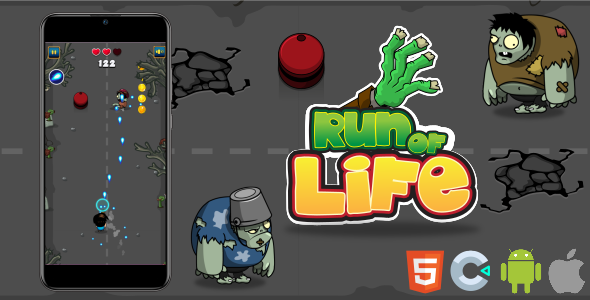
Part 1: The Technical Review - A Developer's Look Under the Hood
Before we can talk about deploying this thing, we need to assess its quality. A game template is more than just a collection of art and sounds; it's a foundation. A cracked foundation is useless, no matter how nice the paint job is. I'll be evaluating this template based on its project structure, code quality, asset optimization, and monetization potential.
First Impressions and Gameplay Mechanics
The core concept is simple and effective for its target market. It's a 3D-esque runner (using 2D sprites with perspective tricks) where you control a character who ages as they run forward. You collect items that make you younger or older and pass through gates that represent life choices (e.g., "Study" vs. "Party"). The goal is to reach the end of the runway with an optimal age to achieve the best outcome. It's a proven, viral mechanic.
Playing the included demo, the game feels responsive enough. The controls are a simple drag-left-and-right affair. The feedback loop is immediate: pick up a green item, your character model and a UI element update to show you're younger. Hit a red obstacle, you get older. It’s exactly what you’d expect. The template successfully replicates the core loop of the original hit. But a successful clone requires more than just a working mechanic; it needs a clean, extensible codebase.
Dissecting the Construct 3 Project (.c3p)
After unzipping the package, the first thing I did was open the
RunOfLife.c3pfile in Construct 3. This is the heart of the product. The organization of a C3 project tells you a lot about the developer's discipline.Project Structure:
The project is broken down into several event sheets. This is good practice. A single, monolithic event sheet is a developer's nightmare. Here, we have:
- E Game: The main event sheet that controls the core gameplay logic—player movement, collision detection, scoring, and the age-change mechanic.
- E Home: Handles the logic for the start screen, UI buttons, and initial game state.
- E Globals: A dedicated sheet for global variables and constants. This is excellent. Centralizing variables like player speed, turn rates, and scoring values makes tweaking the game's feel much easier.
Code Quality (Event Sheet Analysis):
Construct 3 is a visual scripting system, but principles of good code still apply. I spent some time reading through the "E Game" event sheet, which is where the most complex logic resides.
The Good:
- Commenting: There are comments, but they are sparse. Key blocks of logic, like "Player Movement" and "Collision with Gates," are grouped and labeled. This is better than nothing and provides a basic roadmap.
- Use of Functions: The developer used functions for repetitive tasks like updating the UI and handling the "game over" sequence. This reduces redundancy and makes the main event flow easier to read. For example, a single
Function: UpdateAgeUIcall is used whenever the player's age changes, rather than copying and pasting the text-setting actions everywhere. - Object Families: The template makes good use of Families. For example, all harmful obstacles are in a "Family_Obstacle" family. This allows for a single collision event (
Player collides with Family_Obstacle) instead of a separate event for every single type of obstacle. This is fundamental to efficient C3 development, and its presence here is a positive sign.
The Questionable:
- "Magic Numbers": While some key variables are in "E Globals," many are not. I found hard-coded numbers directly in events. For instance, the amount an obstacle ages you is set as a literal `+5` in the collision event itself. This is a maintenance headache. If you want to rebalance the game, you have to hunt down every single one of these values instead of changing them in one central location. A better approach would be to give the obstacle an instance variable called `agePenalty` and use that in the event.
- Event Ordering: In some sections, the order of events feels a bit random. While Construct 3's event loop is predictable, a logical, top-down flow makes debugging far easier for a human. Some of the UI update events were placed far from the game logic that triggered them, requiring a bit of scrolling and searching.
- Lack of State Machines: For a simple game like this, it's not a deal-breaker. However, the game state (e.g., playing, game over, start menu) is managed with a simple global variable. A more robust approach, especially if you plan to add features, would be a proper finite state machine (FSM). This would make handling transitions between states (like a death animation before showing the "game over" screen) much cleaner.
Asset Analysis: Art and Sound
A template's assets determine how much work is involved in reskinning it. The goal is to replace everything to create a unique product.
Graphics: The art is what you'd expect: simple, low-poly-style 3D renders exported as 2D sprites. The quality is decent for the hyper-casual genre. All graphics are provided as PNG files. The key consideration for a developer is how they are structured.
- Character Models: The main character has different sprites for different ages (e.g., child, teenager, adult, elder). These are separate, individual image files. To reskin, you'd need to create your own set of character models matching these age progressions and import them to replace the existing animations.
- Environment and Obstacles: The ground, obstacles, and gates are all individual sprites. They are not packed into a single sprite sheet. While this makes individual replacement easy, it's less optimized for loading. A production-ready game would benefit from using a tool like TexturePacker to create sprite sheets, reducing the number of HTTP requests on game load.
- Dimensions: The dimensions are consistent. If you replace an obstacle, using an image with the same dimensions will make the transition seamless. Pay close attention to the object's "Origin" point in the Construct 3 image editor, as this affects its position and rotation.
Audio: The audio is minimal. There's background music and a few sound effects for collecting items and collisions. The files are provided in `.ogg` and `.m4a` formats for broad browser compatibility, which is standard practice in Construct 3. The sounds are functional but generic; you will absolutely want to replace them to give your game a distinct feel.
Monetization and Ad Integration
This template is clearly designed to be monetized with ads. In the "E Game" event sheet, there are placeholder function calls for advertisements. Specifically, there's a block for `On game over` that calls a function named `ShowInterstitialAd`.
This is a smart implementation. The developer didn't tie the template to a specific ad network's plugin. Instead, they provided the logical hooks. To implement ads, you would:
- Add your preferred ad network's plugin to the Construct 3 project (e.g., the official Mobile AdMob plugin or a third-party HTML5 ad plugin).
- Go to the `ShowInterstitialAd` function in the event sheet.
- Delete the placeholder comment and add the action from your plugin to show an ad (e.g., `AdMob -> Show Interstitial`).
This clean separation makes integration straightforward. It also includes hooks for rewarded ads, which is a common monetization strategy for offering players a second chance.
Part 2: The Installation and Customization Guide
Now for the practical part. Let's take this template from a ZIP file to a running, customized game on a web server. This is a step-by-step guide assuming you have a valid Construct 3 license.
Step 1: Prerequisites and Initial Setup
Before you start, make sure you have the following:
- A Construct 3 License: You need at least a Personal license to export for the web and mobile. The free version has limitations that will likely prevent you from building out this project.
- A Code Editor: Optional, but highly recommended for editing any accompanying files or scripts. Visual Studio Code is an excellent free choice.
- A Local Web Server: This is not optional. You cannot run an exported HTML5 game by simply opening the
index.htmlfile in your browser due to security restrictions (CORS policy). The easiest way to get one running is with Node.js.- Install Node.js from the official website.
- Open your terminal or command prompt and run this command to install a simple server globally:
npm install -g http-server
Once you have purchased and downloaded the template, unzip it to a working directory. You should see a folder structure containing the
RunOfLife.c3pproject file, a folder with the exported HTML5 game (often named `html5`), and likely some documentation.Step 2: Running the Game Locally
First, let's test the pre-exported version to ensure everything works out of the box.
- Navigate to the folder containing the exported game (the one with
index.htmlin it) using your command line terminal. - Once you are in that directory, simply type
http-serverand press Enter. - The server will start, and it will give you a local IP address, usually something like
http://127.0.0.1:8080. - Open your web browser, navigate to that address, and the game should load and play.
This process is critical for testing every change you make later. Always test using a local server.
Step 3: Customization - Making the Game Your Own
This is where the real work begins. Open the
RunOfLife.c3pfile in Construct 3.Task A: Reskinning the Player Character
Let's change the main character. This is the most impactful visual change you can make.
- In the Project Bar on the right, find the "Object types" folder.
- Locate the player object, likely named "Player" or similar. Double-click it to open the Animations Editor.
- You'll see the different animations, which in this case represent the different ages (e.g., "Child," "Adult").
- Right-click on a frame in an animation and choose "Replace image" or simply drag-and-drop your new art file from your computer onto the frame.
- Crucial: After replacing the image, check the "Edit image points" tool (the crosshair icon). Ensure the "Origin" point is in the same relative position as the original sprite (usually at the base, in the center). An incorrect origin point will cause the sprite to jump or rotate incorrectly.
- Repeat this for all character sprites across all animations.
Task B: Modifying Game Balance
Let's make the game easier by reducing the player's forward speed. This value is likely stored in the global variables.
- In the Project Bar, find the event sheet named "E Globals" or similar. Click to open it.
- Look for a global variable named something like
playerSpeed,forwardSpeed, orgameSpeed. In this template, let's assume it's calledg_speed. - The variable will have an initial value. Let's say it's set to
5. Change this value to3to slow the game down. - That's it. Now when you run the game, the player will move forward at a slower pace, making it easier to dodge obstacles. This is the power of using global variables for game balance.
Task C: Changing On-Screen Text
Let's edit the text on the start screen.
- Open the "Home" layout from the Project Bar. You will see a visual representation of the game's start screen.
- Find the text object you want to change. Click on it.
- In the Properties Bar on the left, you will find a "Text" property. Simply change the text there from "Run of Life" to your new game's title.
- You can also change the font, size, color, and other properties here.
Step 4: Exporting and Final Deployment
Once you have finished customizing the game, you need to export it from Construct 3.
- Go to Menu > Project > Export.
- Choose the Web (HTML5) option. This is the best option for deploying on a website or game portal.
- Click "Next." Construct 3 will ask for some export options. The defaults are usually fine, but you may want to use the "Minify script" option for a production build to reduce the file size slightly.
- Construct 3 will compile and package your game into a single folder, usually delivered as a ZIP file.
Now you have a folder with your customized game. To deploy it to a live website:
- Use an FTP client (like FileZilla) or your hosting provider's file manager to upload the entire contents of the exported folder to your web server.
- For example, you might upload it to a subdirectory called
/my-awesome-game/. - Once the upload is complete, you can access your game by navigating to
www.yourdomain.com/my-awesome-game/.
Final Thoughts and Strategic Advice
So, is the "Run of Life - HTML5 Game - Construct 3" template a worthwhile investment? From a technical standpoint, yes. It's a solid, if not perfect, foundation. The code is reasonably clean, it makes good use of core Construct 3 features like families and functions, and the hooks for monetization are implemented intelligently. The issues, like the use of some magic numbers, are minor and can be fixed by any developer with a bit of discipline during the customization phase.
This template is ideal for a developer or small studio that understands the hyper-casual market. It's not a "buy and launch" product. Its value lies in its ability to save you 80-100 hours of foundational development. That is time you can now spend on what actually matters in the hyper-casual space: a unique art style, creative new obstacles and choices, and a finely-tuned difficulty curve. Don't just change the colors; change the theme entirely. Instead of a human life, maybe it's the life of a company, a tree, or a meme. The mechanical base is sound, so the creative wrapper is your opportunity to shine.
For those looking to build out a portfolio of web-based games or other digital products, resources from a marketplace like gplpal can be a significant time-saver. While they are known for things like Free download WordPress themes, their collection of game assets and templates provides a similar value proposition: get a functional base and focus your energy on innovation and customization. This Run of Life template fits squarely into that philosophy. It's a tool, and like any good tool, its effectiveness depends entirely on the skill of the person who wields it.