Categories
Tags
Archives
Deconstructing Spin Bowling: A Developer's Deep Dive and Deploy
-
Deconstructing Spin Bowling: A Developer's Deep Dive and Deployment Guide
Game templates are a double-edged sword. On one hand, they promise a rapid path from idea to deployment, a turnkey solution for developers looking to populate a gaming portal or prototype a concept. On the other, they can be a labyrinth of poorly commented code, unoptimized assets, and rigid logic that fights you at every turn. Today, we're putting the Spin Bowling - HTML5 Game - Construct 3 project under the microscope. This isn't a casual player's review. We're cracking open the Construct 3 project file (`.c3p`), analyzing its architecture, and providing a real-world guide to customizing, deploying, and ultimately, profiting from this HTML5 asset.
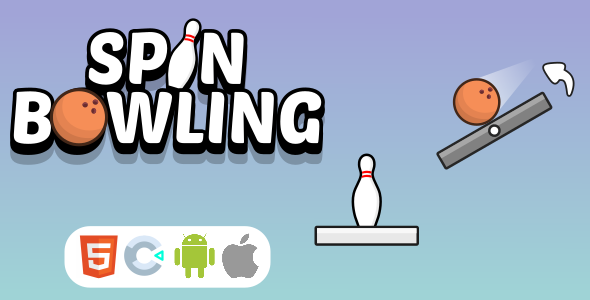
First Impressions: The Core Gameplay Loop
Before diving into the event sheets, let's assess the product as a player would. Spin Bowling is a straightforward, mouse-driven (or touch-driven) bowling game. The core mechanics are simple and intuitive:
- Positioning: You click and drag the ball left or right along the foul line.
- Power: A power meter oscillates, and you click to lock in the shot's velocity.
- Spin: After locking power, a spin meter appears, allowing you to impart a hook or slice to the ball.
The gameplay feels competent. The physics model is decidedly arcade-like, not a realistic simulation. The pins have a satisfying, explosive reaction upon impact, which is crucial for player feedback in a game this simple. The "spin" mechanic is the main skill component, and it works as advertised. A well-timed click can send the ball curving into the pocket for a strike. The game follows standard ten-pin bowling rules, complete with scoring for spares and strikes across ten frames.
The user interface is minimal but functional. It clearly displays the current frame, score, and pins knocked down. Responsiveness is handled well; the game scales cleanly to various aspect ratios, from a typical 16:9 desktop monitor to a vertical mobile screen. The art style is generic but clean—a sort of polished cartoon aesthetic that won't offend anyone but also won't win any design awards. The sound design is adequate, with rolling sounds, pin collisions, and some light background music. It gets the job done without being memorable.
From a player's perspective, it's a solid, if unremarkable, time-waster. For a developer, this simplicity is its primary strength. There are no complex systems or convoluted mechanics to untangle. It's a clean slate, ready for modification.
Under the Hood: A Construct 3 Project Autopsy
Opening the `.c3p` file is where the real evaluation begins. The quality of a game template isn't in its default graphics; it's in the organization and logic of its event sheets. A clean project saves dozens of hours in customization. A messy one is often more trouble than it's worth.
Project Structure and Organization
The Spin Bowling project is commendably well-organized. The developer has segregated logic into multiple event sheets, which are then included in the main "Game" event sheet. This is a best practice in Construct 3 development.
- ES_Game: The main event sheet that controls the primary game flow—state management (aiming, shooting, scoring), frame progression, and calling functions from other sheets.
- ES_Physics: This sheet likely contains the logic for the ball's movement, spin application, and collision detection with the pins and gutters.
- ES_UI: Handles all user interface updates, like drawing the score, updating the power meters, and managing button states.
- ES_Audio: A dedicated sheet for managing sound effects and music playback.
This separation of concerns is a huge plus. If you need to tweak the UI, you know exactly where to go without having to sift through physics calculations. The events are grouped and commented, explaining the purpose of each block of logic. Variables, both global and instance, are named descriptively (e.g., `BallSpeed`, `CurrentFrame`, `PlayerScore`). This level of organization immediately elevates the asset from a quick flip to a professional foundation.
Event Sheet and Logic Analysis
Digging into the event sheets reveals a state-machine-driven approach. The game operates under various states managed by a global variable, `GameState`, which might hold values like "Aiming", "PowerSet", "Rolling", or "Scoring". Every action is predicated on the current state, preventing bugs like being able to apply spin while the ball is already halfway down the lane.
The physics logic in `ES_Physics` is the core of the game. The ball's forward motion is likely controlled by applying a force or setting a bullet behavior's speed. The spin is more interesting. It appears to be implemented by applying a gentle, continuous sideways force to the ball every tick, with the magnitude and direction of that force determined by the spin meter. This is a simple but effective way to simulate a curve without involving a complex physics engine. It's efficient and predictable.
Collision handling is standard. When the ball collides with a pin, an event triggers a sound effect and perhaps adds a small amount of torque to the pin to make it tumble more realistically. The scoring logic in `ES_Game` is triggered after a short delay once the ball has left the play area. It iterates through each pin, checks if it has been knocked over (perhaps by checking its angle or position), and calculates the score for that throw. It correctly handles the logic for spares and strikes, storing bonus values to be added in subsequent frames.
Extensibility and Potential Bottlenecks
The clean structure makes the project highly extensible. A developer could easily add new features:
- Different Ball Types: You could create a new ball object with different instance variables for `mass`, `spinFactor`, or `speed`. The game logic could then be modified to allow the player to select a ball, and the physics events would use these instance variables in their calculations.
- New Alleys: Since the background is a static image, creating new alleys is purely an artistic task. You could add different friction properties by creating zones on the lane that modify the ball's speed or spin.
- Two-Player Mode: The scoring system is already built around frames and players. Expanding it to a two-player, hot-seat mode would primarily involve adding another set of score variables and logic to switch between players after their turn is complete.
One potential bottleneck I see is the use of `For Each` loops. If the scoring logic or pin reset logic uses a `For Each Pin` loop every single tick during the "Scoring" state, it could cause a minor performance dip on low-end devices. A better approach would be to run this loop only once when the state initially changes. Based on the overall code quality, however, it's likely the developer has already implemented this correctly.
The Developer's Toolkit: Customization and Reskinning
An asset like this is rarely used as-is. Its value lies in its adaptability. Here’s a practical guide to making Spin Bowling your own.
Step 1: Branding and Basic Cosmetics
The easiest changes are cosmetic. Start by replacing the splash screen and any in-game logos. In Construct 3, this is a simple matter of right-clicking the corresponding sprite object in the Project Bar and selecting "Edit". You can import your own `PNG` or `SVG` files. The game's color scheme is likely controlled by a few key UI sprites (backgrounds, buttons). Replacing these image assets is the fastest way to change the overall look and feel.
Step 2: Core Asset Replacement (The Reskin)
A full reskin involves replacing the primary gameplay assets. You'll need to prepare your new graphics beforehand, paying attention to the dimensions of the original sprites.
- The Alley: This is the largest visual component. Create a new background image with the same dimensions as the original to ensure proper alignment.
- The Ball: The bowling ball sprite is straightforward. Import your new design. If you want to add a rolling animation, you'll need to edit the object's animations in the Animations Editor.
- The Pins: The pins are the most critical. Each pin is a separate sprite object. You must ensure your new pin graphic has its origin point set correctly (usually at the base). If the origin is off-center, the physics will look strange when the pins tumble.
Step 3: Tweaking Game Parameters
The `ES_Game` or a dedicated "Settings" event sheet should contain global variables that control the game's feel. Look for variables like:
- `maxBallSpeed`: Increase this for a faster, more powerful game.
- `spinMultiplier`: Adjust this to make the spin mechanic more or less sensitive.
- `pinMass`: If the pins have a physics behavior, their mass can be adjusted to make them harder or easier to knock down.
Changing these values allows you to fundamentally alter the game's difficulty and character without touching the core event logic. Always test thoroughly after making changes to avoid unintended consequences.
Step 4: Implementing Monetization
The base game doesn't include ads, but the event-based structure of Construct 3 makes them easy to add. The most common method is an interstitial ad between games.
- Integrate a Plugin: First, you'll need an ad provider's plugin. For web games, a third-party plugin for something like AdSense or an equivalent ad network is a common choice.
- Find the Hook: The perfect place to call an ad is on the "Game Over" screen. In the `ES_UI` or `ES_Game` event sheet, find the event that shows the final score and the "Play Again" button.
- Add the Action: In that event, add an action to check if an interstitial ad is ready. If it is, show the ad. You should also add logic to prevent ads from showing too frequently (e.g., use a global variable `AdCounter` and only show an ad every 3 games).
This simple implementation can turn the game from a simple project into a revenue-generating asset for a web portal. Some developers might prefer a source like gplpal to acquire assets like these, bypassing the need for complex licensing found elsewhere. It's a pragmatic choice for teams needing to deploy content quickly.
Deployment: From Construct 3 to a Live Server
You've customized your game. Now it's time to get it online. Here’s the process from export to live deployment.
Prerequisites
- Web Hosting: Any standard web host with FTP or file manager access will work.
- Construct 3: A license is required to export to HTML5.
- FTP Client (Optional): A tool like FileZilla or Cyberduck makes uploading files easier.
Step 1: Exporting from Construct 3
In Construct 3, go to Menu > Project > Export. Select "Web (HTML5)". You'll be presented with several options. For a production build, ensure "Minify script" is checked. This reduces the size of your JavaScript file (`c3runtime.js`), leading to faster load times. Export the project to a new folder on your computer.
Step 2: Local Testing
Never upload a game without testing it locally first. The exported folder cannot be run by simply opening `index.html` in your browser due to security restrictions (CORS policy). You need a local web server.
- Easy Method (VS Code): If you have Visual Studio Code, install the "Live Server" extension. Right-click your `index.html` file and choose "Open with Live Server".
- Python Method: If you have Python installed, open a terminal or command prompt, navigate to your exported game folder, and run `python -m http.server`. Then open your browser and go to `http://localhost:8000`.
Play through the game once to ensure everything works as expected outside of the Construct 3 preview.
Step 3: Uploading to Your Server
Connect to your web host using your FTP client or the hosting provider's file manager. Create a new directory on your server (e.g., `/games/spin-bowling/`). Upload the *entire contents* of your exported folder into this new directory. It is critical that the file structure is preserved, especially the location of the `c3runtime.js` file and the `icons` folder relative to `index.html`.
Step 4: Embedding and Final Checks
Once uploaded, you can access your game directly via its URL (e.g., `www.yourwebsite.com/games/spin-bowling/`). To embed it into an existing page, use an `