Categories
Tags
Archives
Review & Installation: trezeCoins - A Deep Dive into HTML5 Educ
-
Review & Installation: trezeCoins - A Deep Dive into HTML5 Educational Gaming
In the realm of educational software, especially for young learners, the promise of engaging, browser-based tools is consistently alluring. Today, we're dissecting a specific offering: trezeCoins - HTML5 Educational Game. This product presents itself as an interactive HTML5 game designed to teach children about currency identification and value – a fundamental skill often overlooked in abstract digital curricula. As a senior web developer, my perspective on such a tool extends beyond its pedagogical claims to its underlying architecture, maintainability, and real-world deployment viability. Does trezeCoins deliver on its promise with robust code and a thoughtful user experience, or does it fall into the common pitfalls of quickly assembled educational games?
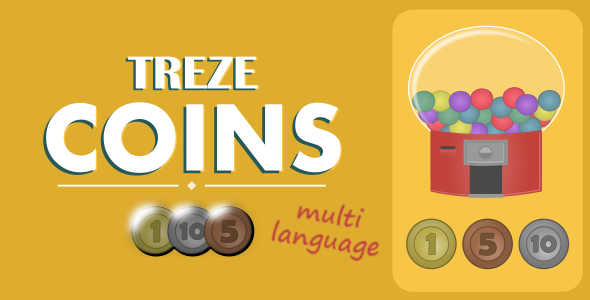
Understanding trezeCoins: Core Concept & Educational Value
The primary objective of trezeCoins is unambiguous: to introduce children to various coin denominations and their respective values. The game typically presents a visual representation of coins, challenging the user to identify them, perform simple arithmetic operations, or match them to target values. This direct approach to financial literacy, starting at a foundational level, is commendable. Many digital games for children prioritize flashy graphics and complex narratives over tangible skill development. trezeCoins aims for utility, focusing on a specific, measurable learning outcome.
The target audience is clearly early elementary school children, possibly even preschoolers with some parental guidance. For this demographic, simplicity in mechanics and clarity in presentation are paramount. The game’s design choices, from visual cues to auditory feedback, must reinforce the learning process without overwhelming the young user. The effectiveness of trezeCoins, therefore, hinges not just on its technical implementation, but on how intuitively it translates complex concepts (like monetary value) into an accessible, interactive format. From a pedagogical standpoint, the 'drill-and-practice' model employed here can be effective for rote learning and recognition, but it inherently lacks the depth required for understanding broader economic principles or financial decision-making, which is, admittedly, beyond the scope of a game like this.
Technical Deep Dive: Architecture & Implementation
As an HTML5 educational game, trezeCoins relies on a client-side architecture, making it highly portable and deployable across various web servers without complex backend dependencies. This is both a strength and a limitation. The core technologies involved are standard web staples: HTML for structure, CSS for presentation, and JavaScript for game logic and interactivity.
HTML5 Foundation: Canvas, DOM, and APIs
Expect to find a central `<canvas>` element or direct DOM manipulation as the primary rendering surface. For a game of this nature, `<canvas>` offers greater control over pixel-perfect drawing and animation, which is often crucial for game assets like coins, backgrounds, and interactive elements. If it uses DOM elements, performance can be a concern with many moving parts, but it allows for easier integration of standard HTML form controls if needed for input or UI. Modern HTML5 APIs, particularly the Web Audio API, are likely used for sound effects (e.g., correct/incorrect answers, coin clinks) and background music, enhancing the immersive experience. The use of `
JavaScript Structure: Game Loop & State Management
The heart of any HTML5 game is its JavaScript engine. A well-structured game will typically employ a main game loop (often `requestAnimationFrame` for smooth animations and efficient resource usage) that handles updating game state, processing user input, and rendering graphics. Look for clear separation of concerns: a module or class for game state (current level, score, correct/incorrect answers), another for asset loading (images, sounds), and one or more for user interface interactions and event handling (click events for selecting coins, drag-and-drop mechanics). Code quality, readability, and modularity are critical here. Poorly organized JavaScript can quickly become a tangled mess, making debugging, customization, or future extensions a nightmare. From experience, many smaller HTML5 game projects, especially those designed for a single purpose, can suffer from tightly coupled code, making it difficult to, say, add a new currency or modify game difficulty levels without extensive refactoring.
Graphics & Assets: Pragmatism Over Polish
The visual assets – coin images, background graphics, UI elements – determine a significant portion of the user experience. For an educational game targeting children, clarity and recognition are more important than hyper-realistic rendering. Expect a mix of PNGs (for transparency and detailed images) and possibly SVGs (for scalable vector graphics, useful for UI elements that need to look crisp on various screen densities). A common optimization technique, sprite sheets, might be employed to combine multiple small images into a single file, reducing HTTP requests and improving load times. Given that this is a relatively simple educational tool, the asset library shouldn't be excessively large, which bodes well for initial download speeds. However, the design aesthetic itself can sometimes feel dated in products from various sources, including those found among Free download WordPress themes, where the focus might be on functionality over cutting-edge design.
Performance & Compatibility
Performance is often an afterthought in simple HTML5 games, but it's crucial for a smooth user experience, especially on lower-end devices or older browsers. Janky animations or slow response times will quickly disengage a young learner. Key considerations include efficient rendering (avoiding unnecessary redraws), optimized image sizes, and judicious use of CPU-intensive JavaScript operations. Browser compatibility is also paramount. A true HTML5 game should ideally run well across Chrome, Firefox, Safari, Edge, and mobile browsers. Developers need to be mindful of vendor prefixes for older CSS properties and potential API inconsistencies, though modern browsers have largely standardized HTML5 features. Responsiveness, or the game's ability to adapt its layout and controls to different screen sizes (desktops, tablets, phones), is a non-negotiable feature for any contemporary web application, educational or otherwise.
Code Quality & Extensibility
A cursory review of the file structure and some source code snippets (if available) would reveal much about the underlying quality. Are there clear comments? Is the variable naming consistent? Does it follow modern JavaScript practices (e.g., ES6+ features)? The ease with which one can customize or extend the game – for instance, adding new currency types, new game modes, or integrating a scoring system with a simple backend – is a direct indicator of its architectural soundness. Many offerings, while functional, present a monolithic codebase that resists modification without significant effort. This is often where products available through platforms like gplpal distinguish themselves; some are robust, others are just "good enough" for their intended purpose without much thought for future development.
User Experience & Gameplay Mechanics
For an educational game, UX goes hand-in-hand with pedagogical effectiveness. A clumsy interface or confusing mechanics will hinder learning, regardless of the underlying content.
Interface Design: Clarity for Children
The UI should be clean, uncluttered, and intuitive for young children who may not have fully developed reading skills. Large, clearly distinguishable buttons and interactive elements are essential. Visual cues (e.g., glowing effects for correct answers, shaking for incorrect ones) are more effective than text-heavy instructions. The color scheme should be appealing without being overly distracting, and font choices must prioritize legibility. Any digital representation of coins must be accurate and easily identifiable, mirroring real-world currency as closely as possible to facilitate transfer of learning.
Gameplay Loop: Engagement and Reinforcement
The core gameplay loop likely involves presenting a task (e.g., "Identify the quarter," "Make $0.75") and requiring interaction (clicking, dragging, typing). Immediate and clear feedback is crucial. Positive reinforcement for correct answers (e.g., celebratory animations, positive sounds) encourages continued engagement, while gentle corrective feedback for errors helps guide learning without discouraging the child. Difficulty progression is another important aspect: Does the game start with simple identification and gradually move to more complex arithmetic or change-making scenarios? A well-designed educational game scales with the child's developing abilities.
Replayability & Accessibility
For a game designed for repeated use, replayability is key. This can be achieved through varying levels, randomized questions, or simple scoring systems that encourage children to beat their previous bests. From an accessibility standpoint, basic considerations like sufficient color contrast, keyboard navigation (if applicable, though touch is primary for this audience), and clear audio descriptions (or subtitles for instructions) would be beneficial. While not typically a high priority for simple HTML5 games, these features make the game usable by a wider range of children.
Installation & Deployment Guide
Deploying an HTML5 game like trezeCoins is generally straightforward, but understanding the nuances ensures a smooth setup and optimal performance.
Prerequisites
You'll need a basic understanding of file systems and, for live deployment, a web server.
- Web Server: Apache, Nginx, or any other server capable of serving static HTML, CSS, and JavaScript files. For local development, even a simple HTTP server (like Python's `http.server` or Node.js's `http-server`) will suffice.
- File Transfer: FTP/SFTP client (e.g., FileZilla, Cyberduck) if deploying to a remote host.
- Text Editor: (Optional, but recommended for customization) VS Code, Sublime Text, Atom.
Obtaining the Game Files
After acquiring trezeCoins from its source (presumably via the product link provided), you will typically receive a ZIP archive. Unzip this archive to a local directory. The file structure should be logical and self-contained:
trezecoins/
├── index.html        (The main entry point)
├── css/              (Stylesheets, e.g., style.css)
├── js/               (JavaScript game logic, e.g., game.js, util.js)
├── assets/           (Images, sounds, fonts)
│   ├── images/
│   ├── sounds/
│   └── ...
└── favicon.ico       (Optional)
Verify that all essential files are present and that asset paths referenced in `index.html` and JavaScript files correctly point to their respective locations.
Basic Setup (Local Development)
For quick testing or local development, you don't necessarily need a full-blown web server, but it's highly recommended to simulate one. Directly opening `index.html` in your browser might lead to issues with file paths (especially for local assets or cross-origin requests, though less common for simple local games) or certain browser security policies (e.g., local storage or Web Audio API functionality might be restricted).
Method 1: Python's Simple HTTP Server
- Navigate your terminal/command prompt to the `trezecoins/` directory.
- Run:
python -m http.server 8000(for Python 3) orpython -m SimpleHTTPServer 8000(for Python 2). - Open your browser and go to:
http://localhost:8000.
Method 2: Node.js `http-server`
- Install Node.js (if not already installed).
- Install `http-server` globally:
npm install -g http-server. - Navigate your terminal/command prompt to the `trezecoins/` directory.
- Run:
http-server -p 8000. - Open your browser and go to:
http://localhost:8000.
Deploying to a Live Web Server
For public access, you'll need a web hosting account with a domain or subdomain configured.
- Connect via FTP/SFTP: Use your FTP/SFTP client to connect to your web host. You'll need your host, username, and password.
- Locate Root Directory: Find the public root directory for your domain or subdomain. This is commonly `public_html`, `htdocs`, or `www`.
- Upload Files: Upload the entire `trezecoins/` directory (or just its *contents* if you want the game accessible directly from your domain root) to this public directory. Ensure that all subdirectories (`css`, `js`, `assets`) and their contents are uploaded intact.
- Verify Permissions: Ensure that file and directory permissions are set correctly (typically 644 for files, 755 for directories) to allow the web server to read them. Incorrect permissions are a common source of 403 Forbidden errors.
- Access the Game: Open your web browser and navigate to your domain (e.g., `https://yourdomain.com/trezecoins/` or `https://yourdomain.com/` if you uploaded contents directly to the root).
- HTTPS Configuration: For any modern web application, including a simple HTML5 game, securing it with HTTPS is non-negotiable. Most hosting providers offer free SSL certificates (e.g., Let's Encrypt). Ensure your domain is configured to use HTTPS. This prevents "Not Secure" warnings in browsers and is crucial for protecting user privacy, even if no sensitive data is transmitted.
Customization & Extension (Developer's Perspective)
The beauty of an HTML5 game is its accessibility for modification. Assuming a reasonably modular codebase, here's where you might start:
- Modifying Assets: The `assets/` directory is your first stop. You can replace coin images, adjust background graphics, or swap out sound effects. Ensure new assets have the same dimensions or aspect ratios if the game logic doesn't dynamically resize elements, and that their filenames match what's referenced in the JavaScript, or update the JavaScript accordingly.
- Adjusting Game Logic: Dive into the `js/` files. You might want to:
- Change coin values or introduce new denominations.
- Modify difficulty levels (e.g., number of coins to identify, complexity of arithmetic).
- Add new levels or game modes. This will require understanding the existing state management and game loop.
- Implement a persistent high-score system using `localStorage` for client-side storage, or integrate a simple backend API for server-side persistence.
- Localization: To support multiple languages, you would typically externalize all text strings into a separate JSON file or JavaScript object. Then, based on a user's language preference (or browser's `navigator.language`), load the appropriate strings. This requires refactoring any hard-coded text within the HTML and JavaScript.
- Integrating with a Learning Management System (LMS): While trezeCoins is client-side, it could be wrapped into an iframe or integrated with an LMS using JavaScript API calls (if the LMS provides them) to report scores or completion status. This would require custom development to bridge the game's internal state with the LMS API.
Common Issues & Troubleshooting
- 404 Not Found Errors: If images, sounds, or JavaScript files aren't loading, check your browser's developer console (F12). A 404 error means the browser couldn't find the file at the specified path. Double-check file names (case sensitivity!), paths in `index.html` and JavaScript, and ensure all files were uploaded correctly to your server.
- JavaScript Console Errors: Look for red error messages in the console. These indicate problems in your JavaScript code (syntax errors, trying to access undefined variables, etc.). These errors will often halt game functionality.
- Browser Compatibility: Test across different browsers. Some older HTML5 APIs or CSS properties might not be universally supported. Use tools like Can I use... to check compatibility for specific features if you encounter inconsistencies.
- Sound Not Playing: Modern browsers often require a user gesture (e.g., a click) before playing audio, to prevent autoplaying intrusive sounds. Ensure your game initiates audio playback only after user interaction, or inform the user to interact if sound is crucial.
- Performance Lag: If the game feels slow, check for excessively large image files (optimize them!), unoptimized JavaScript loops, or too many DOM manipulations/canvas redraws in quick succession.
Strengths and Weaknesses
Strengths:
- Clear Educational Goal: Directly addresses a fundamental skill (currency recognition and value).
- HTML5 Portability: Runs in any modern browser on various devices without installation.
- Simple Premise: Easy for children to understand and engage with immediately.
- Low Barrier to Entry: Minimal server-side requirements make deployment straightforward.
- Modifiable: For developers, the client-side nature makes customization of assets and logic relatively accessible.
Weaknesses:
- Potentially Dated UI/UX: Without a specific version to review, many such games suffer from a lack of modern polish, which can affect engagement.
- Limited Advanced Features: Typically lacks user profiles, adaptive difficulty, progress tracking beyond a single session, or backend integration for sophisticated analytics.
- Extensibility Challenges: While modifiable, adding complex new mechanics or a robust learning platform integration might require significant refactoring if the original code isn't architected for it.
- Single-Purpose Focus: Excellent for its specific task, but doesn't offer a broader curriculum or diverse learning experiences.
Opportunities:
- Integration: Could be integrated as a module within larger educational platforms or LMSs.
- Enhanced Mechanics: Adding elements of gamification (badges, virtual rewards), more complex scenarios (shopping simulations), or competitive play could increase engagement.
- Localization: Adapting to different currencies and languages would broaden its global appeal.
- Accessibility Improvements: Implementing more robust accessibility features for children with diverse needs.
Threats:
- Competition: The market for educational games is crowded with highly polished, well-funded alternatives.
- Browser Updates: Continuous updates to browser standards could potentially introduce minor compatibility issues over time, requiring maintenance.
- Technological Obsolescence: If the underlying HTML5/JS patterns become outdated, it could hinder future development.
Final Assessment & Recommendation
trezeCoins - HTML5 Educational Game serves its stated purpose competently: it provides a browser-based, interactive method for children to learn about currency. As a technical journalist and web developer, I see it as a functional, if perhaps not groundbreaking, piece of software. Its strength lies in its simplicity and ease of deployment, making it an attractive option for educators, parents, or small institutions looking for a straightforward, self-hosted solution without complex dependencies.
However, potential users should temper expectations regarding advanced features, cutting-edge design, or deep analytical capabilities. It's a tool, not a full-fledged educational platform. Developers considering this as a base for a larger project will need to assess the code quality for modularity and extensibility before committing significant resources to modifications. For someone simply needing a quick, reliable way to teach coin recognition and basic value, trezeCoins is a solid, no-frills choice. It gets the job done without over-complicating matters, leveraging the pervasive power of HTML5 to deliver targeted educational content directly in the browser.