Categories
Tags
Archives
DigiKash: A Deep Dive into a Comprehensive Payment Gateway, Wal
-
DigiKash: A Deep Dive into a Comprehensive Payment Gateway, Wallet, and QR System
Building a robust financial infrastructure for online operations is no small feat. From managing diverse payment channels to handling user wallets and facilitating quick, secure transactions, the technical overhead can be immense. Developers and businesses often seek off-the-shelf solutions that promise to streamline this complexity, and one such offering is DigiKash - Complete Payment Gateway, Wallet & QR System. This review and installation guide aims to dissect DigiKash, evaluating its architecture, usability, security posture, and overall value for real-world deployment. We'll explore whether it lives up to its comprehensive claims and what prospective implementers should realistically expect during integration and day-to-day operation.
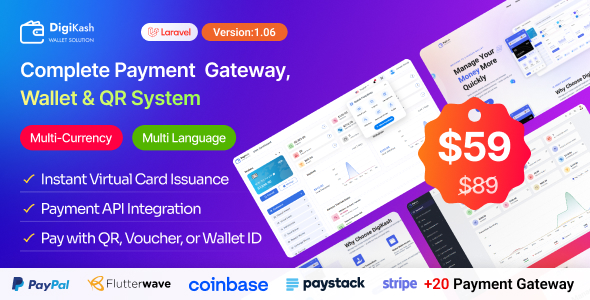
Initial Impressions: The Promise of an All-in-One Solution
DigiKash presents itself as a holistic solution, encompassing a payment gateway, a digital wallet system, and QR code payment capabilities. This trinity addresses several critical aspects of modern online commerce and peer-to-peer transactions. The immediate appeal lies in its "complete system" moniker, suggesting that it can serve as the backbone for various financial services platforms, e-commerce sites, or even internal corporate payment systems. The feature list is extensive: user and merchant dashboards, multiple payment methods, dynamic fee management, KYC verification, multi-currency support, and a comprehensive admin panel.
Upon initial inspection of demo environments and available documentation (which often varies in depth for such scripts), the interface appears clean and functional. The design choices lean towards a modern, responsive aesthetic, suggesting a reasonable user experience across different devices. However, aesthetic appeal rarely translates directly to underlying technical robustness or ease of maintenance. Our investigation goes beyond the surface to understand the practical implications of deploying and maintaining such a system.
Technical Architecture and Underlying Stack Analysis
While the product description might not explicitly detail the entire technology stack, a common pattern for "complete systems" like DigiKash points towards a PHP-based framework, most frequently Laravel. Assuming a Laravel foundation, this brings both advantages and considerations. Laravel provides a solid, well-structured MVC (Model-View-Controller) architecture, robust ORM (Eloquent), and a vibrant ecosystem. This can accelerate development, but it also tightly couples the solution to specific PHP versions, Composer dependencies, and environmental configurations.
Database Considerations: The system likely relies on MySQL or MariaDB for data persistence. The database schema would be central to managing users, transactions, wallets, payment gateways, and system configurations. Performance and scalability heavily depend on the schema design, proper indexing, and efficient query execution. For high-volume environments, simple table structures can quickly become bottlenecks. Replication, sharding, and dedicated database tuning become necessary considerations, often beyond the scope of a standard "script" installation.
Frontend Technologies: Modern web applications typically leverage JavaScript frameworks for interactive UIs. We can anticipate components built with Vue.js, React, or even vanilla JavaScript with jQuery for client-side interactivity, bundled via Webpack or Vite. This implies a Node.js/NPM dependency for asset compilation during setup and any future customization.
API Design: For a system offering a "payment gateway," a well-defined and secure API is paramount. This allows external applications to integrate with DigiKash for initiating payments, checking transaction status, and managing user accounts. The quality and security of these APIs will dictate the system's extensibility and its suitability for integration with diverse platforms.
Pre-Installation: Essential Prerequisites and Preparations
Before attempting any installation, a clear understanding of the server environment and necessary software is critical. Skipping these steps invariably leads to frustration and debugging complex issues.
Server Requirements (Typical for Laravel Applications):
- Web Server: Apache (with mod_rewrite enabled) or Nginx. Nginx is generally preferred for performance in production environments.
- PHP Version: A specific range is usually required. For modern Laravel, this typically means PHP 7.4 or 8.x. Ensure all necessary PHP extensions are installed:
php-fpm(for Nginx)php-mysqlphp-mbstringphp-xmlphp-bcmathphp-jsonphp-gd(for image manipulation, QR code generation)php-curl(for external API calls, payment gateways)php-zipphp-domphp-fileinfo
php.inisettings if necessary, particularlyupload_max_filesizeandpost_max_sizefor file uploads, andmax_execution_time. - Database: MySQL 5.7+ or MariaDB 10.2+.
- Composer: PHP dependency manager. Essential for installing Laravel packages.
- Node.js & NPM: For compiling frontend assets.
- Git: While not strictly necessary for a manual upload, it's good practice for version control if you intend to customize the code.
- SSL Certificate: Absolutely mandatory for any payment system. Transactions over plain HTTP are a critical security failure.
- SSH Access: For running command-line utilities (Composer, Artisan, NPM).
Database Setup:
- Access your database management system (e.g., phpMyAdmin, MySQL CLI).
- Create a new database for DigiKash (e.g.,
digikash_db). - Create a dedicated database user with a strong password. Grant this user all privileges on the newly created database. Avoid using the root user for application databases.
Step-by-Step Installation Guide for DigiKash
This guide assumes a clean Ubuntu Server environment, but the principles apply to other Linux distributions with minor command variations. Ensure you have SSH access and root/sudo privileges.
Step 1: Obtain and Upload the DigiKash Files
- Download: Acquire the DigiKash script package. This usually comes as a
.zipfile. - Extract: Unzip the package on your local machine. You'll typically find a directory structure resembling a standard Laravel application.
- Upload to Server: Use an SFTP client (e.g., FileZilla, WinSCP) or
scpcommand-line utility to upload the extracted contents to your web server's designated directory. A common location is/var/www/your_domain.com/public_html.
Example: If you extracted todigikash/, upload the *contents* ofdigikash/to your web root, not thedigikash/folder itself, unless you intend to access it viayour_domain.com/digikash.
Step 2: Configure Web Server (Nginx Example)
Create a new Nginx server block configuration file (e.g.,
/etc/nginx/sites-available/your_domain.com):server { listen 80; listen [::]:80; server_name your_domain.com www.your_domain.com; root /var/www/your_domain.com/public_html/public; # IMPORTANT: point to the 'public' directory add_header X-Frame-Options "SAMEORIGIN"; add_header X-XSS-Protection "1; mode=block"; add_header X-Content-Type-Options "nosniff"; index index.php index.html index.htm; charset utf-8; location / { try_files $uri $uri/ /index.php?$query_string; } location = /favicon.ico { access_log off; log_not_found off; } location = /robots.txt { access_log off; log_not_found off; } error_page 404 /index.php; location ~ \.php$ { fastcgi_pass unix:/var/run/php/php8.1-fpm.sock; # Adjust PHP version as needed fastcgi_index index.php; fastcgi_param SCRIPT_FILENAME $realpath_root$fastcgi_script_name; include fastcgi_params; } location ~ /\.(?!well-known).* { deny all; } }Enable the site and restart Nginx:
sudo ln -s /etc/nginx/sites-available/your_domain.com /etc/nginx/sites-enabled/
sudo nginx -t
sudo systemctl restart nginx
Note on SSL: After verifying basic HTTP access, configure HTTPS using Certbot or your preferred method. This is critical.
Step 3: Environment Configuration (.env file)
- Navigate to your project root via SSH:
cd /var/www/your_domain.com/public_html - Copy the example environment file:
cp .env.example .env - Edit the
.envfile:nano .envKey parameters to configure:
APP_NAME=DigiKashAPP_ENV=production(Change tolocalfor development)APP_KEY=(Leave empty, Laravel will generate it)APP_DEBUG=false(Set totruefor debugging, but *never* in production)APP_URL=https://your_domain.com(Your domain, with HTTPS)DB_CONNECTION=mysqlDB_HOST=127.0.0.1DB_PORT=3306DB_DATABASE=digikash_db(Your database name)DB_USERNAME=digikash_user(Your database user)DB_PASSWORD=your_strong_db_password(Your database password)- Mailer Settings: Configure SMTP details for transactional emails.
MAIL_MAILER=smtpMAIL_HOST=smtp.mailtrap.io(Replace with your actual SMTP host)MAIL_PORT=2525MAIL_USERNAME=nullMAIL_PASSWORD=nullMAIL_ENCRYPTION=nullMAIL_FROM_ADDRESS="hello@example.com"MAIL_FROM_NAME="${APP_NAME}" - Payment Gateway API Keys: You'll likely find sections for various payment gateways (e.g., Stripe, PayPal, Paystack). Populate these with your actual API keys and secrets.
- Other settings like storage, cache drivers, and logging should also be reviewed.
- Save and exit (Ctrl+X, Y, Enter for nano).
Step 4: Install PHP Dependencies and Generate App Key
- From your project root, run Composer:
composer install --no-dev --optimize-autoloader--no-devskips development dependencies, crucial for production.--optimize-autoloaderimproves performance. - Generate the application key:
php artisan key:generateThis will populate the
APP_KEYin your.envfile.
Step 5: Database Migration and Seeding (Crucial)
- Run database migrations to create tables:
php artisan migrateIf the script package includes a
.sqldump, you might need to import that *instead* of or *before* running migrations, especially if it contains seed data.Alternative (if .sql dump is provided):
mysql -u digikash_user -p digikash_db < digikash_dump.sqlMake sure
digikash_dump.sqlis in your current directory or provide its full path. Enter your database user's password when prompted. - If migrations were run, check if seeding is needed for initial admin user or basic data:
php artisan db:seedRefer to DigiKash's specific documentation for whether a seeder exists or if initial admin creation is handled differently.
Step 6: Frontend Asset Compilation
If the application uses modern JavaScript frameworks, you'll need to compile assets.
- Install Node.js dependencies:
npm install - Compile assets for production:
npm run prodOr
npm run builddepending on the configuration (Laravel Mix, Vite).
Step 7: Set File Permissions
Laravel applications require specific directory permissions for caching, sessions, and logs.
sudo chown -R www-data:www-data /var/www/your_domain.com/public_html sudo chmod -R 775 /var/www/your_domain.com/public_html/storage sudo chmod -R 775 /var/www/your_domain.com/public_html/bootstrap/cachewww-datais the typical user/group for web servers on Ubuntu. Adjust if your server uses a different user (e.g.,nginx).Step 8: Configure Cron Jobs
Laravel applications often use scheduled tasks (e.g., cleaning up old sessions, sending scheduled reports, processing recurring payments). Set up the Laravel scheduler:
crontab -eAdd the following line:
* * * * * cd /var/www/your_domain.com/public_html && php artisan schedule:run >> /dev/null 2>&1This tells cron to execute the scheduler every minute, allowing Laravel to dispatch any configured scheduled commands.
Step 9: Final Checks and Access
Clear any lingering caches:
php artisan config:cache
php artisan route:cache
php artisan view:cache
Now, open your web browser and navigate to
https://your_domain.com. You should see the DigiKash login or registration page. If a default admin user wasn't created via seeding, refer to the documentation for how to register the first admin account or run an artisan command to create one.Configuration and Customization Walkthrough
Once DigiKash is successfully installed, the real work of tailoring it to specific operational needs begins. The admin panel is the central hub for this configuration.
General Settings:
This section typically covers basic platform branding, application name, logo, contact information, and default locale. Ensure all these reflect your brand identity and operational details.
Payment Gateway Integration:
DigiKash's value proposition includes being a "complete payment gateway." This implies integration with external payment processors. The admin panel should provide modules or settings for configuring Stripe, PayPal, Paystack, Mollie, and other common gateways. Each gateway will require API keys, secrets, and potentially webhook URLs to be set up both within DigiKash and on the respective payment processor's dashboard. Thorough testing of each integrated gateway, covering successful payments, refunds, and failed transactions, is non-negotiable.
Currency Management:
Supporting multiple currencies is crucial for international operations. The system should allow adding, enabling, disabling currencies, setting exchange rates (manual or via API), and designating a default currency. Dynamic currency conversion and proper handling of decimal places are vital to avoid financial discrepancies.
Fee Structures:
A sophisticated payment system needs flexible fee management. DigiKash claims to offer this. Expect to configure:
- Deposit Fees: Percentage or fixed fees for users adding money to their wallets.
- Withdrawal Fees: Fees for users pulling money out of the system.
- Transfer Fees: Fees for peer-to-peer transfers within the system.
- QR Payment Fees: Specific fees for transactions initiated via QR codes.
- Merchant Transaction Fees: For payments processed by merchants using the system.
These fees often vary by currency, payment method, or even user tier. Granular control here is a strong indicator of a well-thought-out financial system.
User Roles and Permissions:
Defining distinct roles (e.g., Administrator, Merchant, Regular User) and assigning specific permissions is essential for security and operational control. Administrators should have full access, while merchants can manage their stores/services, and regular users can manage their wallets. The system needs robust access control lists (ACLs) to prevent unauthorized actions.
KYC/AML Settings:
For financial platforms, Know Your Customer (KYC) and Anti-Money Laundering (AML) compliance are paramount. DigiKash should offer mechanisms for users to upload identification documents, proof of address, etc., and for administrators to review and approve these. Integration with third-party KYC/AML services would be a significant advantage, though often not included in basic scripts.
Localization:
If targeting a global audience, multi-language support is necessary. The admin panel should allow for easy translation of all frontend and backend strings. Ensuring proper handling of date formats, number formats, and cultural nuances is key to a truly localized experience.
User Experience (UX) and Interface (UI) Review
A powerful backend is only half the story; the user-facing experience dictates adoption and satisfaction. DigiKash presents three primary interfaces: Admin, User, and Merchant.
Admin Panel: Initial impressions suggest a logical layout. Critical functions like user management, transaction logs, system settings, and finance reports are generally accessible. The dashboard should provide an at-a-glance overview of key metrics (total users, transactions, revenue). Navigation should be intuitive, avoiding excessive clicks to reach common tasks. We'd look for robust search and filtering capabilities in large data sets (transactions, users).
User Dashboard: This is where end-users manage their wallets, initiate payments, view transaction history, and potentially manage profile settings. Simplicity and clarity are paramount. The process for adding funds, sending money, or withdrawing funds should be straightforward, with clear feedback messages. The wallet balance should be prominent, and transaction history easily searchable.
Merchant Dashboard: Merchants need tools to track sales, manage their storefronts (if applicable), view incoming payments, generate QR codes for payments, and perhaps initiate payouts. The merchant interface should focus on their specific operational needs without unnecessary clutter.
Mobile Responsiveness: Given the prevalence of mobile device usage, a highly responsive design is mandatory. The UI should adapt seamlessly to various screen sizes, ensuring full functionality and readability on smartphones and tablets. Lagging or broken layouts on mobile can severely degrade user trust and usability.
Design Aesthetic: While subjective, a modern, clean design instills confidence. Overly complex or outdated interfaces can make a system feel unreliable, regardless of its underlying robustness. The color scheme, typography, and iconography should be consistent and professional.
Security Considerations: A Critical Lens
Operating a payment system places an immense responsibility on security. Any compromise can lead to catastrophic financial losses and reputational damage. While a review can't perform a full security audit, we can highlight critical areas.
- Input Validation & Output Encoding: Absolutely fundamental. Prevents common vulnerabilities like SQL Injection (SQLi) and Cross-Site Scripting (XSS). All user inputs must be rigorously validated, and all outputs to the browser must be properly escaped.
- Authentication & Authorization: Strong password policies, multi-factor authentication (MFA) capabilities, secure session management (e.g., HTTP-only, secure flags for cookies), and robust access control lists are essential. Password hashing with modern algorithms (Bcrypt, Argon2) is a given.
- Data Encryption: All sensitive data, especially financial data and personally identifiable information (PII), must be encrypted both in transit (HTTPS/TLS) and at rest (database encryption if possible, though often OS/disk level).
- Payment Card Industry Data Security Standard (PCI DSS): If DigiKash directly handles credit card information, it must be PCI DSS compliant. More commonly, systems like this integrate with PCI-compliant third-party processors, avoiding direct handling of card data. Understanding the scope of PCI compliance for your specific deployment is vital.
- Logging & Monitoring: Comprehensive logging of security events (failed logins, administrative actions, critical transactions) and continuous monitoring are necessary for detecting and responding to potential breaches.
- Secure Coding Practices: Adherence to OWASP Top 10 guidelines is the baseline. Code reviews and vulnerability scanning should be part of the development lifecycle (even for pre-built scripts, understanding the vendor's commitment to this is important).
- Regular Updates: The underlying Laravel framework, PHP, and all Composer packages should be kept up-to-date to patch known vulnerabilities. The script vendor's update policy and ease of applying updates are significant factors.
Deploying DigiKash requires a proactive security stance from the implementer. It's not just about the code itself, but the entire environment it operates within.
Performance Benchmarking (Conceptual)
For a payment system, performance directly impacts user satisfaction and the ability to handle peak loads. While specific benchmarks require a live setup, we can infer potential performance considerations.
- Database Load: High transaction volumes will hammer the database. Efficient queries, proper indexing, and careful use of ORM are crucial. Caching strategies (Redis, Memcached) can offload database pressure.
- API Response Times: External payment gateway integrations and internal API calls must be fast. Network latency, server processing, and third-party response times all contribute.
- Frontend Load Times: Optimized asset delivery (minified CSS/JS, image optimization, CDN usage) is important for a snappy UI.
- Server Resources: PHP-FPM, MySQL, and Node.js can be resource-intensive. Proper server sizing and load balancing become necessary as traffic grows.
Strengths and Weaknesses: A Balanced Perspective
Strengths:
- Comprehensive Feature Set: The all-in-one nature significantly reduces the initial development burden for core payment, wallet, and QR functionalities.
- Modern UI/UX: Appears relatively modern and user-friendly, contributing to better adoption rates.
- Laravel Foundation (Assumed): Benefits from a robust, well-documented, and actively maintained framework, easing customization for developers familiar with Laravel.
- Potential for White-labeling: Often, such scripts are designed to be easily rebranded, making them suitable for various business models.
- Time-to-Market: For businesses needing a payment system quickly, this offers a much faster deployment path than building from scratch.
Weaknesses:
- Dependency Lock-in: Tied to specific versions of PHP, Laravel, and other libraries. Upgrades can be challenging if the vendor doesn't provide clear paths.
- Documentation Gaps: General scripts sometimes lack the granular technical documentation required for deep customization or complex troubleshooting.
- Scalability Limitations: While a single instance might handle moderate traffic, scaling for very high volumes might require significant custom engineering beyond the scope of the provided script.
- Security Responsibility: While the script aims for security, the ultimate responsibility for a secure deployment and ongoing maintenance rests heavily on the implementer. Audits and penetration testing become essential.
- Support & Community: Unlike open-source projects with large communities, support often relies solely on the vendor, which can vary in responsiveness and depth.
- Bloat: To be "complete," some features might be included that are unnecessary for specific use cases, potentially leading to a larger codebase and more attack surface than strictly required.
Who is DigiKash For?
DigiKash appears well-suited for:
- Startups and SMEs: Businesses needing to quickly launch a platform with integrated payment, wallet, or QR capabilities without the extensive budget or time for custom development.
- Digital Service Providers: Companies offering services where an internal wallet system or simplified payment collection is beneficial.
- E-commerce Platforms: As a payment gateway backend or for a marketplace model where sellers need wallets.
- Educational Institutions or Non-Profits: For managing internal fund transfers, donations, or student payments.
It's likely less ideal for large enterprises with highly specific compliance needs, extreme scalability demands, or those requiring deep integration with legacy systems without significant custom development.
Final Verdict and Recommendations
DigiKash presents an intriguing proposition as a comprehensive payment and wallet system. Its strength lies in consolidating multiple crucial functionalities into a single package, offering a faster route to market for many businesses. The assumed Laravel foundation provides a degree of familiarity and extensibility for developers. The installation process, while detailed, is standard for modern PHP applications, requiring a solid understanding of server administration and command-line tools.
However, potential implementers must approach DigiKash with a realistic perspective. It is a starting point, not a magic bullet. Critical self-assessment regarding your team's technical capabilities, long-term scalability goals, and especially your security posture is vital. Thoroughly test every aspect of the system, particularly all payment flows and security features, before going live.
For those looking to establish a robust financial transaction platform without the prohibitive costs of ground-up development, and who possess the technical acumen to properly secure, configure, and maintain a Laravel-based application, DigiKash warrants serious consideration. Always prioritize the security implications and plan for ongoing maintenance and updates. Explore further technical solutions and gplpal for various tools that can complement or extend your web projects, including resources like Free download WordPress themes, if your broader ecosystem extends to WordPress.