A Deep Dive into the Event Management and Ticket Booking Module
-
A Deep Dive into the Event Management and Ticket Booking Module for Perfex CRM: An Expert Review and Installation Guide
For businesses already anchored in the robust capabilities of Perfex CRM, the prospect of natively integrating event management and ticket booking functionality is undeniably appealing. Dedicated event platforms, while powerful, often necessitate redundant data entry and a fragmented customer experience. This is where the Event Management and Ticket Booking Module for Perfex positions itself as a critical extension, promising to bridge this gap. As a senior web developer and technical journalist, my assessment here goes beyond a mere feature list; we'll dissect its real-world utility, technical implementation, and overall value proposition for Perfex users.
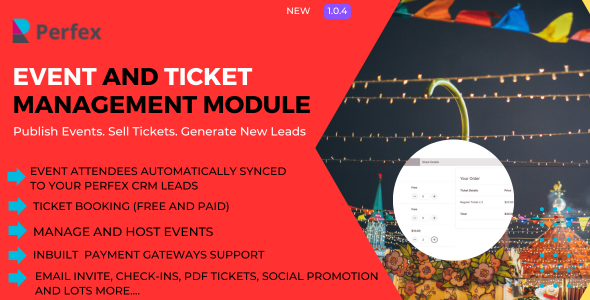
Understanding the Imperative: Why Integrated Event Management Matters
In today’s market, customer relationship management extends far beyond simple sales and support. Engaging customers through events – be it webinars, workshops, conferences, or product launches – has become a cornerstone of modern marketing and community building. When these events operate in a silo, disconnected from the core CRM, businesses face inefficiencies: duplicate customer records, disjointed communication flows, and a lack of holistic insight into customer engagement. An integrated module like this one aims to centralize these operations, making the Perfex CRM a more comprehensive platform for customer lifecycle management.
Feature Set Analysis: What Does It Bring to the Table?
A module's true value lies in its functional depth. Let's break down the key features of the Event Management and Ticket Booking Module for Perfex and assess their practical implications.
Comprehensive Event Creation and Configuration
The foundation of any event management system is its ability to define and schedule events effectively. This module allows administrators to create events with granular control over essential details:
- Event Titles & Descriptions: Standard text areas for conveying event purpose and agenda. Crucially, the richness of the text editor (WYSIWYG) will dictate how engaging these descriptions can be.
- Dates & Times: Precise start and end times, with options for single-day or multi-day events. The interface here needs to be intuitive, especially for recurring events or those spanning midnight.
- Location Management: Ability to define physical venues or specify online platforms (e.g., Zoom links). Integration with mapping services (like Google Maps) is a plus for physical events, enhancing the attendee experience.
- Capacity Limits: Essential for managing physical space and online webinar seats. The module must accurately track remaining spots and prevent overselling.
- Event Visibility & Status: Options to make events public, private, or draft. This control is vital for managing event lifecycle, from planning to public announcement.
- Associated Staff: Linking Perfex staff members to specific events allows for clear ownership and task assignment within the CRM, streamlining internal coordination.
- Event Cover Images: Visuals are paramount for marketing. The ability to upload high-quality images helps in branding and attracting attendees.
From a developer's perspective, the underlying data structure for events must be robust, supporting queries for upcoming events, past events, and events filtered by staff or category. This modularity is key for custom reporting or future API extensions.
Flexible Ticket Tiers and Pricing Models
Ticket sales are often the core revenue stream for events. The module's capability here is critical:
- Multiple Ticket Types: The ability to create various ticket categories (e.g., General Admission, VIP, Early Bird, Student Discount) with different pricing and access levels is fundamental. Each ticket type should have its own capacity limit.
- Pricing Options: Setting specific prices for each ticket type, including options for free tickets.
- Discount Codes/Coupons: A powerful marketing tool. The module should support percentage-based or fixed-amount discounts, with options for expiry dates and usage limits. Integration with existing Perfex CRM discount logic (if any) would be ideal.
- Early Bird Pricing: Automatically adjust prices based on purchase date, incentivizing early registration. This requires a reliable time-based trigger mechanism.
A well-implemented ticket system needs to handle complex scenarios gracefully. Think about group bookings, package deals, or add-ons (e.g., lunch tickets, merchandise). If the module only offers basic single-tier tickets, its utility for larger, more complex events will be limited.
Integrated Attendee Management
This is where the module truly leverages Perfex CRM's strengths:
- Automatic Registration: When a client books a ticket, their information should automatically create or update a contact within Perfex CRM. This is the cornerstone of CRM integration.
- Attendee List: A centralized list of all registered participants for each event, accessible from the Perfex admin panel. This list should be searchable and exportable.
- Communication Tools: The ability to send automated email confirmations upon booking, event reminders, and post-event follow-ups directly from Perfex. Personalization using Perfex client data is a must.
- Check-in Functionality: For physical events, a simple check-in interface (perhaps even QR code scanning) would be a significant advantage, updating attendance records in real-time.
The deeper the integration, the better. Can I segment my Perfex clients based on past event attendance? Can I target specific client groups with event invitations? These are questions that define the module's true value as a CRM extension.
Payment Gateway Integration
Seamless payment processing is non-negotiable for ticket sales:
- Built-in Options: The module likely leverages Perfex's existing payment gateway integrations (e.g., Stripe, PayPal, Authorize.net). This is a smart approach, avoiding duplication of effort and security concerns.
- Offline Payments: For specific use cases, offering bank transfer or "pay at the door" options can be useful, though these require manual reconciliation.
- Currency Support: Adherence to Perfex CRM's multi-currency settings is expected for global operations.
Security and reliability of transactions are paramount. The module should not handle sensitive card data directly but rather rely on secure payment gateway APIs, ensuring PCI DSS compliance where applicable.
Reporting and Analytics
Data drives decisions. The module should offer insights into event performance:
- Ticket Sales Reports: Overview of tickets sold per event, per ticket type, and revenue generated.
- Attendance Reports: Who attended, who registered but didn't show.
- Revenue Tracking: Financial summaries, perhaps broken down by payment method.
- Export Options: CSV or Excel exports for further analysis in external tools.
While unlikely to rival dedicated business intelligence platforms, the reports should provide actionable insights within the Perfex context, helping businesses optimize future events.
The Senior Web Developer's Critical Lens: Strengths and Areas for Improvement
Having reviewed numerous modules and built custom integrations, my perspective on this Perfex module is naturally analytical. It offers significant advantages, but like any software, it has areas where it could evolve.
Strengths:
- Native Perfex Integration: This is its foremost advantage. Keeping event data within the existing CRM ecosystem reduces data silos and improves the single customer view. Clients, contacts, and staff roles within Perfex can be directly utilized.
- Simplified Workflow: For businesses already using Perfex, the learning curve for this module will be significantly flatter compared to adopting a separate, standalone event management system.
- Cost-Effectiveness (Potentially): Compared to enterprise-level event platforms with monthly subscriptions, a one-time purchase of this module can offer substantial savings, especially for SMBs with moderate event volumes.
- User Interface Consistency: Modules built for Perfex typically inherit the CRM's UI/UX guidelines, leading to a more consistent experience for administrators.
Areas for Improvement and Critical Considerations:
- Scalability for Large Events: While adequate for small to medium-sized events, how does it perform under the pressure of hundreds or thousands of concurrent ticket sales? Database indexing, efficient query handling, and caching strategies are crucial here.
- Advanced Marketing & Promotion: Does it integrate with Perfex's email marketing features for highly targeted campaigns? Are there options for social media sharing directly from the event page? A dedicated landing page builder for events within Perfex would be a significant enhancement.
- Complex Event Logistics: For multi-track conferences, speaker management, abstract submission, or exhibitor management, this module would likely fall short. It's designed for straightforward event ticketing, not full-blown conference orchestration. Users with such needs might still require a specialized platform.
- Customization and Theming: While functional, how flexible is the client-facing event page design? Can it be easily branded to match a company's website without extensive custom coding? CSS override options or a templating system would be beneficial.
- API Access: For developers, the ability to extend or integrate events data with other systems via an API would open up a world of possibilities, from custom mobile apps to external analytics platforms. This is often a missing piece in many modules.
- Documentation and Support: The quality of official documentation (installation, configuration, troubleshooting) and developer support is critical for module longevity and user satisfaction. This is an external factor but a vital one for adoption.
- Performance Overhead: Any module adds overhead to a system. A poorly optimized module can degrade the overall performance of Perfex CRM. Developers should look for lean code and efficient database interactions.
In essence, this module is a strong contender for businesses seeking to integrate basic to intermediate event ticketing within their existing Perfex CRM. For highly complex, large-scale events with intricate logistical requirements, a dedicated, enterprise-grade event platform might still be the more appropriate choice.
Installation and Configuration Guide: Getting Started with the Module
Implementing any new module requires careful attention to detail. This guide outlines the typical steps involved in installing and configuring the Event Management and Ticket Booking Module for Perfex.
Prerequisites:
- Perfex CRM Installation: Ensure you have a working, up-to-date installation of Perfex CRM. Verify its version compatibility with the module.
- Server Environment: Your hosting environment must meet Perfex CRM's minimum requirements (PHP version, MySQL version, PHP extensions like PDO, OpenSSL, GD, cURL, Mbstring, Zip, etc.). Ensure file permissions are correctly set, allowing Perfex to write to its designated folders.
- FTP/SFTP Access: You'll need access to your server's file system to upload the module files.
- Database Access (Optional, for advanced debugging): While not strictly necessary for installation, having access to phpMyAdmin or a similar tool can be useful for verifying database changes or troubleshooting.
- Backup: ALWAYS perform a full backup of your Perfex CRM files and database before installing any new module. This cannot be stressed enough.
Step-by-Step Installation:
1. Download the Module
Obtain the module archive file (usually a .zip file) from your purchase source. For those exploring the Perfex ecosystem, finding quality modules and resources on platforms like gplpal can be a good starting point.
2. Upload Module Files
Connect to your server using an FTP/SFTP client (e.g., FileZilla, Cyberduck). Navigate to your Perfex CRM installation directory. Inside, you will find a folder named
modules. Unzip the downloaded module archive. You should find a folder named something likeevent_managementor similar (the module's unique identifier). Upload this entire folder into themodulesdirectory of your Perfex CRM installation./your_perfex_root/ ├── application/ ├── assets/ ├── modules/ │ ├── event_management/ <-- Upload the module folder here │ ├── other_modules/ ├── system/ └── index.phpEnsure that all files and subdirectories within the uploaded module folder have appropriate permissions (typically 644 for files and 755 for directories).
3. Activate the Module in Perfex CRM
Log in to your Perfex CRM admin panel.
- Navigate to Setup > Modules.
- You should see the "Event Management and Ticket Booking" module listed.
- Click the "Activate" button next to the module.
Upon activation, the module will typically perform necessary database schema migrations (creating new tables, adding columns) and register its routes and functionalities within Perfex. If you encounter any errors during activation, check your server's PHP error logs (
error_logfile) and Perfex CRM's own application logs for clues.4. Initial Configuration Settings
After successful activation, new menu items or settings tabs related to event management should appear in your Perfex admin panel (e.g., under "Sales", "Clients", or a new "Events" menu).
- General Settings: Look for a dedicated settings area for the module. Here you might configure:
- Default currency for events (if not inherited from Perfex core).
- Default email templates for booking confirmations, reminders, etc.
- Public-facing URL slugs for events.
- Integration with specific payment gateways (if the module has its own payment settings).
- Permissions: Navigate to Setup > Staff > Staff Permissions (or Roles if you use them). Grant appropriate permissions to relevant staff members who will be managing events, creating tickets, and viewing reports. This is a critical security step.
- Client Permissions: If clients are to view their bookings or manage tickets, ensure the client-side permissions are correctly configured.
5. Create Your First Event
To verify the installation, create a test event:
- Go to the new "Events" (or similar) menu item.
- Click "Add New Event" (or similar).
- Fill in all required details: title, description, dates, times, location, capacity.
- Add at least one ticket type with a price (even if it's free).
- Publish the event.
6. Test the Booking Process (Client Side)
Access the public URL for your test event (if available) or view it as a logged-in client. Attempt to book a ticket:
- Select a ticket type and quantity.
- Proceed through the booking form.
- If payment gateways are configured, test a small transaction (e.g., a 1-cent test product if your gateway supports it, or a free ticket).
- Verify that you receive the email confirmation.
- Check the Perfex admin panel: Does the attendee show up in the event's attendee list? Is a new client/contact created or updated in Perfex?
Troubleshooting Common Issues:
- Module Not Appearing in List:
- Double-check that the module folder is uploaded correctly into
modules/. - Verify folder and file permissions.
- Clear Perfex CRM cache (if applicable) and browser cache.
- Double-check that the module folder is uploaded correctly into
- Activation Errors:
- Check your server's
error_logfile for PHP errors. - Review Perfex CRM's internal logs (often found in
application/logs/). - Ensure PHP version compatibility.
- Check your server's
- Payment Gateway Issues:
- Verify your API keys and credentials for the payment gateway in Perfex settings and/or module settings.
- Check if the payment gateway is enabled for public access and correct currencies.
- Review gateway-specific transaction logs for errors.
- Permissions Problems:
- Ensure staff roles have been granted access to the new event management features.
- If clients can't see events or bookings, check client group permissions.
- Blank Pages / 500 Errors:
- This almost always points to a critical PHP error. Enable
display_errorsin yourphp.initemporarily (on a development environment ONLY) or check error logs meticulously.
- This almost always points to a critical PHP error. Enable
Concluding Thoughts on a Specialized Perfex Extension
The "Event Management and Ticket Booking Module for Perfex" represents a valuable addition to the Perfex CRM ecosystem. It effectively addresses a common business need: the seamless integration of event management and ticketing within an existing CRM framework. For organizations already heavily invested in Perfex, this module promises to streamline operations, enhance customer engagement through integrated events, and consolidate data, providing a more unified view of the customer journey.
While it may not supersede the capabilities of highly specialized, enterprise-grade event platforms for complex logistical scenarios, it offers a robust and practical solution for most small to medium-sized businesses and internal corporate event needs. Its strength lies in its ability to keep data within the familiar Perfex environment, leveraging existing client records and staff structures. The key to its successful implementation, as with any extension, will be thorough testing, careful configuration of permissions, and a clear understanding of its intended scope.
As the digital landscape evolves, so too does the demand for integrated business tools. Platforms like Perfex, extended by well-crafted modules, offer a compelling alternative to fragmented software stacks. Developers and businesses looking to augment their Perfex capabilities can find an array of options, including various Free download WordPress themes and other modules, expanding the CRM's reach and utility. This particular module stands out as a thoughtful and necessary step towards a more holistic Perfex experience.